> For the complete documentation index, see [llms.txt](https://knowledgebase.autorabit.com/llms.txt). Markdown versions of documentation pages are available by appending `.md` to page URLs; this page is available as [Markdown](https://knowledgebase.autorabit.com/product-guides/arm-1/arm-features/version-control/change-labels/commit-labels.md).
# Commit Labels
### Commit Labels: Overview
A Commit Label helps to label a commit. For example, changes related to a user story or task, etc. can be placed under a specific label. The main advantage of creating a commit label is to reuse the labels and perform many commits under it.
### Creating a Commit Label
1. Log in to your AutoRABIT account.
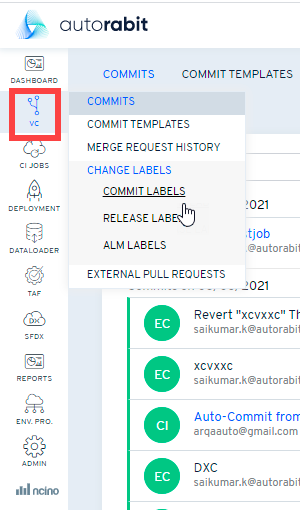
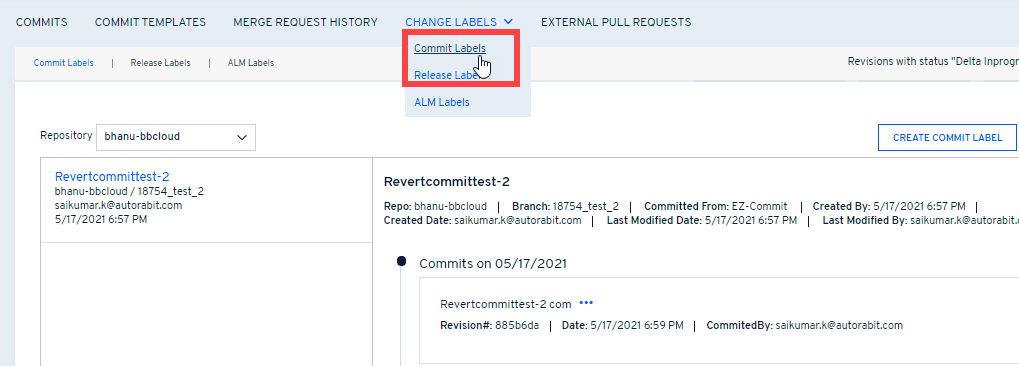
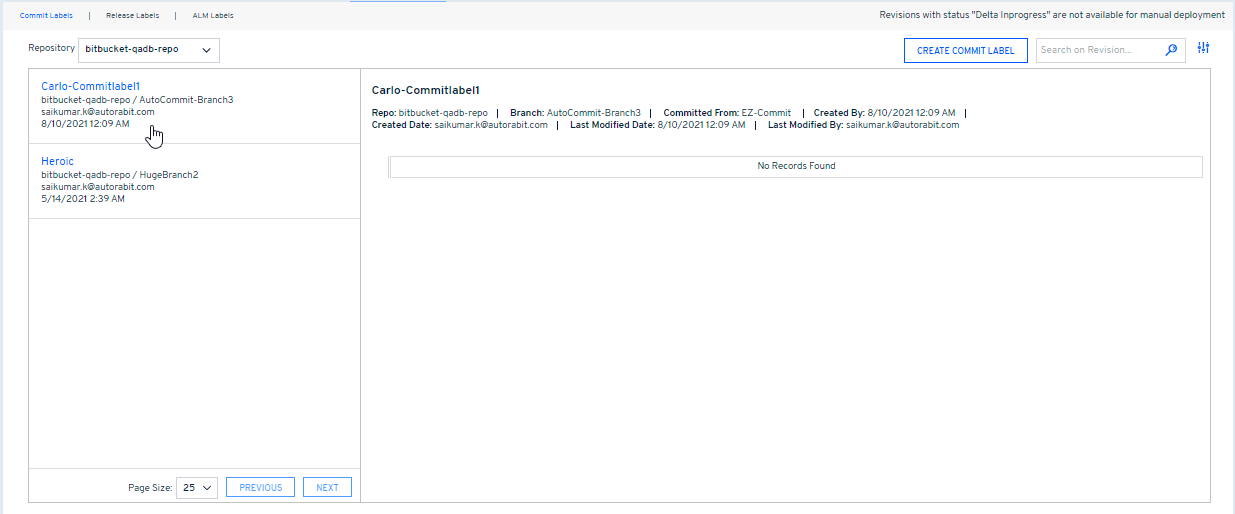
2. Navigate to the left navigation pane, select Version Control, and click **Manage Labels** from the dropdown. Then, select **Commit Labels** from the top navigation bar. \
\
The **Commit Labels** screen is best viewed when the zoom setting is set to **75%** on your Chrome/Firefox browser.
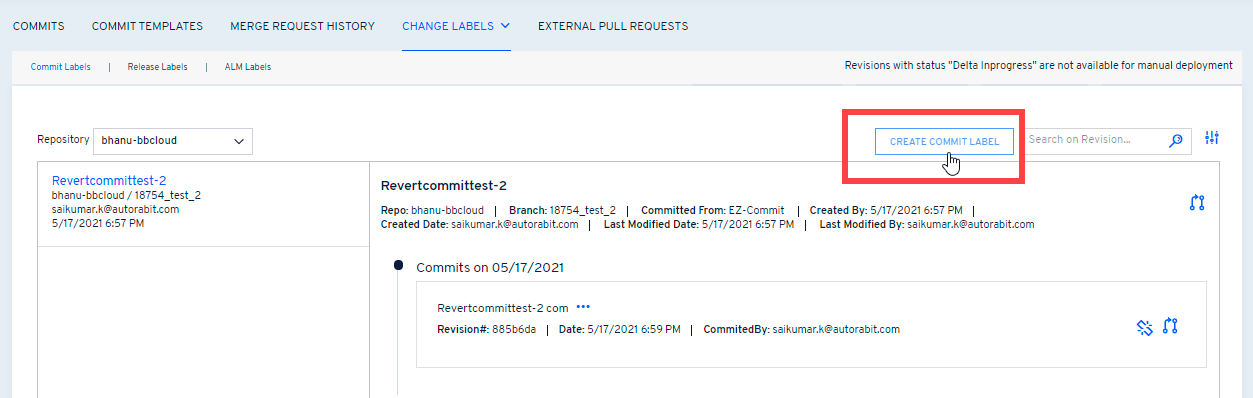
3. Next, click on **Create Commit Label** button.
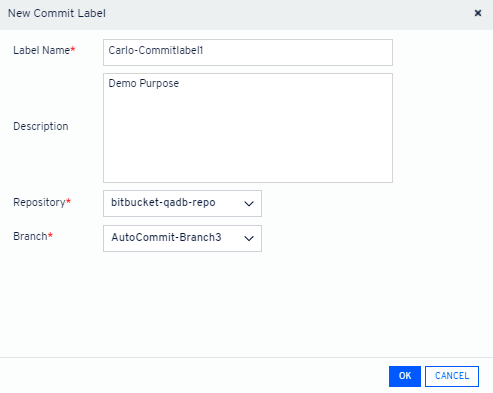
4. On the next dialog box that appears, give the commit label a **name** for your reference. Also, include brief information about the label created in the **Description** box. Select your **VC** **Repository**, its mapped **Branch,** and the **Label Type** for which you want to create a commit label.
5. Click **OK**.
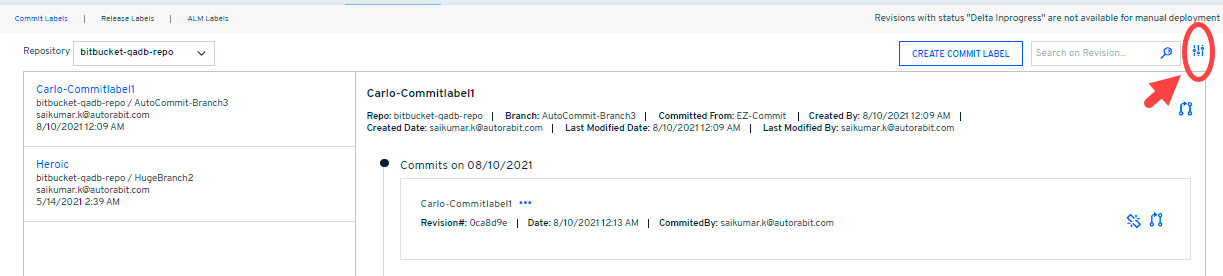
6. The commit label will be displayed under the **Commit Label** tabs along with other commit labels.
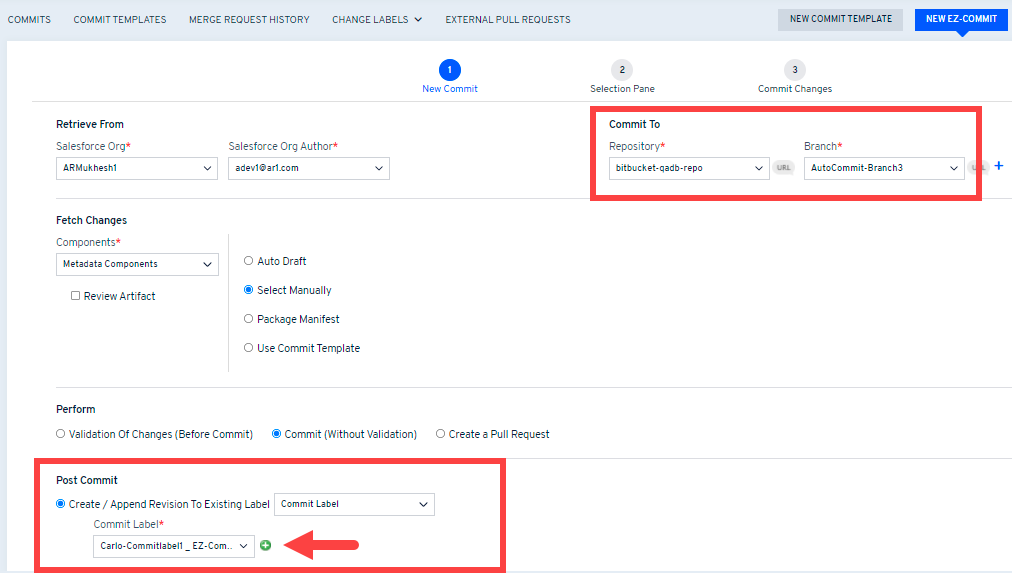
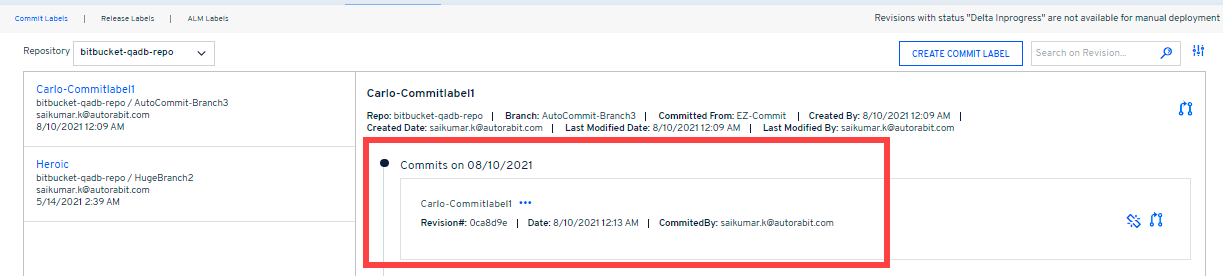
7. Now, whenever you perform a merge or commit using the previously created commit label, a revision number generates. These revision details are available on the right side of your commit label.
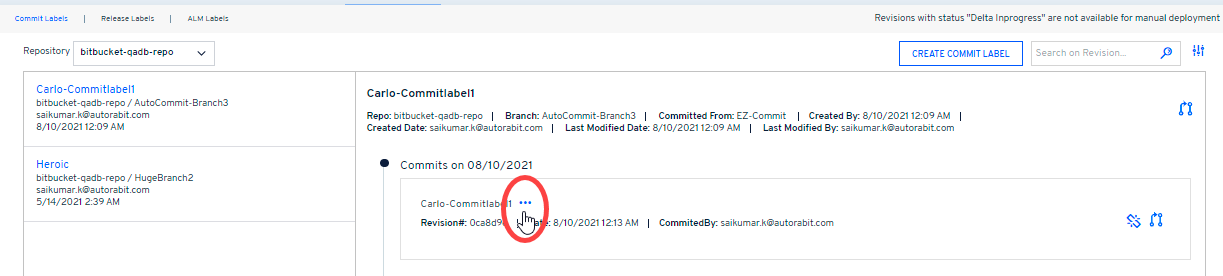
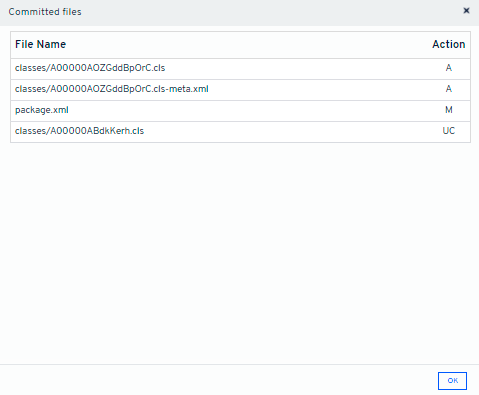
8. Click on the **...** icon to view detailed info about the revision of the commit label created. The info includes revision creation date, revision committed by, revision number, and components.
### Filtering the Commit Labels
Use the **Advanced Search** filter option to fetch any specific commit label faster.
Filter the commit labels via:
1. **Branch:** Filter the commit labels based on the Version Control Repository/ Branch for which the commit label is registered.
2. **Label Type:** Filter the commit labels by Label type, e.g., Salesforce Label or Vlocity Label.
3. **Label:** Filter the commit labels by name.
---
# Agent Instructions
This documentation is published with GitBook. GitBook is the documentation platform designed so that both humans and AI agents can read, navigate, and reason over technical content effectively. Learn more at gitbook.com.
## Querying This Documentation
If you need additional information that is not directly available in this page, you can query the documentation dynamically by asking a question.
Perform an HTTP GET request on the current page URL with the `ask` query parameter, and the optional `goal` query parameter:
```
GET https://knowledgebase.autorabit.com/product-guides/arm-1/arm-features/version-control/change-labels/commit-labels.md?ask=&goal=
```
`ask` is the immediate question: it should be specific, self-contained, and written in natural language.
`goal` is optional and describes the broader end goal you are ultimately trying to accomplish on behalf of the user. GitBook uses it to tailor the answer towards what is most useful for that goal.
The response will contain a direct answer to the question and relevant excerpts and sources from the documentation.
Use this mechanism when the answer is not explicitly present in the current page, you need clarification or additional context, or you want to retrieve related documentation sections.