> For the complete documentation index, see [llms.txt](https://knowledgebase.autorabit.com/llms.txt). Markdown versions of documentation pages are available by appending `.md` to page URLs; this page is available as [Markdown](https://knowledgebase.autorabit.com/product-guides/arm-1/getting-started-1/registration/search-and-substitute.md).
# Search and Substitute
> **Audience:** Org Administrators only – general users don’t see these controls.
***
## Why Use Search & Substitute?
When you move metadata between environments, small but critical differences can break deployments:
* Hard-coded URLs that point to Production instead of Sandbox.
* Object-level permissions that should exist only in lower tiers.
* Label values that need slight tweaks per org.
**Search & Substitute** lets you define *rules* that automatically find and replace text inside selected metadata *before* the deployment or commit occurs. The rules run when you:
* Deploy sandbox → sandbox
* Deploy sandbox → Version Control
* Commit Version Control → sandbox (CI jobs)
That means fewer manual edits, fewer post-deployment fixes, and more predictable pipelines.
***
## Creating a Rule
1. Log in to ARM.
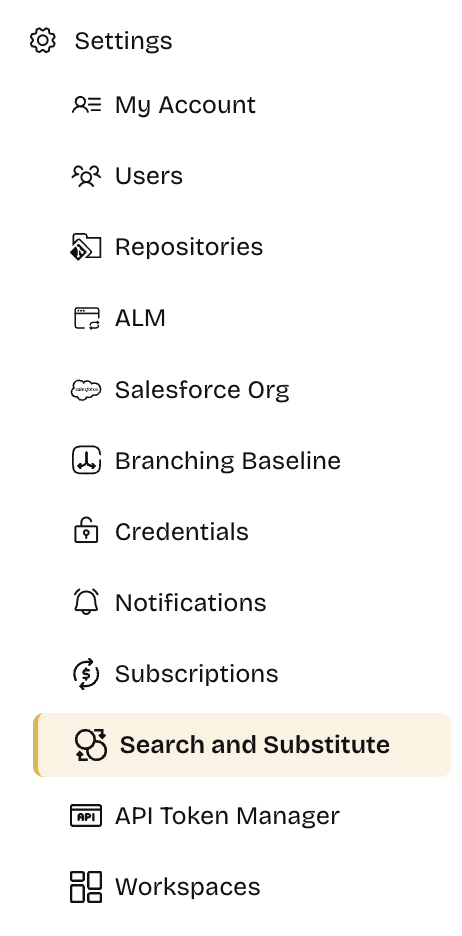
2. Go to **Settings › Search and Substitute**.
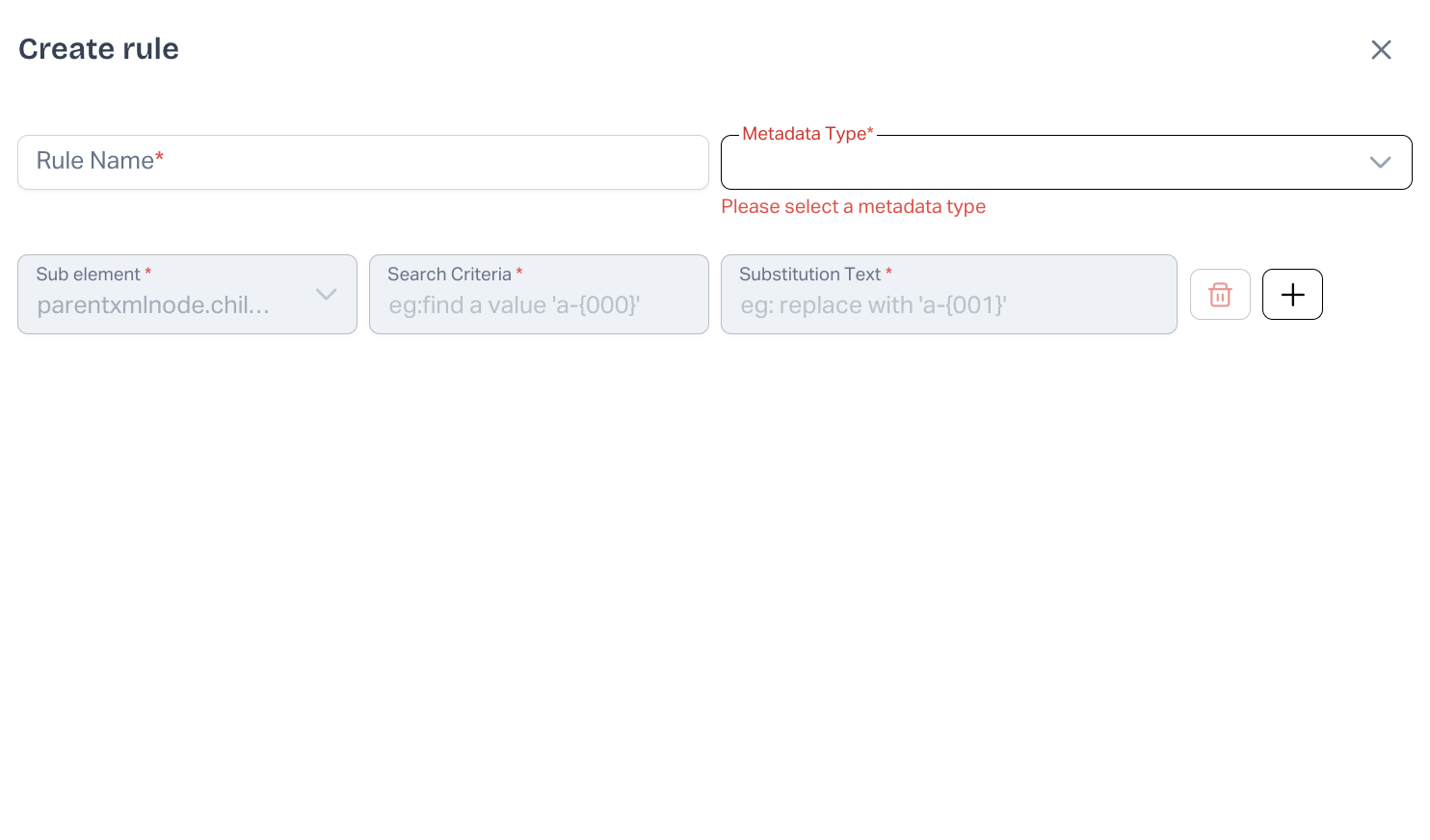
3. Click **Create Rule**.
Each rule has a **label** plus one or more **parameters**.
***
### Rule Parameters Explained
| # | Field | Purpose |
| ----- | ----------------- | ---------------------------------------------------------------------------------------- |
| **1** | **Metadata Type** | Choose a metadata type – *or an individual member* – where the replacement should occur. |
| **2** | **Sub Element** | The XML path / JSON key holding the text you want to change. |
| **3** | **Criteria** | The exact string (or pattern) to search for. |
| **4** | **Substitute** | The replacement value. |
Click **+** to add up to **5** parameter sets per rule. Duplicate rows are not allowed.
#### Supported Metadata Types
`AutoResponseRule`, `CustomLabel`, `CustomMetadata`, `CustomObject`, `CustomSite`, `Dashboard`, `DashboardFolderShare`, `Network`, `NamedCredential`, `PermissionSet`, `Portal`, `Queue`, `RemoteSiteSettings`, `Report`, `ReportFolderShare`, `SamlSsoConfig`, `SharingCriteriaRule`, `SharingOwnerRule`, `Workflow`
> **Tip:** Combining Search & Substitute with **CI Job** deployment settings lets you adjust the same package differently for each target org.
***
### Example
Need to change an invoice number format in one org only? Create a rule like this:
* **Metadata Type:** `CustomObject › Invoice__c`
* **Sub Element:** `Fields.displayFormat`
* **Criteria:** `a-{000}`
* **Substitute:** `a-{001}`
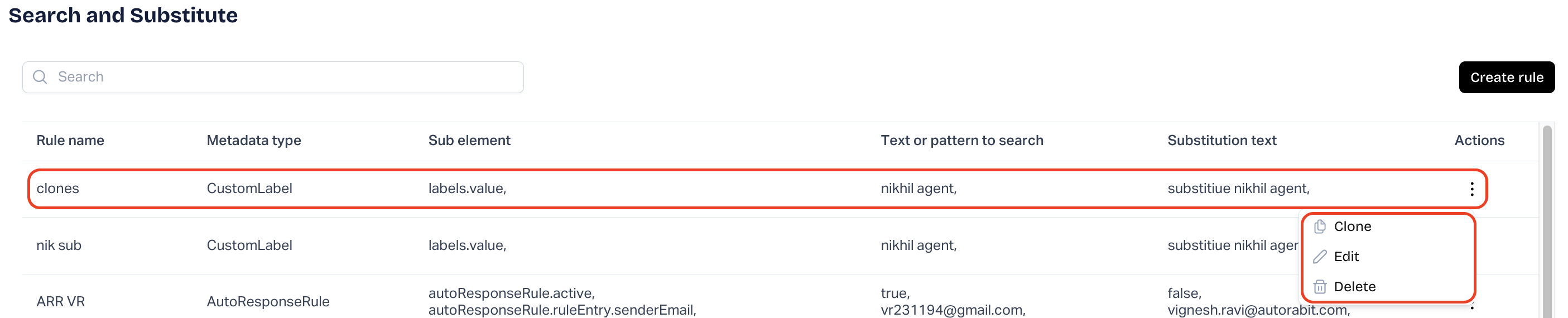
Click **Save** to store the rule. It appears in the list with **Edit**, **Delete**, and **Clone** icons.\
***
## Using a Rule in Deployments & Commits
### Sandbox → Sandbox Deployment
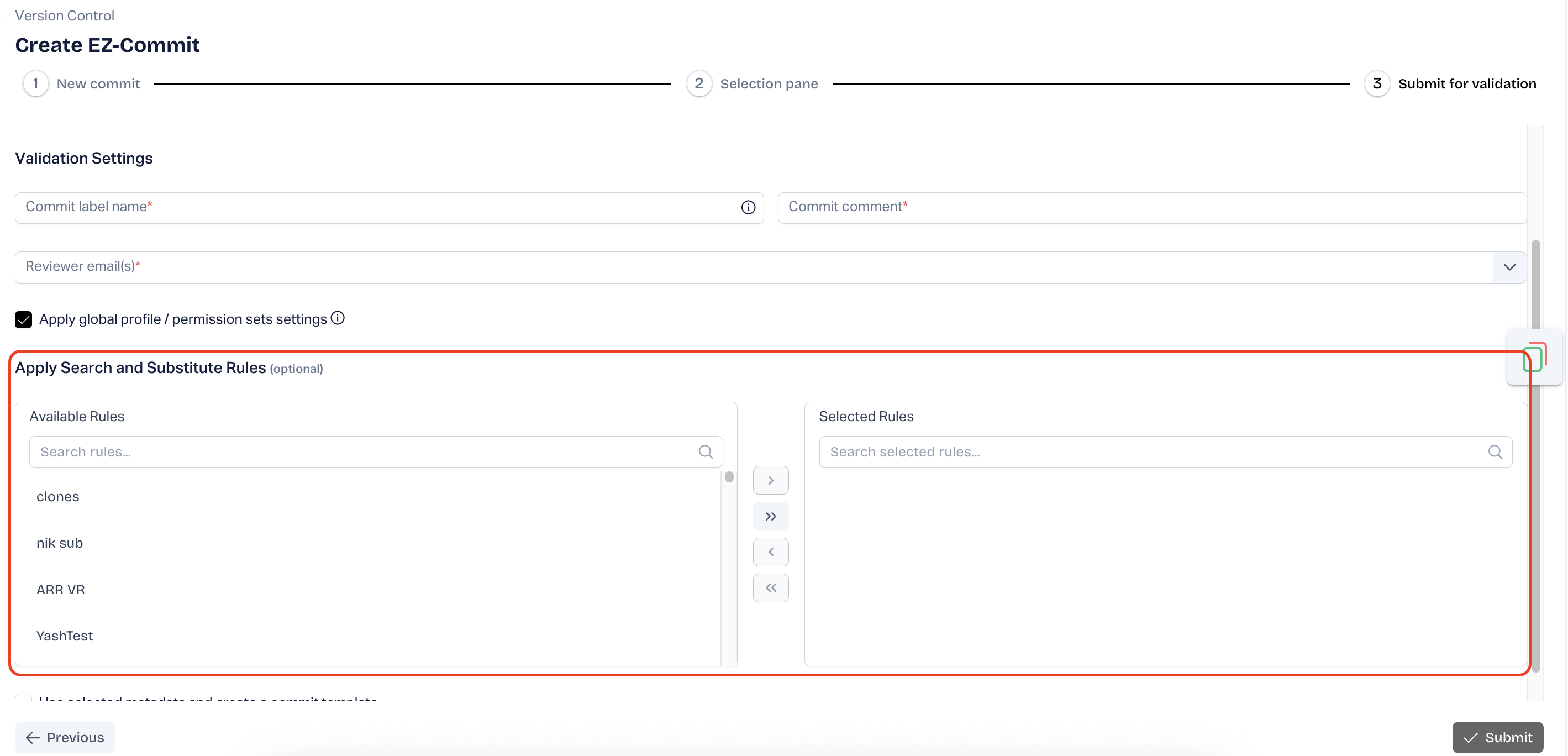
On the **Deployment Settings** screen:
1. Open **Apply Search and Substitute Rules**.
2. Move rules to **Selected** with  / .
3. Use the arrows to order execution (top rule runs first).

### Commit to Version Control
During **Commit** or **Submit for Validation**, pick your rule under **Search and Substitute**.\
### CI Job
When creating a **CI Job**, expand the **Deploy** section and choose the rule
***
## Best Practices
* **Granularity first** – target specific metadata members when possible to avoid false replacements.
* **Limit to five** – ARM enforces a max of 5 parameters; combine similar changes into one rule.
* **Test in Sandbox** – run a dry-run deployment to validate your substitutions before Production.
* **Clone, don’t copy-paste** – use the **Clone** icon to reuse rule logic with small tweaks.
With Search & Substitute configured, your deployments self-adjust to each environment—no manual XML edits required.
---
# Agent Instructions
This documentation is published with GitBook. GitBook is the documentation platform designed so that both humans and AI agents can read, navigate, and reason over technical content effectively. Learn more at gitbook.com.
## Querying This Documentation
If you need additional information that is not directly available in this page, you can query the documentation by asking a question.
Perform an HTTP GET request on the following URL with the `ask` and `goal` query parameters:
```
GET https://knowledgebase.autorabit.com/product-guides/arm-1/getting-started-1/registration/search-and-substitute.md?ask=&goal=
```
`ask` is the immediate question: it should be specific, self-contained, and written in natural language.
`goal` is what the user is ultimately trying to achieve, the reason they need the answer. Sharing it helps GitBook give you a better, more relevant answer. A goal is most helpful when it describes the outcome the user wants rather than restating the question. For example, with `ask=how do I create an API token`, a goal like `automate deployments from our CI pipeline` lets GitBook tailor the answer to that use case.
The response will contain a direct answer to the question and relevant excerpts and sources from the documentation.
Use this mechanism when the answer is not explicitly present in the current page, you need clarification or additional context, or you want to retrieve related documentation sections.