> For the complete documentation index, see [llms.txt](https://knowledgebase.autorabit.com/llms.txt). Markdown versions of documentation pages are available by appending `.md` to page URLs; this page is available as [Markdown](https://knowledgebase.autorabit.com/product-guides/arm-1/integration-and-plugins/vlocity/commit-the-vlocity-components-to-a-branch.md).
# Committing to Branch
This section explains exporting OmniStudio data packs from a Salesforce Org through a YAML manifest, describing your project and committing the same to a Version Control System. The primary goal is to enable Continuous Integration for OmniStudio metadata through source control.
### Commit OmniStudio Components
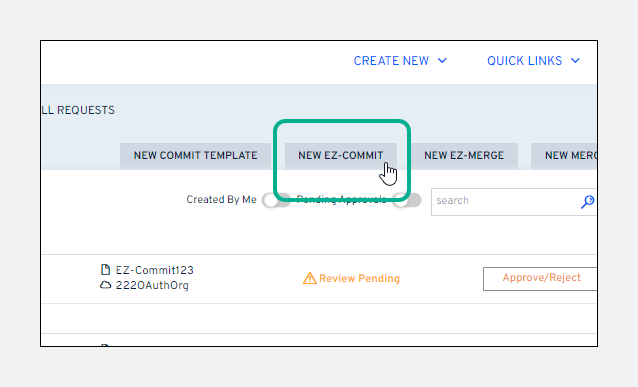
1. Go to the **New EZ-Commit** screen.
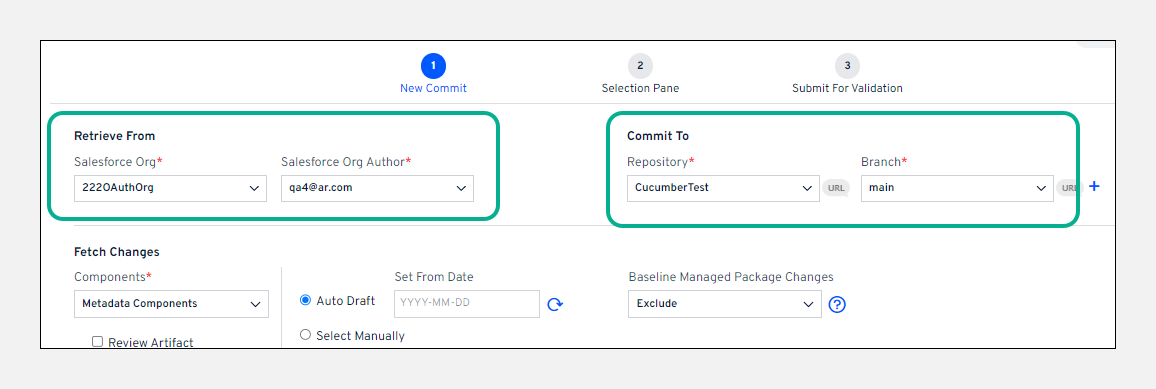
2. In the **EZ-Commit** screen, select your **Salesforce Org.**
3. Select the **Salesforce Org Author**.
4. Under **Commit To** section, select the **Version Control Repository** and the **Branch** where the commits need to be done.
{% hint style="info" %}
**Note**: The selection of a branch is only available if you have enabled **'Skip Mappings'** in the **My Profile** section. Otherwise, the branch will automatically be selected based on the org mappings, and it is not editable.
{% endhint %}
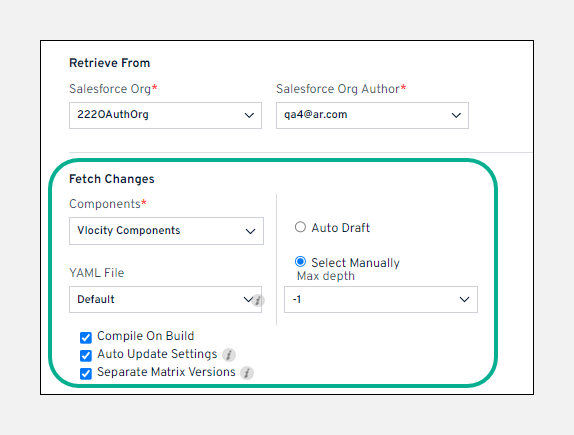
5. Under **Fetch Changes**, select the components as **OmniStudio Components**.
#### Different options for OmniStudio Components
**1. Auto Draft**
This will bring all the changes which the Author has made in the Salesforce Org that have not yet been committed to Version Control (AutoRABIT does the calculation by using the last modified date in the Salesforce org and comparing against the last commit date to Version Control branch).
**2. Select Manually**
This will export OmniStudio components from a Salesforce Org through a YAML manifest describing your project and committing the same to a Version Control System. The primary goal is to enable continuous integration for OmniStudio metadata through source control.
**3. Max Depth**
Max Depth decides the level of dependencies that will be executed while fetching and committing Vlocity components. The value of Max Depth that was set while configuring OmniStudio will be used globally.
However, the user can modify the value based on their requirements.
* When Max Depth Values is set to **-1** means, it will execute all-level dependencies of the selected data pack record
* When Max Depth Values is set to **0** means, it will execute only selected data pack records and
* When Max Depth Values is set to **1** means, it will execute only first-level dependencies of the selected data pack record.
**4. Custom YAML File**
The user also has an option to upload a custom **YAML file** (Project path and manifest/queries fields are mandatory). In such a case, the already configured Data Packs Type will have no impact on the current commit label.
**5. Compile on Build**
When checked, it compiles the data you are attempting to deploy in your branch. **However, AutoRABIT recommends that you keep this checkbox unselected.** This is because the tool can throw a compilation error when you're trying to commit data that doesn't have dependent components when keeping the '**Compile On Build'** checkbox selected.
**6. Auto Update Settings**
This option ensures you have the latest Data Pack settings before each export and deployment. This check is quick, and you are advised to allow it.
**7. Separate Matrix Versions**
Adds the ability to Export Matrix Versions separately.
Fill in the remaining fields as per your requirements, and proceed to the next screen. The OmniStudio components will be retrieved based on the difference between the Salesforce org and the below-mentioned retrieval path. Select the components you would like to commit to the branch.
### Possible Retrieval Path
#### A. For Custom YAML file
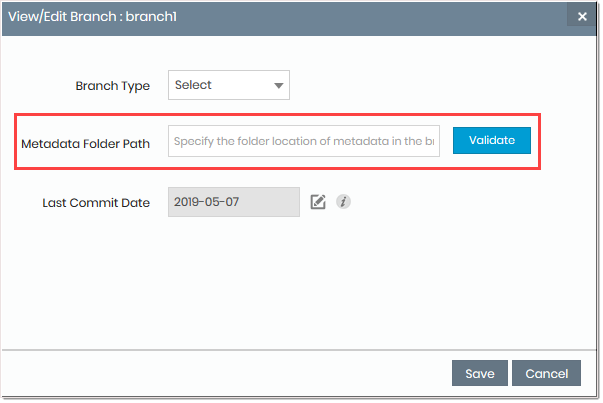
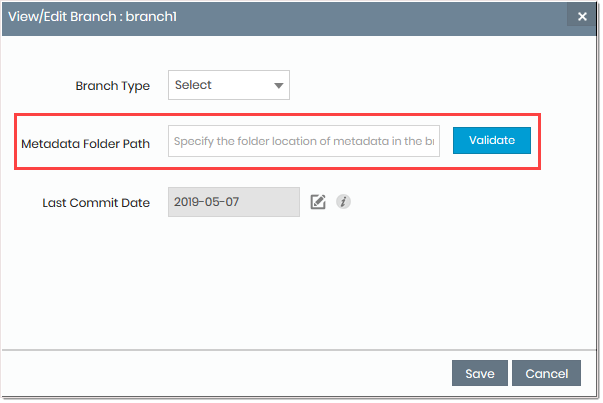
**Scenario 1:** If the metadata folder path is not available. For such a case, the OmniStudio components will fetch from the ***\/\*** path by default.
**Example:**
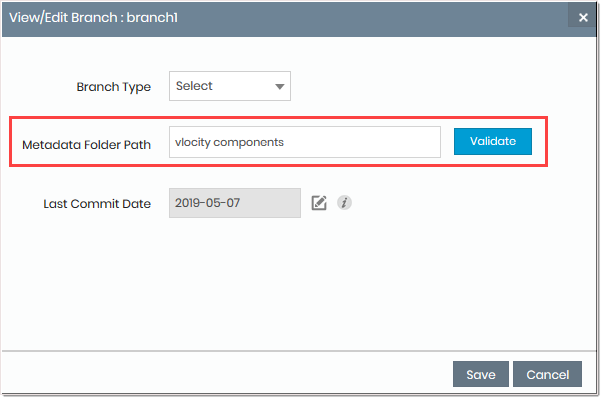
**Retrieval Path:*****"\/\"*****Scenario 2:** The metadata folder path is available. In such case, the OmniStudio components will be retrieved from ***repoURL>/\/\***.
**Example:**
**Retrieval Path:*****"\/\/\"***
#### B. For Default YAML file
**Scenario 1:** The metadata folder path is not available. For such a case, the OmniStudio components will fetch from ***\/autorabit\_alldefault\_OmniStudio\_build*** path by default.
**Example:**
**Retrieval Path**: ***"\/\"***
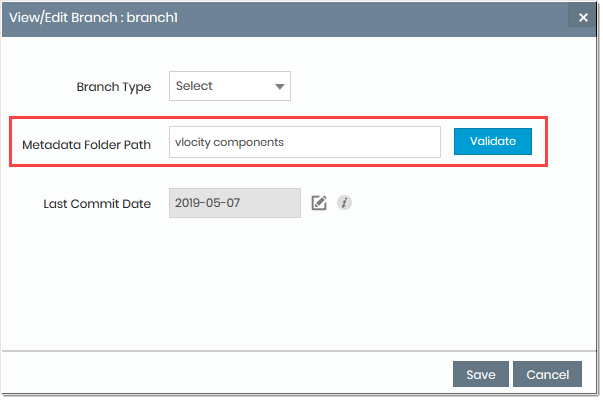
**Scenario 2:** The metadata folder path is available. In such case, the OmniStudio components will be retrieved from ***\/\***.
**Example:**
**Retrieval Path:*****"\/\"***
---
# Agent Instructions
This documentation is published with GitBook. GitBook is the documentation platform designed so that both humans and AI agents can read, navigate, and reason over technical content effectively. Learn more at gitbook.com.
## Querying This Documentation
If you need additional information that is not directly available in this page, you can query the documentation dynamically by asking a question.
Perform an HTTP GET request on the current page URL with the `ask` query parameter, and the optional `goal` query parameter:
```
GET https://knowledgebase.autorabit.com/product-guides/arm-1/integration-and-plugins/vlocity/commit-the-vlocity-components-to-a-branch.md?ask=&goal=
```
`ask` is the immediate question: it should be specific, self-contained, and written in natural language.
`goal` is optional and describes the broader end goal you are ultimately trying to accomplish on behalf of the user. GitBook uses it to tailor the answer towards what is most useful for that goal.
The response will contain a direct answer to the question and relevant excerpts and sources from the documentation.
Use this mechanism when the answer is not explicitly present in the current page, you need clarification or additional context, or you want to retrieve related documentation sections.