> For the complete documentation index, see [llms.txt](https://knowledgebase.autorabit.com/llms.txt). Markdown versions of documentation pages are available by appending `.md` to page URLs; this page is available as [Markdown](https://knowledgebase.autorabit.com/product-guides/arm-1/troubleshoot/known-issues-limitations/arm-known-limitations/ci-jobs.md).
# CI Jobs
### CI Job Known Limitations
1. Vlocity components deployment is not supported from one sandbox to another sandbox as of now. However, it does support retrieval of vlocity components from the selected metadata folder path and getting it deployed from a version control branch to the sandbox.
2. ARM will retrieve the entire data that is available in the **data packs folder path**. However, there is no provision to select any specific data or components and getting it deployed to the sandbox.
```
* autorabit_alldefault_vlocity_build: Correct folder path
* autorabit_alldefault_vlocity_build/: Incorrect folder path
```
3. **For ALM configured CI jobs:** The metadata members which are associated with the revision of a merged label will be included in the build. If the user has enabled the rollback option while configuring their CI jobs, the ALM work items status will get updated once the deployment is successful. However, if the user would like to rollback the same deployment, the ALM work items status remains unchanged.
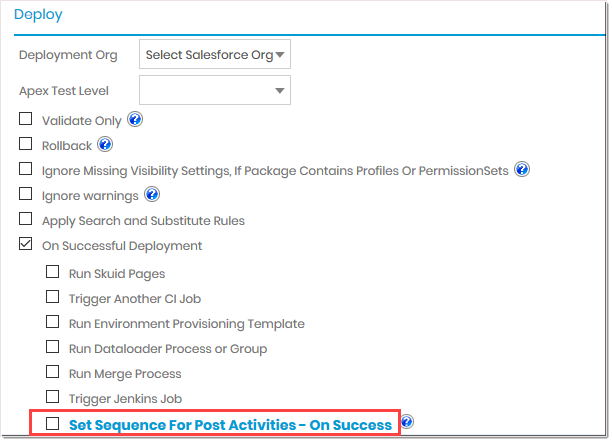
4. The below points highlight the limitation for those CI jobs in which post-deployment activities are configured.
* Currently, workflow sequence is not supported as a post-deployment action for **"Run Skuid Pages"**
* While carrying out the post-deployment workflow, make sure no manual effort has interfered.
* The post-activity remains active till **12 hours**, beyond which the activity gets terminated. No further action will be performed for timed-out tasks.
* In some scenarios, the post-activity operation can get delayed if **Jenkins jobs** are triggered.
* While keeping various jobs in sequential order, it is a best practice to keep both Merge and Jenkin Job in the latter part of the sequencing workflow. This prevents human interference if, in case there are any conflicts arise that require your immediate action to resolve them.Until the conflicts are solved, the process remains in the incomplete stage, and till the time the conflicts are not manually resolved, other post activities that are next in the sequential order, will not get triggered.
* For all post activities that were triggered while configuring the CI Job, their status report can be seen in the **CI Job Result > Post Activities** section. However, in order to view the detailed information of the activities, you need to view their respective History/ Summary page. For example, for a merge process triggered as a post-activity, its detailed information such as merge label name, source and destination branch, merge conflict files (if any) and other information can be seen only on the Merge Summary page.
* While the post activities are running for **"Cycle 1"**, and if the **"Cycle 2"** deployment post activities are initiated before the **"Cycle 1"** is complete, in such case **"Cycle 1"** changes will be overridden.
* With ARM 19.2 release onwards, the users will have another option to choose i.e., **"Process commit revision via hook only"** for Version Control as GIT (Enterprise Bitbucket, Bitbucket, VSGit, GitLab, GitHub) type.
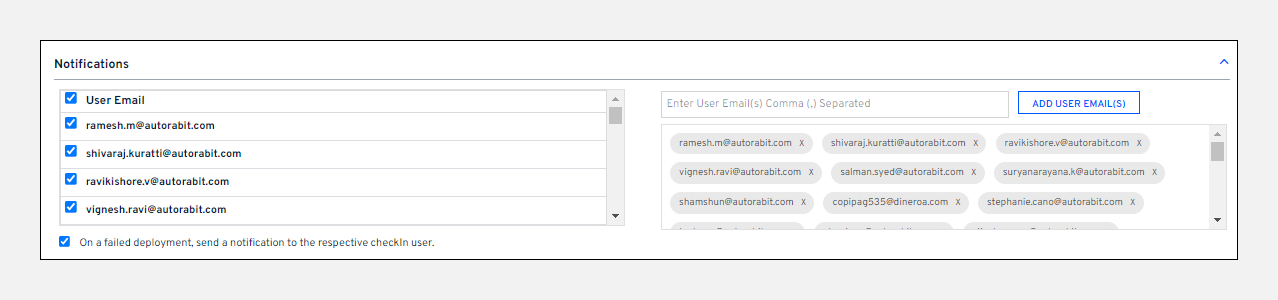
5. In case of a failed CI Job deployment, AutoRABIT sends an email notification to the users informing about the revision from which the deployment got failed. But if the number of recipients is more than 50, this notification is not sent.
However, for the SFDX and Vlocity jobs, users will not get notified of any failed revisions.
6. Code coverage results during the CI job come from any tests you've run from the AutoRABIT application, however, you will be able to view the report only if the code coverage is more than **0%**.
7. For CI Jobs builds that are more than 30 days old, **deployment/ quick deployment/ rollback reports** will not be accessible.
8. **DX deploy** - We are considering the constructive changes deployment status for updating the ALM status, but not for pre/post destructive deployment.
9. For Validate deployments and Quick Deployment, we will not update the ALM statues.
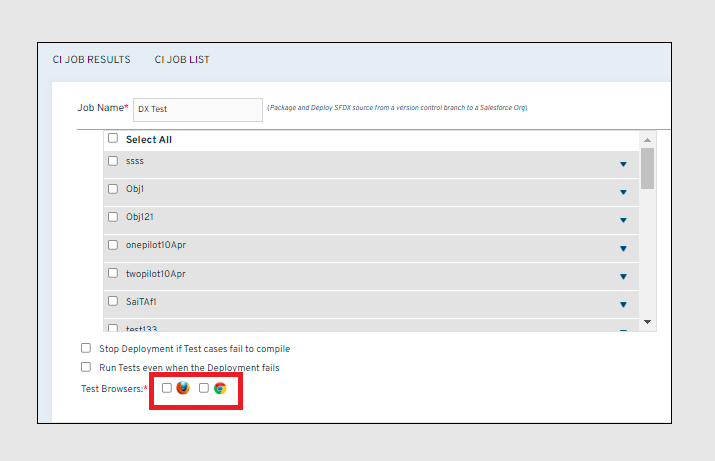
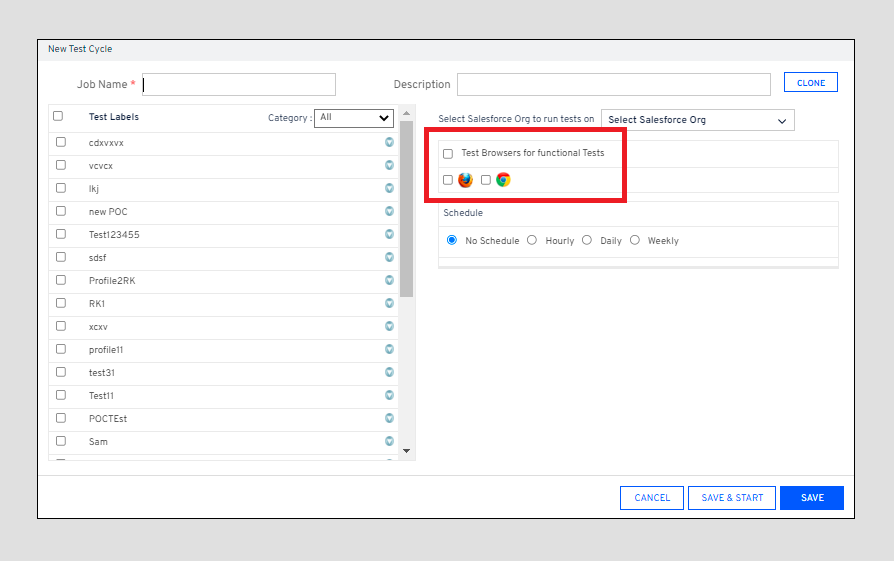
10. **Internet Explorer (IE)** is no longer supported as a **Test Browser** to **Run Test Automation Scripts** when creating CI jobs. The IE icon/checkbox has been disabled. The Firefox and the Chrome browser are still supported.
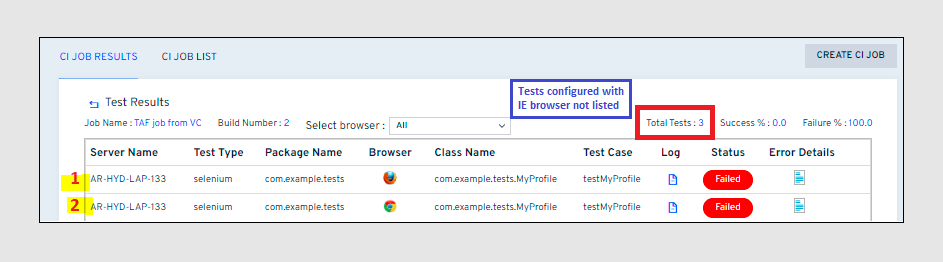
11. The **Test Results** will not show any test scripts configured to run with the IE browser. However, the **Total Tests** in the report will include the IE tests. This may cause a discrepancy between the number of tests shown and the tests listed.
---
# Agent Instructions
This documentation is published with GitBook. GitBook is the documentation platform designed so that both humans and AI agents can read, navigate, and reason over technical content effectively. Learn more at gitbook.com.
## Querying This Documentation
If you need additional information that is not directly available in this page, you can query the documentation by asking a question.
Perform an HTTP GET request on the following URL with the `ask` and `goal` query parameters:
```
GET https://knowledgebase.autorabit.com/product-guides/arm-1/troubleshoot/known-issues-limitations/arm-known-limitations/ci-jobs.md?ask=&goal=
```
`ask` is the immediate question: it should be specific, self-contained, and written in natural language.
`goal` is what the user is ultimately trying to achieve, the reason they need the answer. Sharing it helps GitBook give you a better, more relevant answer. A goal is most helpful when it describes the outcome the user wants rather than restating the question. For example, with `ask=how do I create an API token`, a goal like `automate deployments from our CI pipeline` lets GitBook tailor the answer to that use case.
The response will contain a direct answer to the question and relevant excerpts and sources from the documentation.
Use this mechanism when the answer is not explicitly present in the current page, you need clarification or additional context, or you want to retrieve related documentation sections.