> For the complete documentation index, see [llms.txt](https://knowledgebase.autorabit.com/llms.txt). Markdown versions of documentation pages are available by appending `.md` to page URLs; this page is available as [Markdown](https://knowledgebase.autorabit.com/product-guides/codescan/getting-started/using-codescan/adding-projects-to-codescan/add-a-project-to-codescan-from-github.md).
# Add a project to CodeScan from GitHub
{% hint style="info" %}
**This integration has recently switched from using OAuth 2.0 to GitHub Apps.**
If you are currently using the OAuth version of this integration, **you do not have to change anything**. **AutoRABIT will continue to support all current projects of this type**. However, all future connections must be made using GitHub Apps.
For users moving from OAuth to Apps, you can remove the CodeScan OAuth App manually from your repository. You can do this in **Organization Settings > Applications > Authorized OAuth Apps.**
Be careful as any projects still connected with OAuth will be disconnected if you delete the OAuth App without reconnecting your GitHub projects.
{% endhint %}
This document guides you how to add a **GitHub** project to your CodeScan cloud account and run the analysis.
1. Log in to your **CodeScan** account.
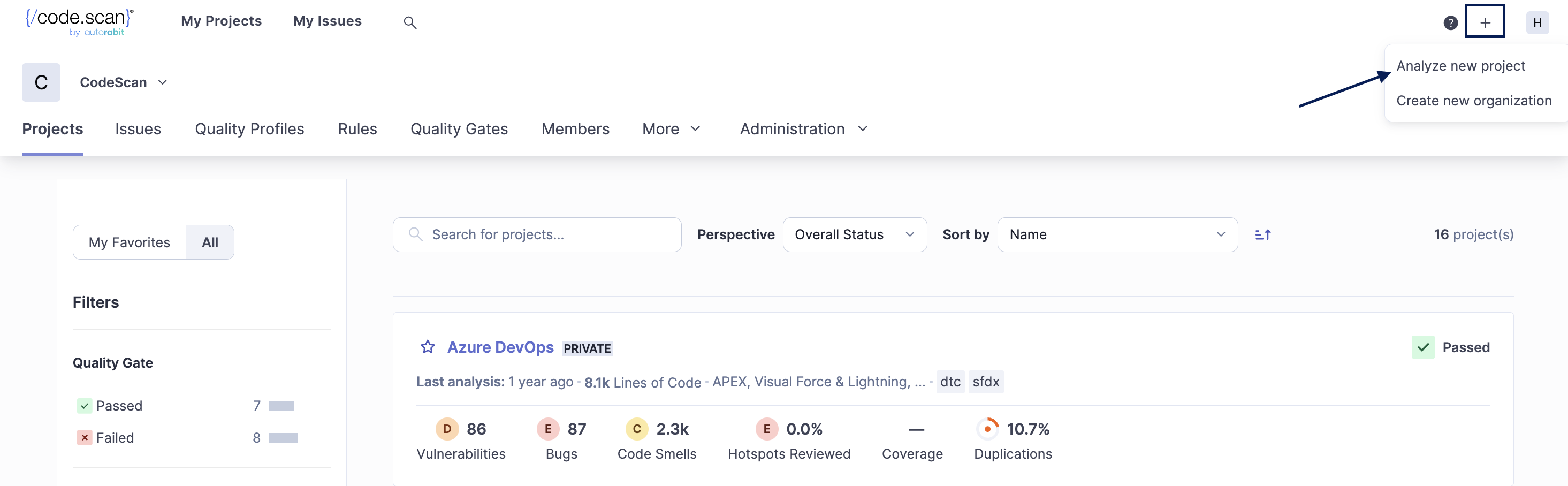
2. On the top right corner, click on the **'+'** icon and select **Analyze new project**.
3. This takes you to a different window. Choose the **Organization** for which you'd like to create a project. Click **Set Up**.
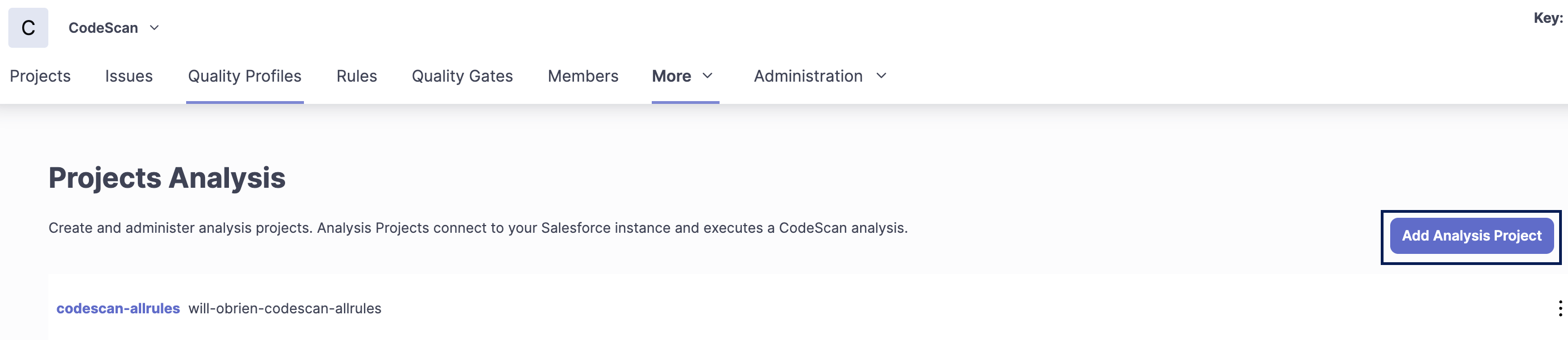
4. On the next window, click on **Add Analysis Project**.
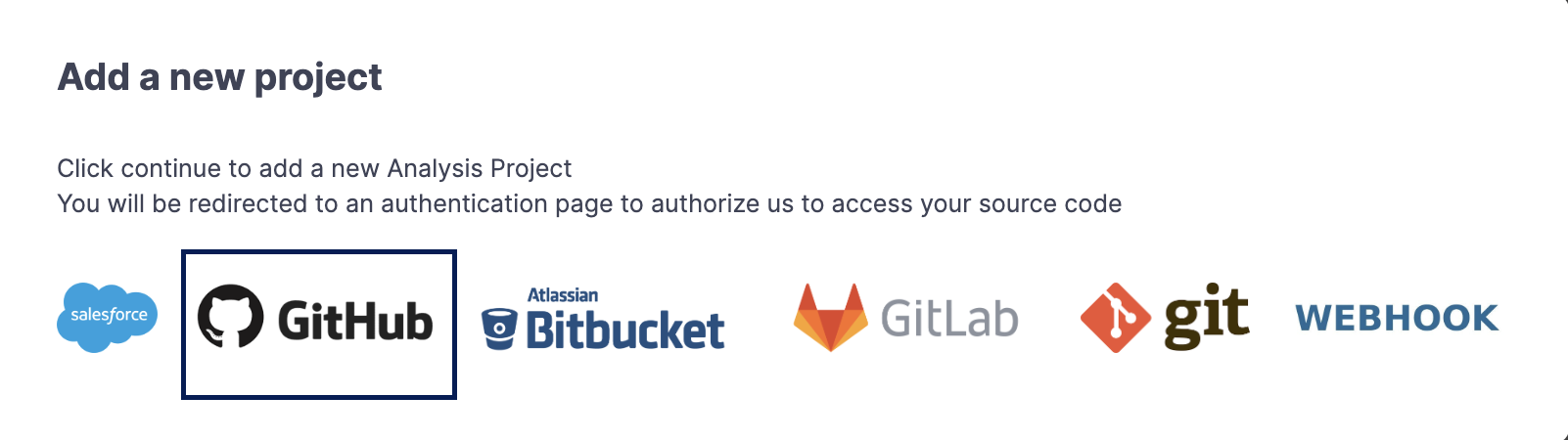
5. You will now see a new pop-up window; select [**GitHub**](https://knowledgebase.autorabit.com/codescan/docs/integrating-codescan-with-github-actions) from the given option.
6. Once you select [GitHub](https://knowledgebase.autorabit.com/codescan/docs/github-actions), it will redirect you to the **GitHub login** page. Validate your credentials and click on **Sign In**.
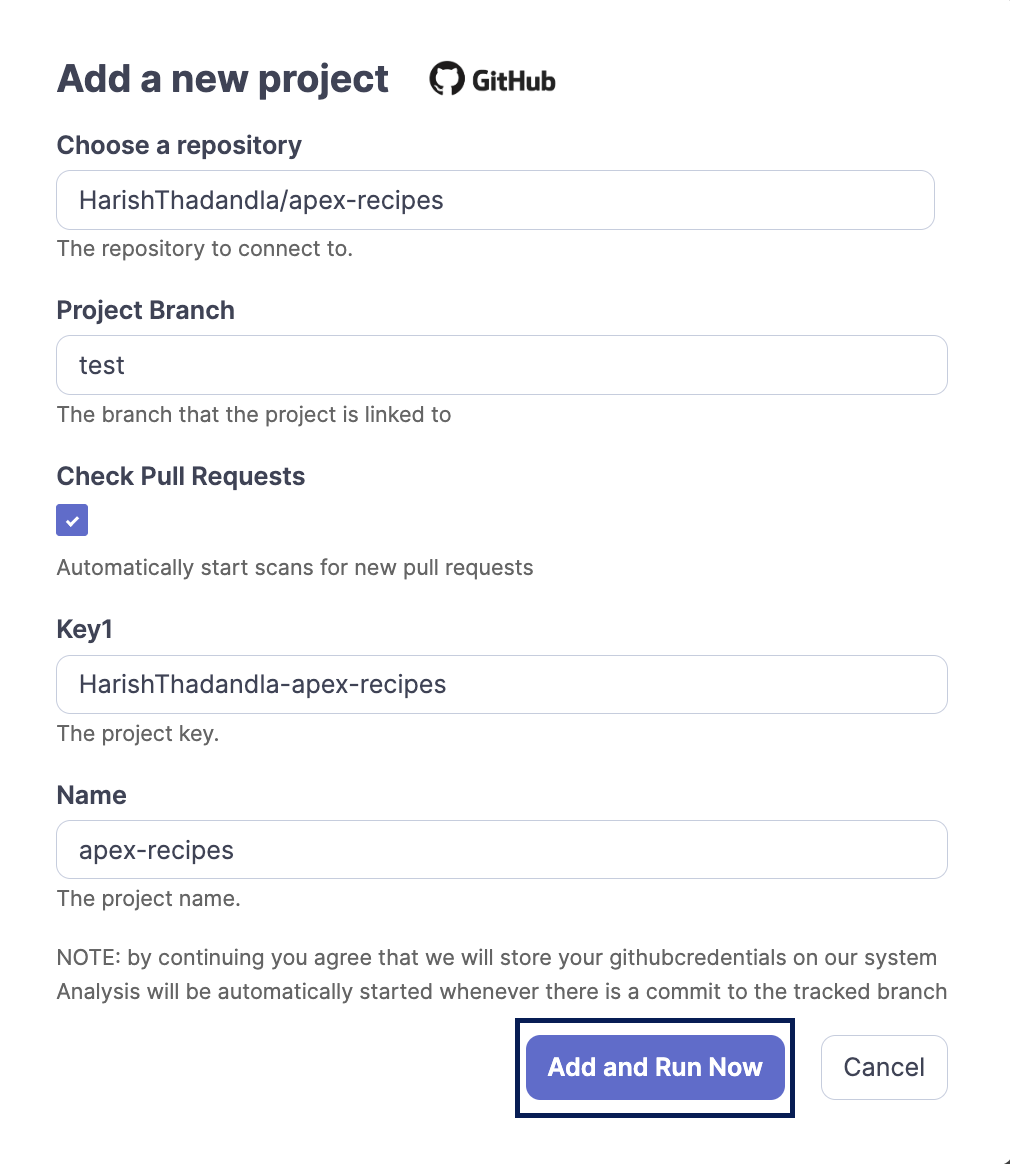
7. On the next screen, fill in the details below:
* Choose the **Repository** you want to add, followed by the **Project Branch** name.\
**NOTE**: If you do not specify the Branch Name during GitHub integration, then it will take the main branch by default.
* Make sure you select the checkbox under **Check Pull Requests**. \
**NOTE:** Admin permissions in GitHub are **required,** or else the pull request will not be triggered, even though a user may be able to select the box to "check pull requests" during GitHub integration.
* The **Project Key** and the **Project Name** are automatically assigned. You can edit the fields per your requirements.
* Click on **Add and Run Now.**
* About **Project Key**: To find the project key, refer to our documentation [HERE](https://knowledgebase.autorabit.com/codescan/docs/finding-your-project-key).
8. This triggers the project analysis and the project being added under your CodeScan organization.
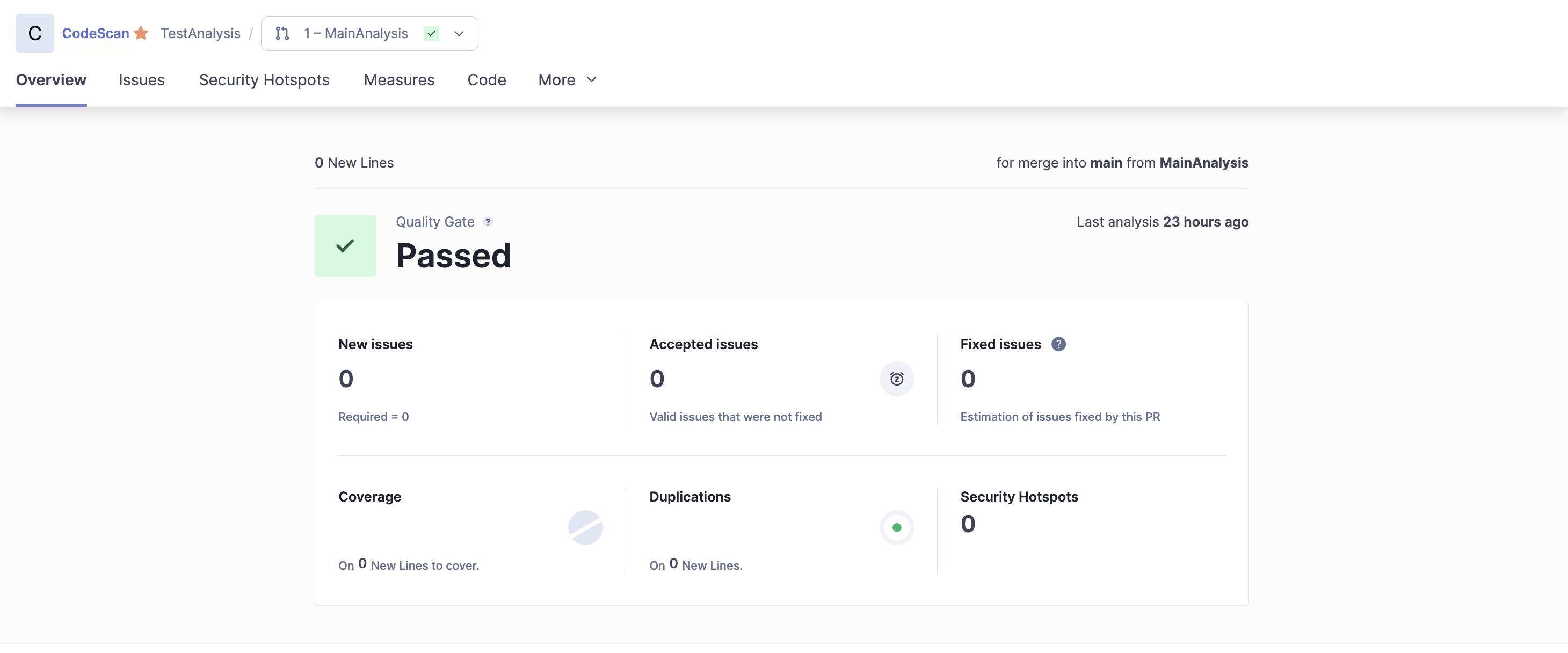
9. You can view the project analysis report by clicking on **Details** from your VC repository.
10. When you click the link, it will take you to the **CodeScan Project** page, where you can view your project analysis report.
Now that the webhooks have been created, every time there is a push to the tracked branch or a pull request made/updated against the tracked branch, an analysis will be triggered in CodeScan.
{% hint style="info" %}
**Known limitation from GitHub**: When an analysis is triggered, CodeScan requests a token to GitHub, which has a limitation of 10 tokens per hour per user per application. For more information, refer to [Token Expiration and Revocation](https://docs.github.com/en/authentication/keeping-your-account-and-data-secure/token-expiration-and-revocation#token-revoked-due-to-excess-of-tokens-for-an-oauth-app-with-the-same-scope) on GitHub Docs.
{% endhint %}
{% hint style="warning" %}
**Error: Expected — Waiting for status to be reported**\
This is a GitHub issue. To prevent recursive workflow, users are not able to trigger a subsequent workflow, leading it to The Eternal Pending State. If this occurs, you will need to reattach the project. For additional information, refer to the following article on this issue: [GitHub Actions: Bypassing Expected — Waiting for status to be reported](https://manumagalhaes.medium.com/github-actions-bypassing-expected-waiting-for-status-to-be-reported-4712032ef129)
{% endhint %}
---
# Agent Instructions
This documentation is published with GitBook. GitBook is the documentation platform designed so that both humans and AI agents can read, navigate, and reason over technical content effectively. Learn more at gitbook.com.
## Querying This Documentation
If you need additional information that is not directly available in this page, you can query the documentation by asking a question.
Perform an HTTP GET request on the following URL with the `ask` and `goal` query parameters:
```
GET https://knowledgebase.autorabit.com/product-guides/codescan/getting-started/using-codescan/adding-projects-to-codescan/add-a-project-to-codescan-from-github.md?ask=&goal=
```
`ask` is the immediate question: it should be specific, self-contained, and written in natural language.
`goal` is what the user is ultimately trying to achieve, the reason they need the answer. Sharing it helps GitBook give you a better, more relevant answer. A goal is most helpful when it describes the outcome the user wants rather than restating the question. For example, with `ask=how do I create an API token`, a goal like `automate deployments from our CI pipeline` lets GitBook tailor the answer to that use case.
The response will contain a direct answer to the question and relevant excerpts and sources from the documentation.
Use this mechanism when the answer is not explicitly present in the current page, you need clarification or additional context, or you want to retrieve related documentation sections.