

Supported Languages
Code Analysis detects the languages of every project it scans and runs each language's rules. The same detection and rules apply wherever the scan runs: a scheduled repository scan, a Design Center scan, the CLI or Maven plugin in your pipeline, or an IDE extension.
Languages
Mule
Mule 4 and Mule 3 applications: the XML configuration under the source and test folders.
A mule-artifact.json file at the project root (Mule 4), or a mule-project.xml file (Mule 3).
API
RAML and OpenAPI (OAS) API specifications.
.raml, .yaml or .json files that are API specifications. Files in a build folder are skipped.
Java
Java source, including Spring and Spring Boot applications, and their application and bootstrap configuration files.
A build file at the project root: pom.xml, build.gradle, build.gradle.kts, settings.gradle, settings.gradle.kts or build.xml. Build output and generated folders are skipped.
Python
Python source (.py files).
A requirements.txt, pyproject.toml or poetry.lock file at the project root.
PySpark
Python source that uses Spark.
The same files as Python, and at least one .py file that imports pyspark or databricks.koalas.
CSharp
C# source (.cs files).
A .csproj or .sln file at the project root.
Kubernetes
Kubernetes manifests.
.yaml or .yml files whose documents have both apiVersion and kind.
CloudFormation
CloudFormation and SAM templates.
A template.yaml, template.yml, template.json or cfn.project file at the project root. .git, node_modules, .aws-sam and cdk.out folders are skipped.
Lambda
AWS Lambda function definitions.
A lambda-function-definition.json (or .yaml) file at the project root. Other lambda-* files next to it are scanned with it.
Logic App
Azure Logic Apps workflows.
A host.json file for Logic Apps, with workflow.json, definition.json, connections.json or *logicapp.json files.
API Management
Azure API Management policies.
Policy files (policy.xml, inbound.xml, outbound.xml, backend.xml, on-error.xml) at the root and in global, products and apis folders.
Function App
Azure Function Apps.
A host.json file for Azure Functions, with the Function App's definition and function files.
One project can match more than one language. A Spark project, for example, is also a Python project, so it is scanned with both rule sets and its results appear under both.
Rules for each language
Each language has its own built-in quality profile, metric profile and quality gate. To see a language's rules and how many there are, open Operations → Quality Control → Quality rules and filter by Technology (see Quality Rules). To change which rules run, edit or clone the language's quality profile.
Change how a language is recognized
Detection is controlled by the Language Identifier Settings setting. It holds one entry per language: the entry's key is the language ID (for example mule, api, java, python, pyspark, csharp, kubernetes, cfn, lambda, logicapp, apimgmt or functionapp), and its value is a Groovy script that looks at the project folder and decides whether the project is that language and which files to scan.
Open Administration → Global Settings → Settings.
Search for Language Identifier Settings and click the edit icon.
Change the script of the language you want to adjust.
Click Save changes.
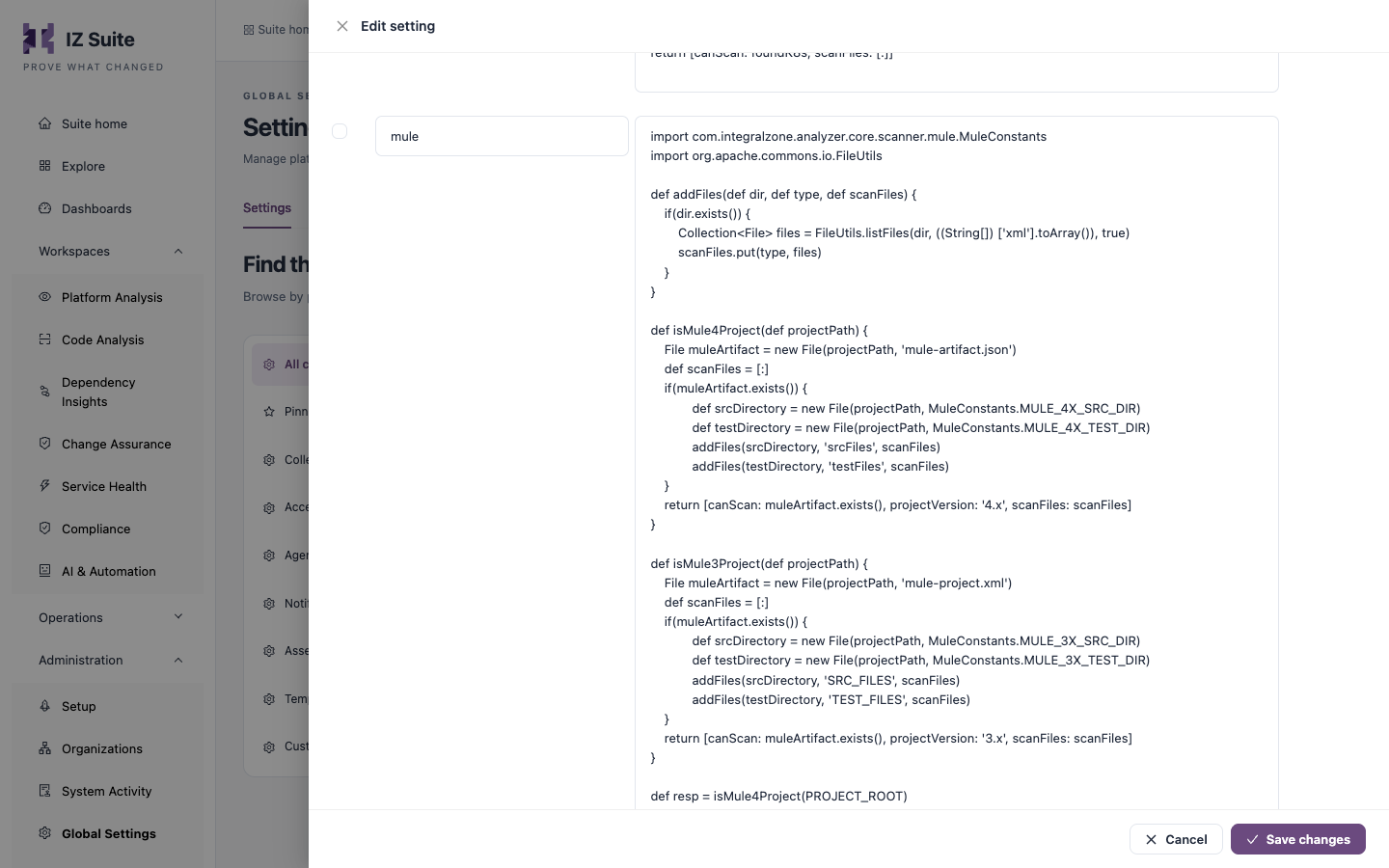
The change applies to the next scan everywhere: repository scans, Design Center scans, the CLI, the Maven plugin and the IDE extensions.
Next steps
Source Repositories: scan your Bitbucket and GitHub repositories.
CI/CD Integration: scan in your pipeline.
Quality Profiles: choose the rules each language runs.
Supported Platforms: back to the platform overview.
Last updated
Was this helpful?