

Change Assurance
Change Assurance collects changes from the systems you connect (source control, cloud accounts, integration platforms, ticket trackers), runs each change through a gate, and keeps signed evidence of what it found. Change approvers, release managers, auditors and platform owners use it to answer four questions:
What changed? Every change, asset and event your connections record.
Who changed it? The person, account or AI tool behind each change.
Was it approved? The gate verdict, any human decision, and the evidence behind both.
Is the release ready? Which candidate changes still miss a ticket, a verdict, an approval or fall in a freeze window.
Open it from Workspaces → Change Assurance in the sidebar. The sidebar then lists the Change Assurance areas, and the same areas show as tabs under the page header.
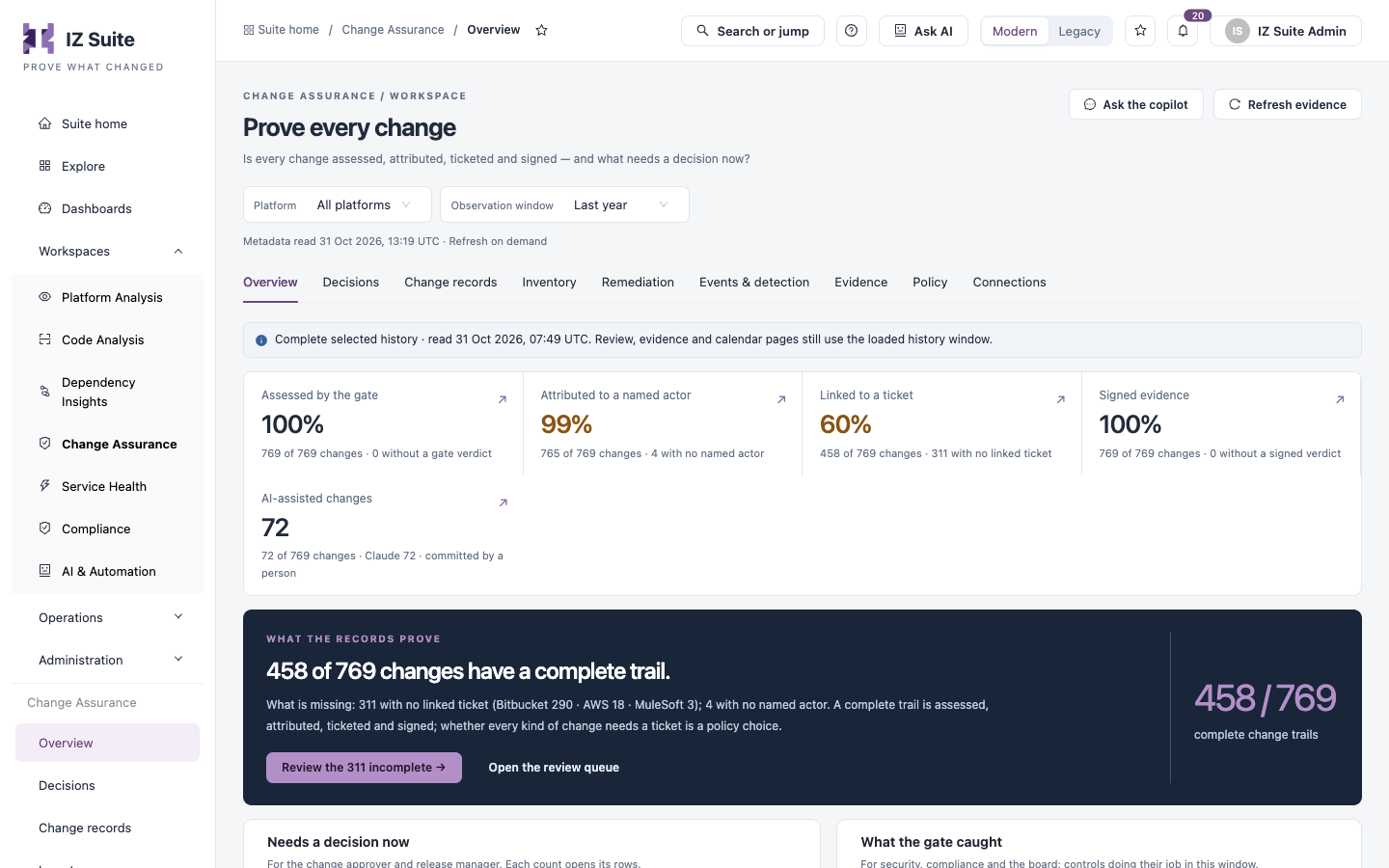
Areas
Each area groups several tabs. An area with several tabs shows a switcher under the area tabs.
Review queue, Approvals, Release readiness
Review changes, record approvals and check a release set.
Calendar & freezes, Timeline, Ticket lineage, All changes, People
Browse every recorded change, its ticket and its author; declare freeze windows.
All assets, By platform, Explore impact, Relationship review, Environment progression, Delivery flow
Review the assets your connections found and how they relate.
My tasks, Run history, Playbooks & routing
Track follow-up work and the actions people can run.
Events & Detection
Event explorer, Anomalies, Drift, Delivery performance
Search raw events and review anomaly and drift findings.
Evidence & controls, Raw ledger, Configuration trail
Export evidence, verify the signed ledger and audit setup changes.
Gate policies, Approval rules, Templates, plus the More policy settings tabs
Decide which changes need a person, who signs off and how assets are linked.
Page header
Most Change Assurance pages share the same header.
Platform
Limits the page to one connected platform, or All platforms.
Observation window
The period of activity the page reads, for example Last year.
Ask the copilot
Opens the assistant with the current page as context.
Refresh evidence
Reads the latest stored evidence again. Pages read on demand; the time of the last read shows under the filters.
Export this view
Downloads what the current page shows.
Pages that open from a list show Back to assurance brief instead of the header filters.
Lists
Lists in Change Assurance share one set of tools.
Filter bar
Drop-down filters above the list (for example STATUS, PLATFORM, PERIOD). Each active filter shows as a removable chip.
Saved filters / Save filters
Save the current filters under a name and pick them again later.
Copy link / Reset filters
Copy a link to the filtered view, or clear every filter.
Tiles
The counts above a list. Select a tile to filter the list to its rows.
Search
Searches the list after you stop typing.
Refresh
Reloads the list.
Columns
Shows or hides columns.
Export / Export this page
Downloads the rows.
Next steps
Overview: start with the assurance brief.
Connections: connect the systems Change Assurance collects from.
Policy: decide which changes need a human decision.
Last updated
Was this helpful?