> For the complete documentation index, see [llms.txt](https://knowledgebase.autorabit.com/llms.txt). Markdown versions of documentation pages are available by appending `.md` to page URLs; this page is available as [Markdown](https://knowledgebase.autorabit.com/product-guides/arm-1/arm-features/automation-and-ci/ci-job-history.md).
# See Past CI Build Results
## CI Job History
{% hint style="info" %}
For the best viewing experience, set your browser zoom level to 80% in Chrome or Firefox.
{% endhint %}
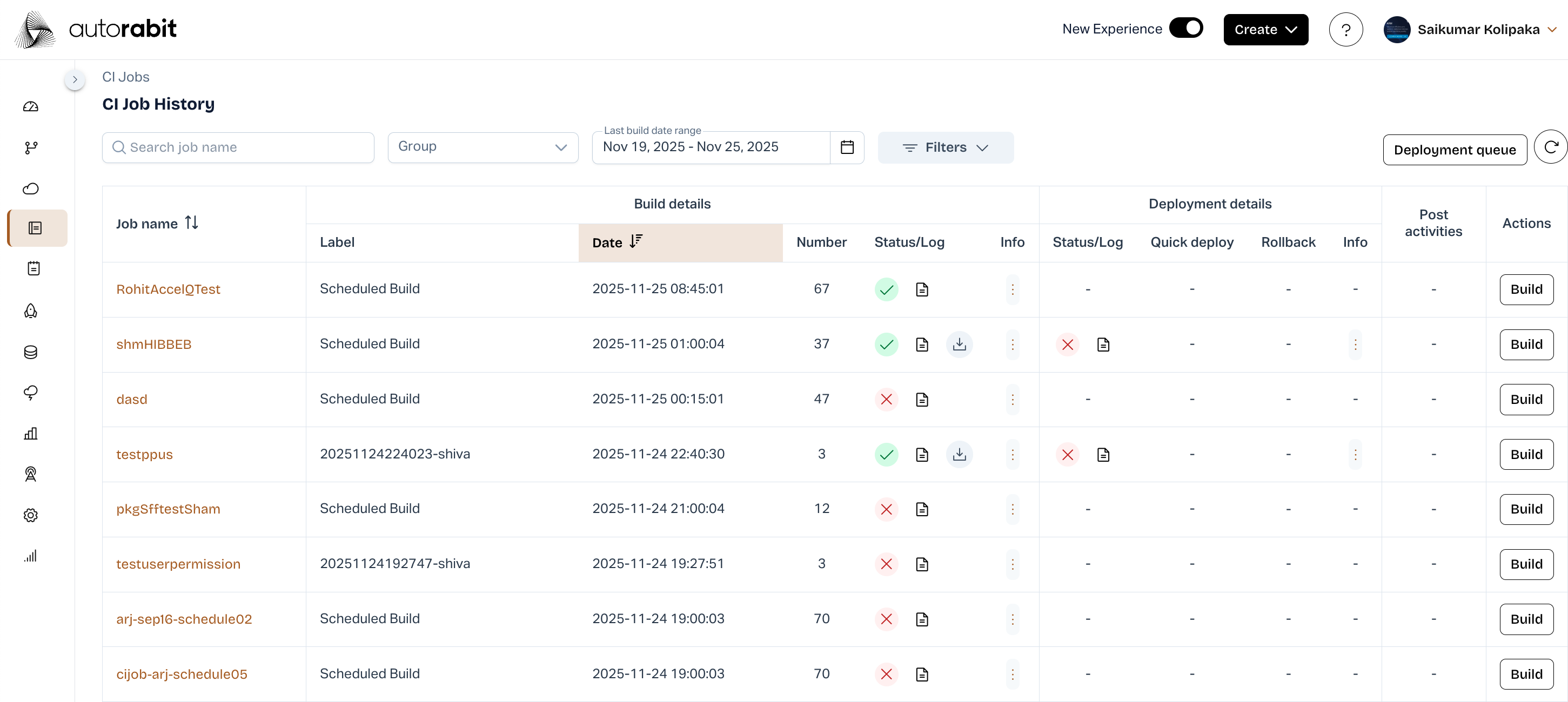
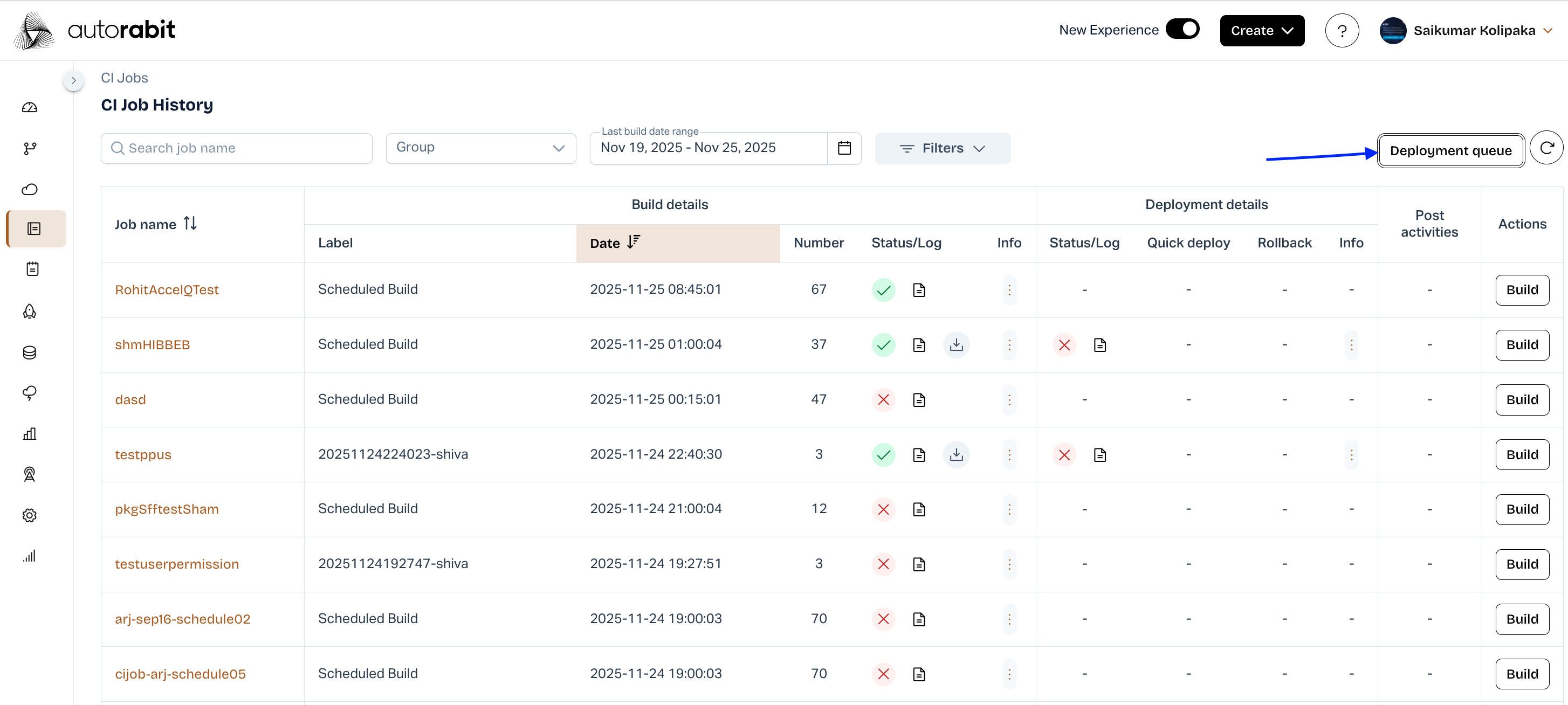
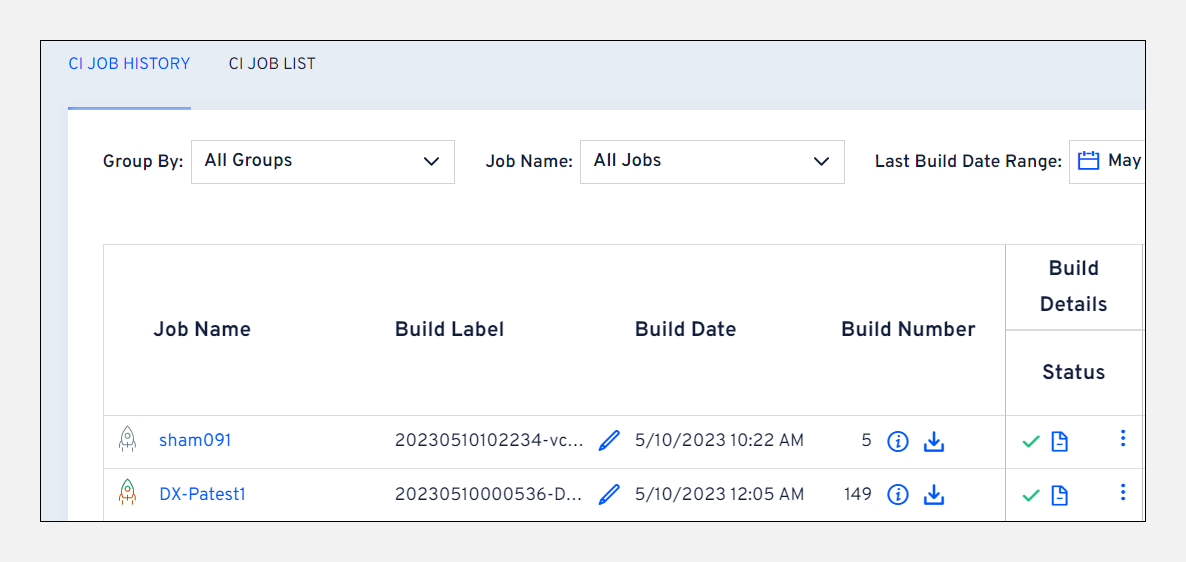
The CI Job History page allows you to:
* Create a new CI job
* Trigger a new build for an existing CI job
* Access build and deployment details, SCA reports, and more
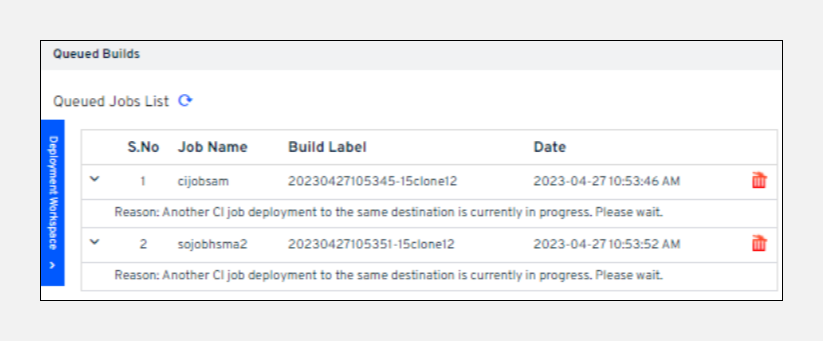
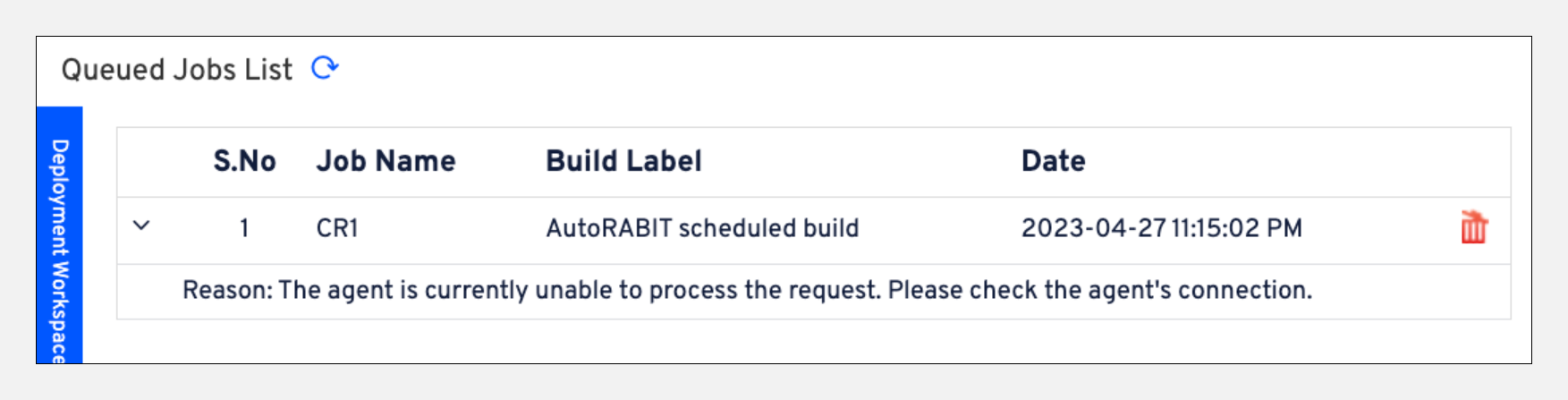
**Deployment Workspace:** On the right-hand side of the CI Job History page, the Deployment Workspace displays builds in the deployment queue and the reasons for their queue status.
**Common Queue Messages and Required Actions**: Parallel processing limit reached: Wait for current processes to complete.
**Agent unavailable**: Verify agent connectivity.
**Deployment to same destination in progress**: Wait for current deployment to finish.
**Previous build in progress or queued**: Wait until it completes or clears.
**Build Details:** Each Build displays the following information:
**Build Label**: Name of the build.
**Build Date**: Timestamp of when the build started.
**Build Number**: Listed in reverse chronological order.
**Abort (in-progress only)**: Stop a running CI job deployment and test execution.
**Build Information** : View or download build details (ZIP format).
**Build Status**: Indicates if the build is successful, in progress, or failed. Build logs are downloadable.
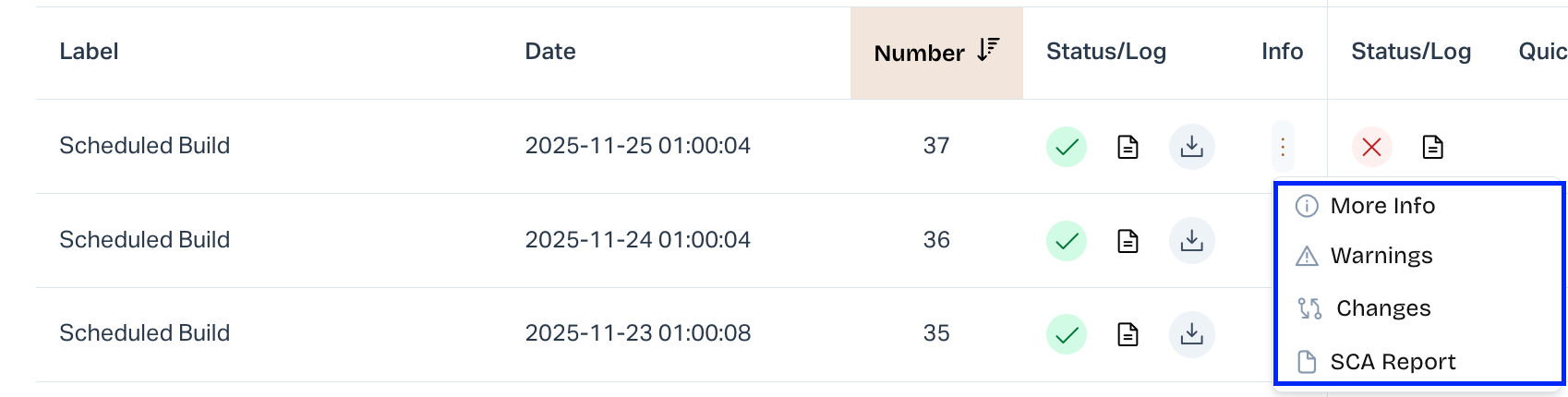
**Warnings, Changes, Check-ins, and SCA**: Hover over the icon in Build Details to access additional build data:
**Warning**: Displays build-time warnings. If none, a "No Warnings Found" message appears.
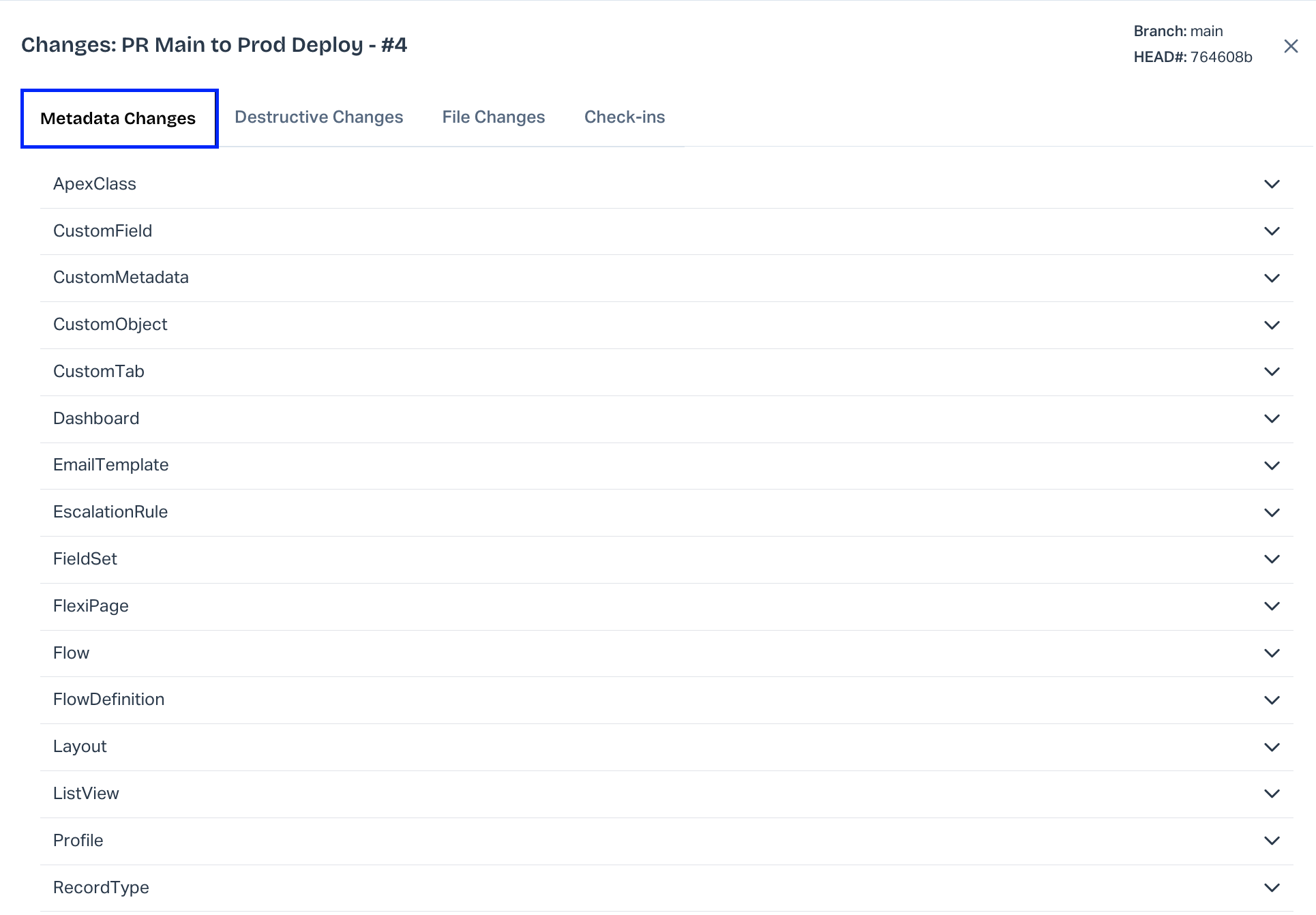
**Changes Metadata Changes**: Lists all modified metadata in the build.
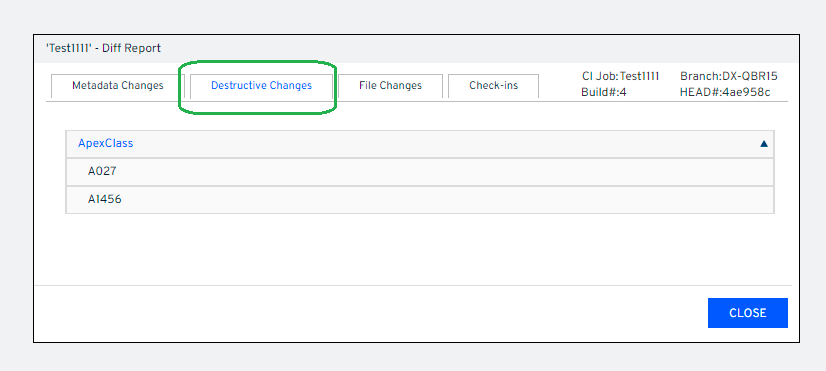
**Destructive Changes**: Shows components marked for deletion. (Learn More)
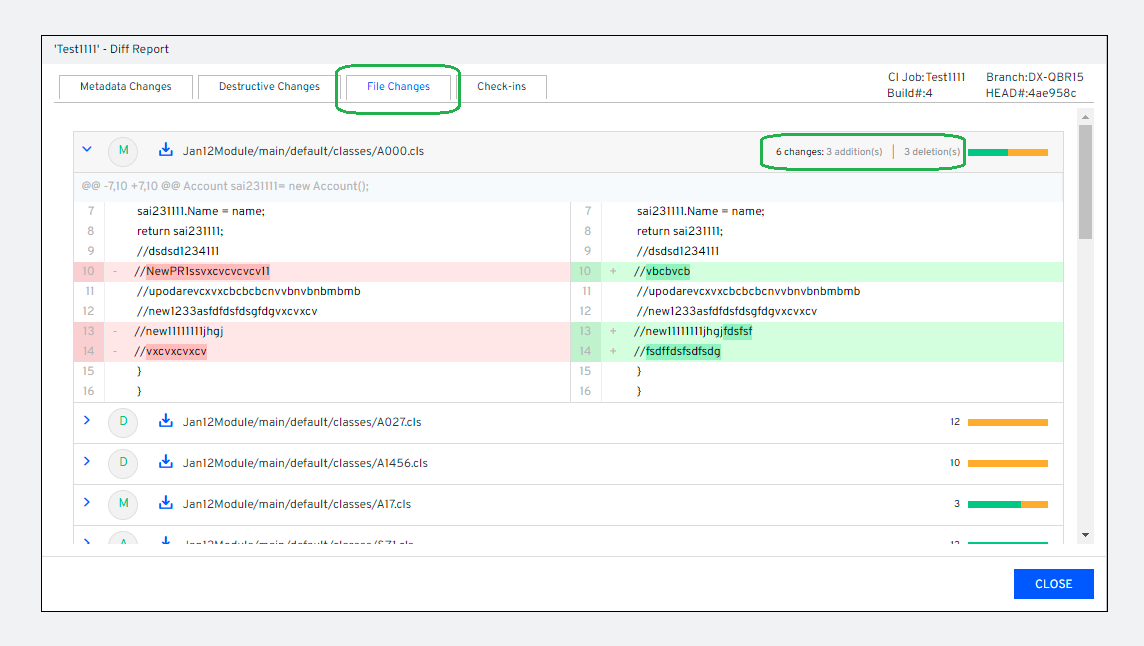
**File Changes**: Displays added/modified files with line-level diffs. Red = deleted, Green = added/updated.
Individual file diffs are downloadable:
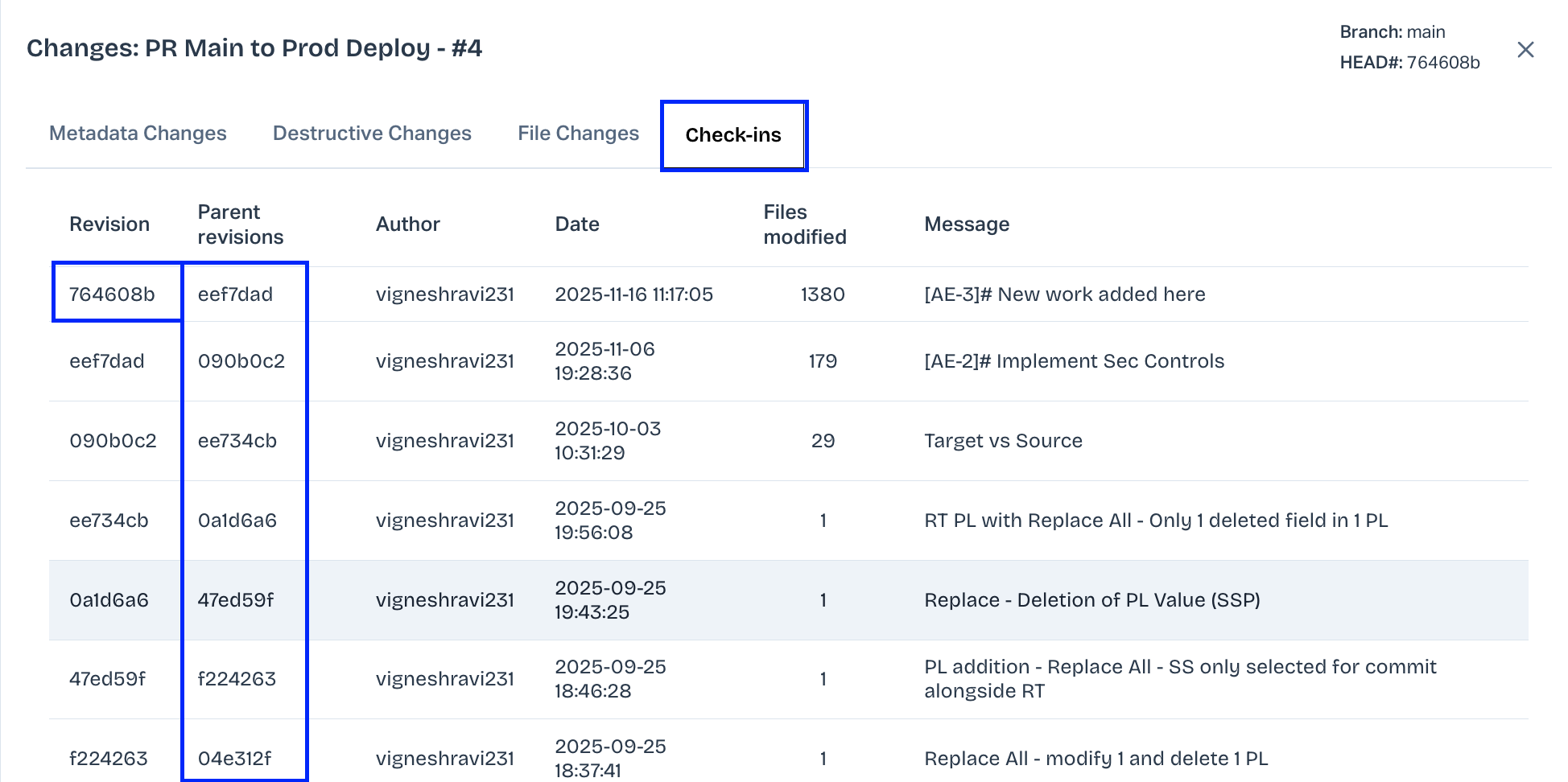
**Check-ins**: Displays a summary of revisions included in the build:
**Important Notes**: Diffs for large files may only be downloadable, not viewable in UI.
Excluded metadata and unrelated folders (in SFDX single-source builds) are not shown in File Changes.
Older builds may not display File Changes tab.
Recent builds include both File Changes and Check-ins.
For GIT, deltas use git diff. Lazy commits may cause discrepancies between Metadata Changes and Check-ins.
Builds between weekly GIT fixes may bind changes to a single HEAD revision.
Parent Revisions are blank for builds before 22.1.18-RELEASE.
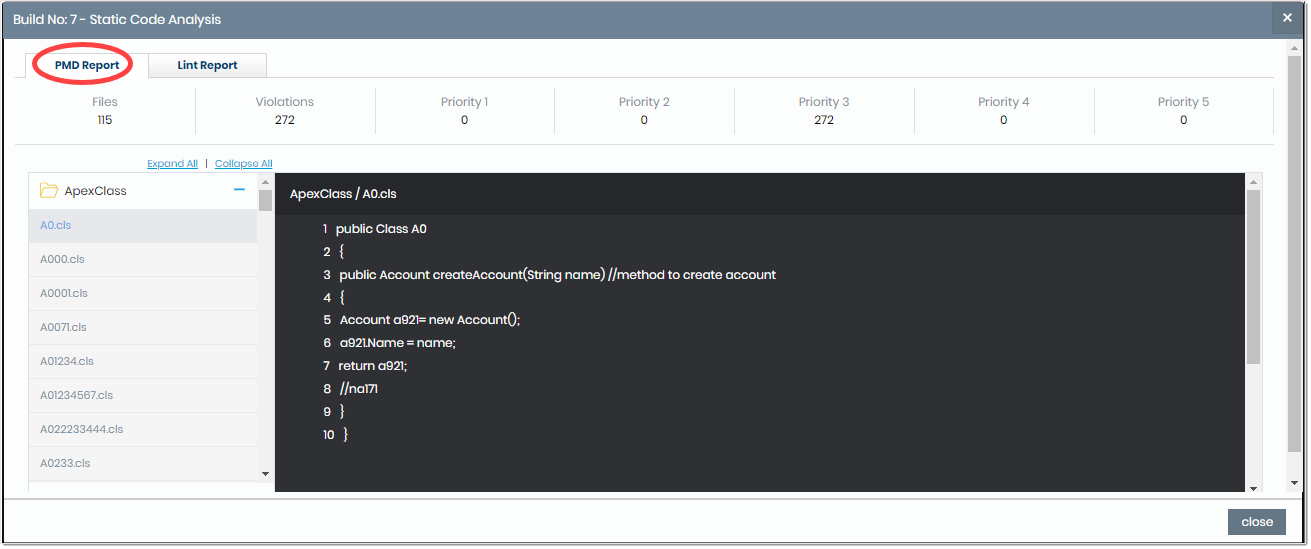
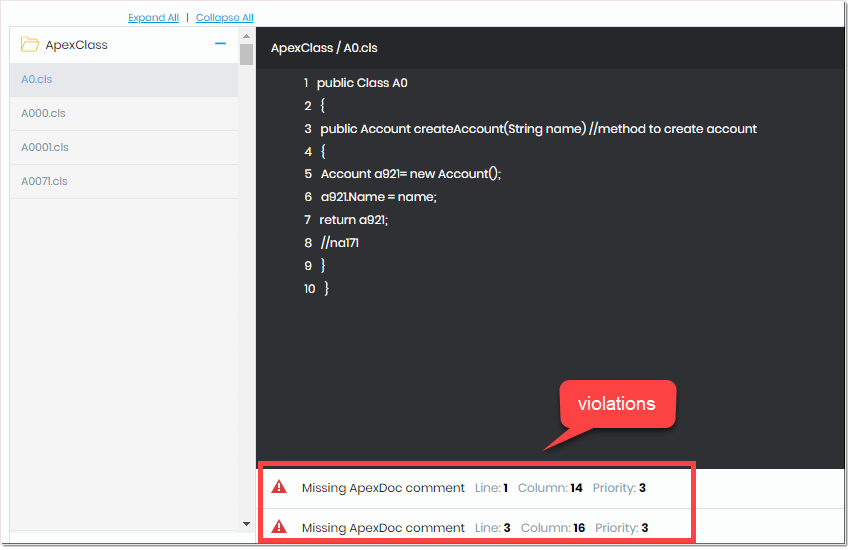
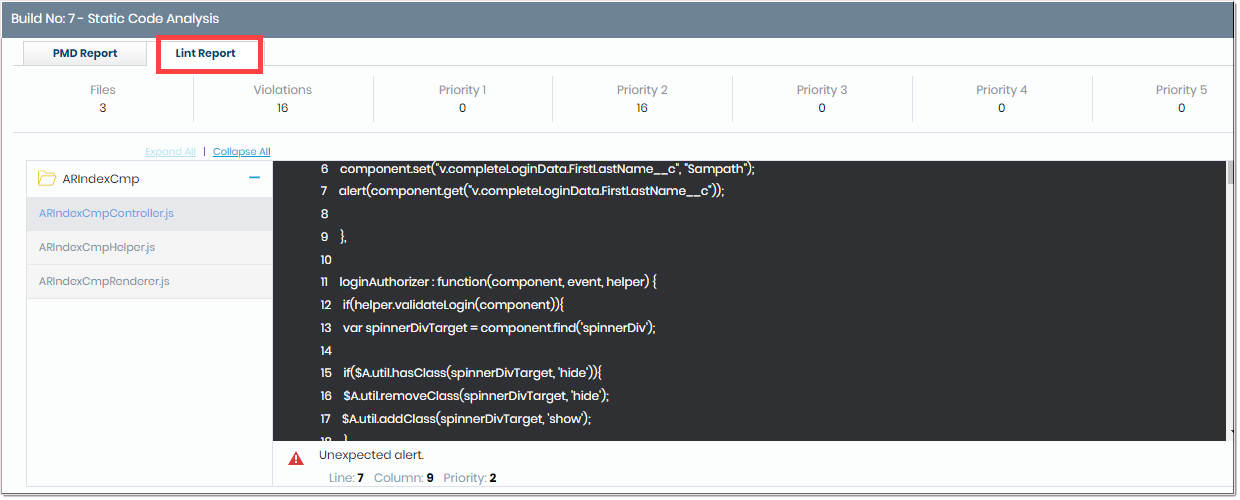
Static Code Analysis (SCA): SCA is part of the secure development lifecycle, conducted during code review using tools like CodeScan, ApexPMD, and Checkmarx.
Click a file to view violations, and select a violation to jump to its corresponding line in the code preview panel.
## Deployment Details
**Deployment Status**:
**Icon Status:**  Validation successful  Validation failed Deployment successful Deployment failed
**Deployment Log**: View or download deployment log.
**Quick Deploy**: View or rerun quick deployment status.
**Rollback**:
Enabled by selecting Rollback when creating a CI job.
Icon indicates validated rollback.
**Re-run Rollback**: Select metadata for rollback. Deleted components can be handled via destructive changes. Excluded metadata appears in the Rollback Log.
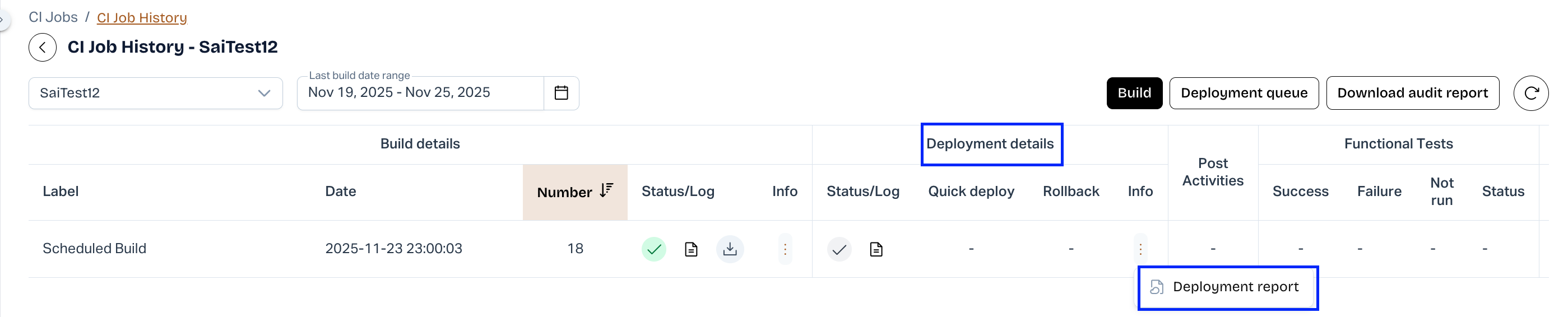
**Deployment Reports**: Hover over the icon in Deployment Details to download:
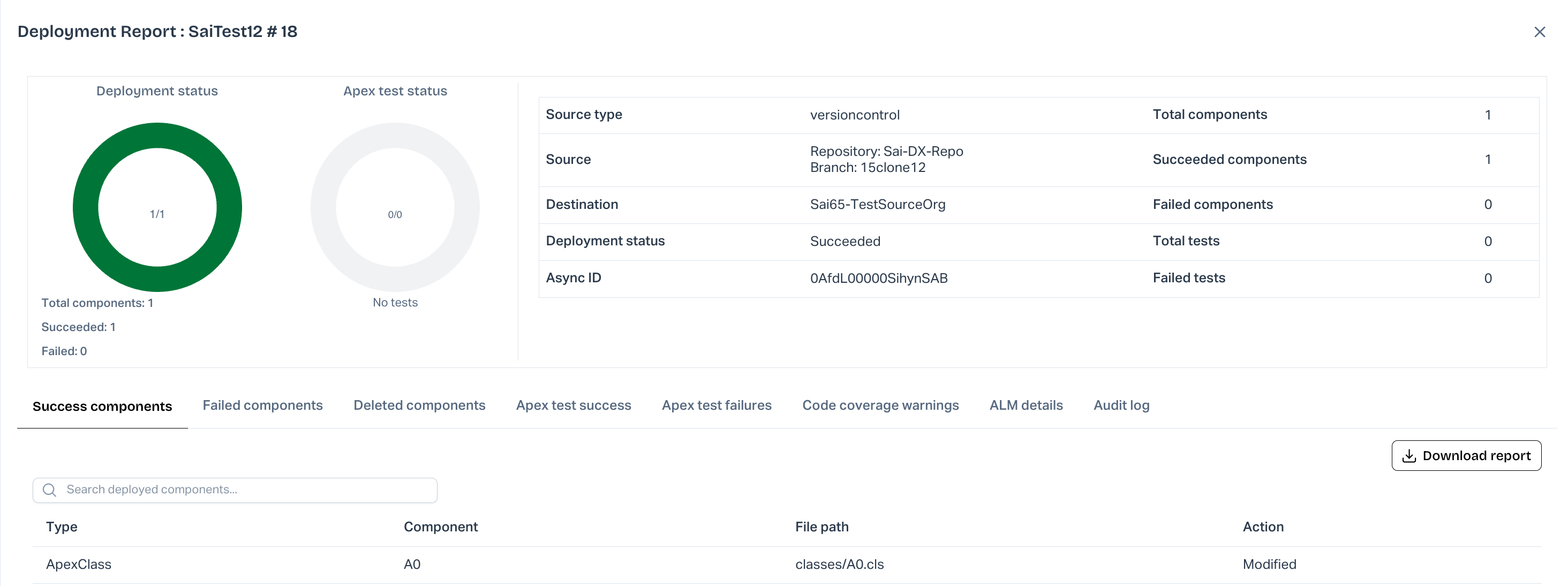
**Deployment Report**:
Includes Dependency Analyzer for failed components.
Downloadable in Manifest (JSON) or XLS.
Reports older than 30 days are unavailable.
**Quick Deployment Report**:
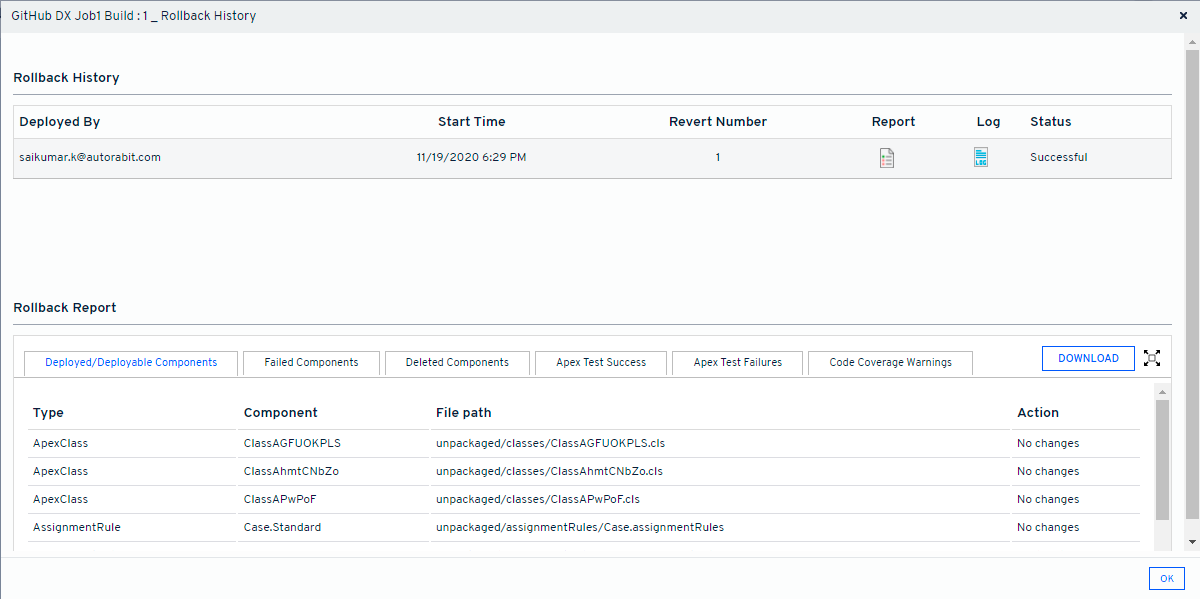
**Rollback History**:
**Post Activities**: Displays post-deployment outcomes for various components:
**Status CI Job**: Env Provisioning DataLoader Merge Jenkins Job Success Completed Success Completed Merged Success/Unstable Failed Not completed Not successful Not completed Not merged Other than Success/Unstable.
**Functional Tests**: View the percentage of test success/failure per build.
**Apex Tests (Coverage)**: View code coverage including test-executed classes, failed assertions, and overall coverage percentage.
---
# Agent Instructions
This documentation is published with GitBook. GitBook is the documentation platform designed so that both humans and AI agents can read, navigate, and reason over technical content effectively. Learn more at gitbook.com.
## Querying This Documentation
If you need additional information that is not directly available in this page, you can query the documentation by asking a question.
Perform an HTTP GET request on the following URL with the `ask` and `goal` query parameters:
```
GET https://knowledgebase.autorabit.com/product-guides/arm-1/arm-features/automation-and-ci/ci-job-history.md?ask=&goal=
```
`ask` is the immediate question: it should be specific, self-contained, and written in natural language.
`goal` is what the user is ultimately trying to achieve, the reason they need the answer. Sharing it helps GitBook give you a better, more relevant answer. A goal is most helpful when it describes the outcome the user wants rather than restating the question. For example, with `ask=how do I create an API token`, a goal like `automate deployments from our CI pipeline` lets GitBook tailor the answer to that use case.
The response will contain a direct answer to the question and relevant excerpts and sources from the documentation.
Use this mechanism when the answer is not explicitly present in the current page, you need clarification or additional context, or you want to retrieve related documentation sections.