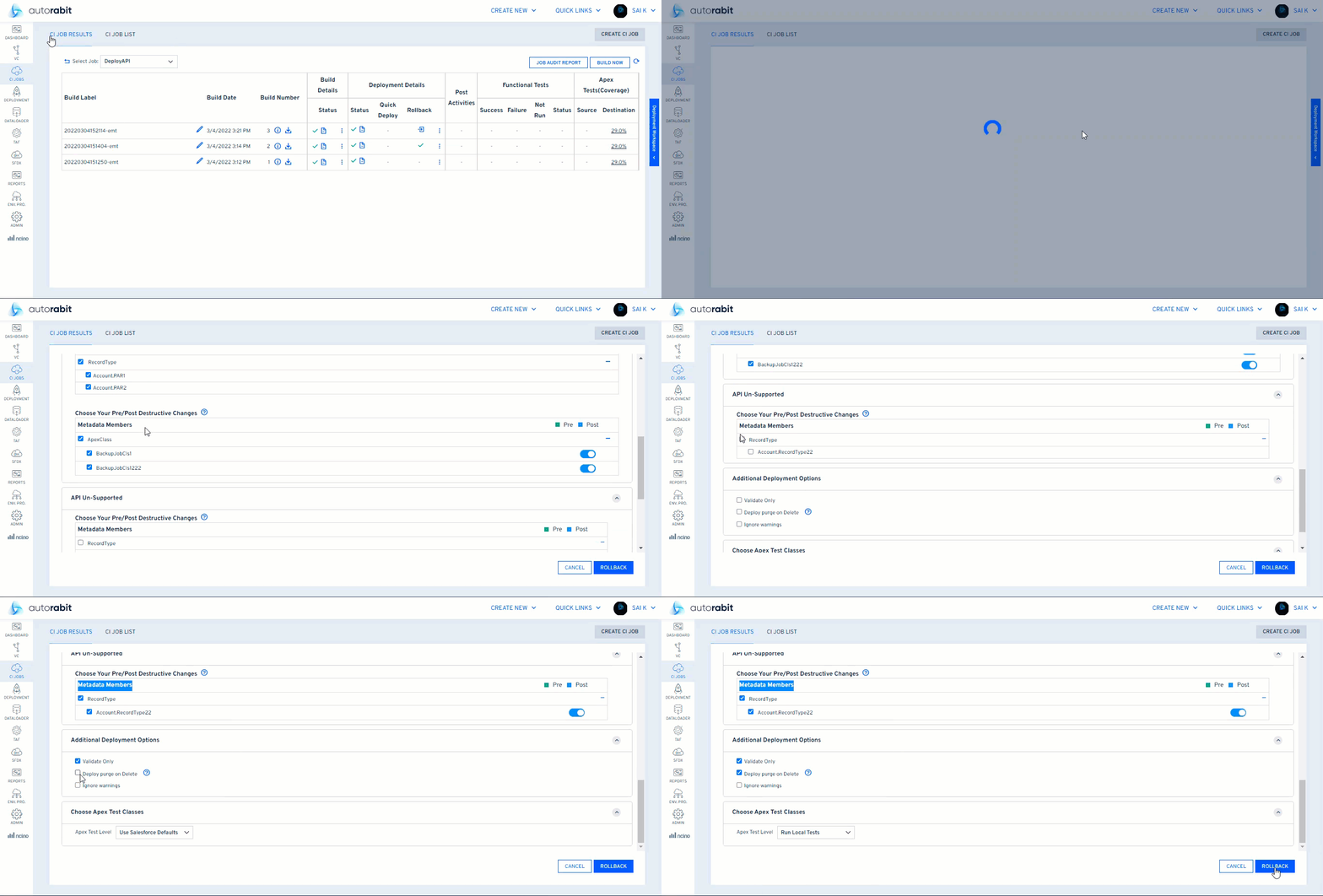
2. **Quick Deploy Not Enabled for UseSalesforceDefaults – \[Support Case #203174]**\ Fixed an issue where the Quick Deploy option was not available in CI jobs when using the UseSalesforceDefaults test level, even though it was supported and enabled in the Salesforce Production org.\ This update ensures ARM behavior aligns with Salesforce by correctly enabling Quick Deploy based on the selected test level.\ **Impacted Areas:**\ CI Jobs (Org-to-Org, VC-to-Org Deployments)
3. **CI Job Stuck in In-Progress State Blocking PR Validation Trigger – \[Support Case #201347]**\ Fixed an issue where CI jobs remained in an In-progress state in the Job History UI even after successful validation. This prevented subsequent CI builds, including PR validation jobs, from triggering automatically.\ The issue also caused abort actions from the UI to fail. With this fix, CI job statuses are now correctly updated upon completion, ensuring normal job execution flow.\ **Impacted Areas:**\ CI Jobs
4. **AI Metadata Components Not Processed in Org-to-Org Deployments – \[Support Case #201393]**\ Fixed an issue where AI metadata components (GenAiFunction) were not properly processed during Org-to-Org deployments, causing compare operations to hang indefinitely and direct deployments to fail with a “No changes found” message.\ This update ensures AI metadata components are correctly considered during deployment and comparison workflows, enabling successful execution.\ **Impacted Areas:**\ Deployments (Org-to-Org)
5. **Release Label Not Fetching Latest HEAD Revisions – \[Support Case #201799]**\ Fixed an issue where merged revisions from pull requests were not being fetched during Release Label creation, even though they were present in the remote repository. This led to discrepancies where revisions were visible in EZ-Merge but missing in Release Label selection.\ This update improves the revision-fetching logic to include all relevant folder-based and merged revisions, ensuring consistency across features.\ **Impacted Areas:**\ Release Labels, EZ-Merge, CI Job Configuration, Deployments (Single Revision & Range), nCino Flows
6. **Commit History Date Format Inconsistency – \[Support Case #209987]**\ Fixed an issue where the commit history date format in the New UI differed from the Old UI. Previously, the New UI displayed dates in DD/MM/YY format, while the Old UI followed MM/DD/YY, leading to inconsistency.\ This update standardizes the date format in the New UI to match the Old UI for a consistent user experience.\ **Impacted Areas:**\ Commit History, Version Control
7. **Save Button Triggering Re-authentication in Salesforce Org Details – \[Support Case #213381]**\ Fixed an issue where clicking the Save button in the Salesforce Org Detail page incorrectly triggered the re-authentication flow, redirecting users to the Salesforce login page.\ This update ensures that the Save action only updates org details within the application, while the Re-authenticate action correctly handles the login flow, maintaining clear separation of functionality.\ **Impacted Areas:**\ Settings → Salesforce Org
8. **EZ Commit Pagination Infinite Loop in New UI – \[Support Case #213239]**\ Fixed an issue in the EZ Commit flow where the paginated component list entered an infinite loop when users rapidly navigated between pages after setting a higher pagination limit.\ This update improves pagination handling to ensure smooth and stable navigation across component lists.\ **Impacted Areas:**\ Version Control (EZ Commit), Metadata Selection Pagination (New UI)
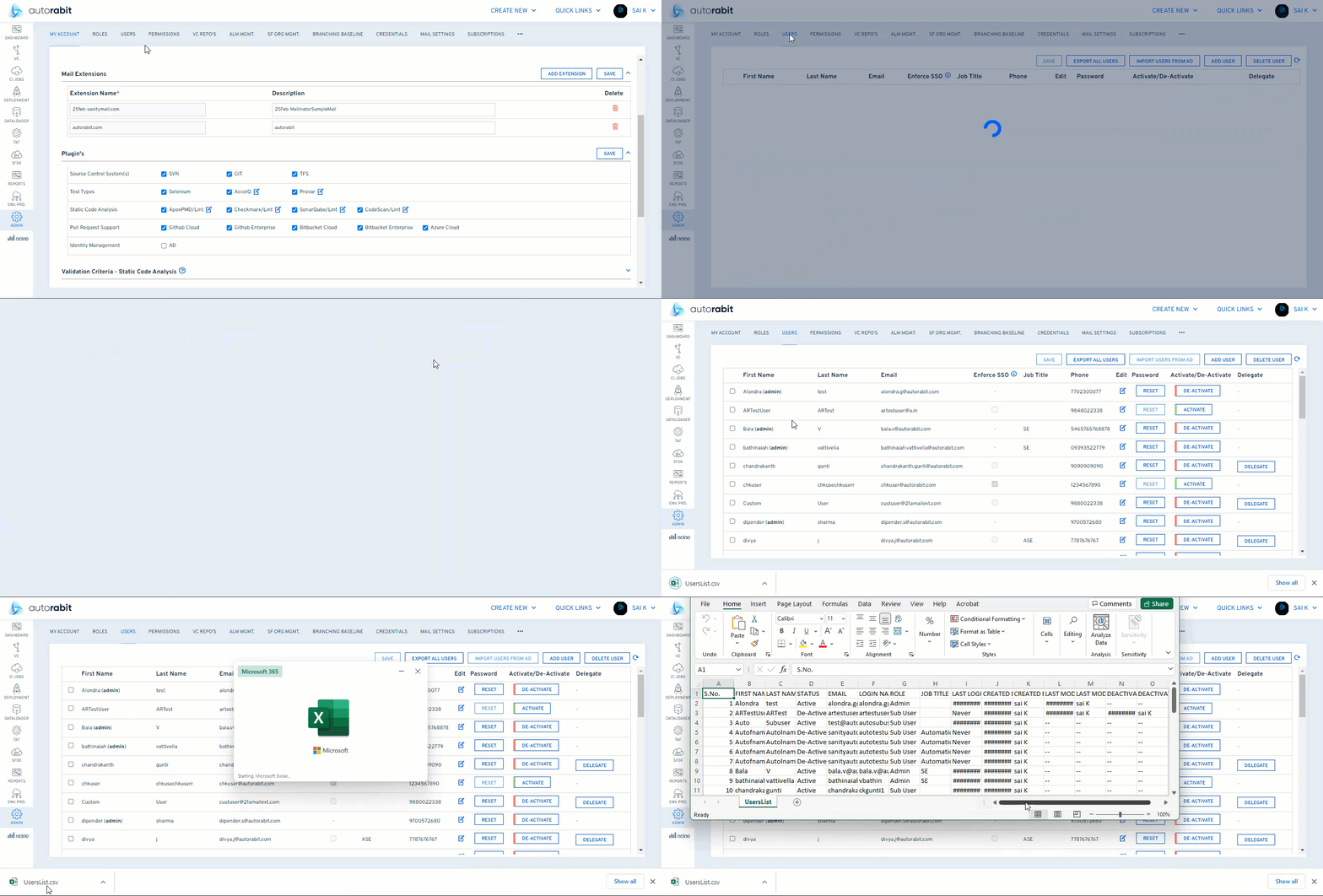
9. **Unable to Add Users in New UI Due to Missing Mail Extension – \[Support Case #214523]**\ Fixed an issue where admins were unable to add new users in the New UI because the mail extension dropdown appeared empty, preventing user creation.\ This update ensures the default domain is correctly handled and displayed, allowing admins to successfully add users.\ **Impacted Areas:**\ Admin → User Management (New UI) *** ## DataLoader Pro Release Notes – Version 26.2.1 **Release Date:** **05 April 2026** **New UI: DataLoader Pro CSV validation incorrect** Fixed DataLoader Pro in the new UI so invalid CSV input is correctly validated and flagged. ## DataLoader Release Notes – Version 26.2.1 **Release Date:** **05 April 2026** **DataLoader Basic job stuck / Salesforce error during extract** Fixed an issue where DataLoader Basic extract jobs showed a stuck status and unexpected Salesforce errors during execution. **Fields and query not loading when editing extract job** Fixed DataLoader extract job editing so fields and the saved query now load correctly. *** ## **ARM Release Notes – Version 26.1.13** **Release Date: 29 March 2026** #### **Automatic Dependency Fetch for Data Cloud Data Kits (DX only) - New UI** ARM now automatically retrieves all dependent metadata for a selected Salesforce Data Cloud Data Kit using connected org credentials. This eliminates the need to manually download and upload the package manifest (*package.xml*) during commit or deployment workflows. This enhancement streamlines the process, reduces manual effort, and minimizes errors. **Impacted Areas:**\ Data Cloud Deployments, Commit Workflow. *** #### **Environment Provisioning – Post Deployment Behavior Fix -** #201758 Fixed issues with the Post Deployment step to ensure templates are included only when explicitly selected. This update improves usability and ensures more reliable execution of provisioning steps. **Impacted Areas:**\ Environment Provisioning, Migration Templates #### **CodeScan Baseline Not Applied in EZ Commit – Fix - (**#199417,#204388,#204387) Resolved an issue where the configured CodeScan baseline was not applied during **EZ Commit** or **EZ Merge** operations for mapped Salesforce orgs. The system now correctly uses the defined baseline for analysis. **Impacted Areas:**\ EZ Commit, EZ Merge, SCA Module #### **OmniStudio Components Missing in CI Deployments – Fix -** #206010 Fixed an issue where OmniStudio components (such as **OmniScript** and **OmniDataTransform**) were excluded from CI deployments when listed under excluded metadata types. Improved visibility helps identify such configurations and ensures accurate deployments. **Impacted Areas:**\ CI Jobs, OmniStudio Deployments #### **CI Jobs History – “More Info” Text Selection Fix -** #209352 Fixed a regression in the New UI where users were unable to select or copy text from the **More Info** popup in CI Jobs History. Text selection and copying now work as expected. **Impacted Areas:**\ CI Jobs History, More Info Popup (New UI) #### **Missing Bot & GenAI Metadata in Deployments – Fix -** #209232 Fixed an issue where **GenAI** and **GenAI Planner Bundle** metadata were not included during deployments using Release Labels, even when selected. Deployments now correctly include all selected metadata components. **Impacted Areas:**\ Commits, Deployments #### **Assessment Metadata Missing in Release Label Deployments – Fix -** #204091 Resolved an issue where **AssessmentQuestionSet** and **AssessmentQuestion** metadata were not included during Release Label deployments. These components are now properly processed and deployed. **Impacted Areas:**\ Deployments, CI Jobs #### **LightningTypeBundle Metadata Not Detected in EZ Commit – Fix -** #210860 Fixed an issue where **LightningTypeBundle** metadata was not retrieved or displayed in **Review Artifacts** during EZ Commit, resulting in missing diffs. The system now correctly detects and processes this metadata across workflows. **Impacted Areas:**\ EZ Commit, EZ Merge, CI Jobs, Deployments *** ## DataLoader Pro Release Notes – Version 26.1.13 **Release Date:** **29 March 2026** **DataLoader Pro - Pagination Issue in DataLoader Pro (New UI)** Resolved an issue where pagination did not function correctly after fetching objects in DataLoader Pro job configuration. Pagination now works as expected when navigating through master objects. ## DataLoader Release Notes – Version 26.1.13 **Release Date:** **29 March 2026** **DataLoader Basic** - **Concurrent Job Validation in Data Loader Basic (New UI)** Fixed an issue where multiple jobs could be triggered for the same org without proper validation. The system now correctly prevents concurrent job execution and displays an appropriate error message when a job is already in progress. *** ## Release Notes – Version 26.1.12 **Release Date:** **22 March 2026** #### **Code Coverage & Test Class Report Structure Enhancement (New Enhancement)** Improved the structure of the **Code Coverage Report CSV** and **Test Class report** so that the test class name is now repeated on every row for each test method. This makes sorting, filtering, and analysis by class and method more reliable, especially for larger orgs. **Impacted Areas**\ Code Coverage Report CSV\ Test Class Report *** #### **Parallel Processor Support in CI Jobs – New UI** The **Parallel Processor** configuration is now available in the **New UI** for CI Jobs. This feature allows users to configure **GET or POST requests** to be executed before or after a Salesforce deployment as part of the CI job execution. This capability was previously available in the **Old UI** and has now been integrated into the **New UI** with the same functionality and behavior, ensuring feature parity across both interfaces. **Impacted Areas**\ CI Jobs – New UI Configuration *** #### **Scratch Org Deployment – Access Token Retrieval Fix** Fixed an issue where **CI Job deployments from a Salesforce Org to a Scratch Org** could fail with a **400 Bad Request error** while attempting to fetch an access token using the stored refresh token. This occurred when the **destination org was registered using Standard authentication and had a different login URL than the source org** (for example, Production/Developer source org and Sandbox destination org). The token retrieval logic has been updated to correctly handle such scenarios, preventing CI job failures during Scratch Org deployments. **Impacted Areas**\ CI Jobs – Deploy from Salesforce Org to Scratch Org *** #### **Dev Hub Selection Retention Fix – Create Unlocked Package Version and Install It to Salesforce (New UI)** Fixed an issue in the **New UI** where the selected **Dev Hub** was not retained in the CI Job type **“Create Unlocked Package Version and Install It to Salesforce.”** After saving the job configuration and completing deployment, returning to the **Edit Deployment** screen showed the **Dev Hub** field as empty, even though a value had been previously selected. The initialization logic has been corrected to ensure the saved **Dev Hub selection is retained and displayed properly** when reopening the job configuration. **Impacted Areas**\ CI Job → Create Unlocked Package Version and Install It to Salesforce → Deployment Settings → Dev Hub Selection (New UI) *** #### **ContentAsset Handling Fix – Release Label Artifacts** Fixed an issue where **including a ContentAsset modification revision in a Release Label artifact** caused package generation to fail with an error indicating missing source files for the **ContentAsset** type. The packaging logic has been updated to ensure that when a **ContentAsset** `.meta.xml` **file** is detected, the corresponding **binary asset file** is also included in the generated package if it exists in the repository. This prevents manifest generation failures and ensures ContentAssets are packaged correctly. **Impacted Areas**\ Release Labels in Version Control (DX and Non-DX)\ Release Label Deployment and Merge (ContentAsset changes) *** #### **CI Job Backup Failure Fix – Unsupported Metadata Type Handling** Fixed an issue where **CI Jobs configured for Backup to Version Control** could fail with the error **“Missing metadata type definition in registry for id 'CustomObjectBinding'.”** This occurred because Salesforce exposes the **CustomObjectBinding** metadata type during discovery, even though it is not currently supported for retrieval. The system previously attempted to include this metadata in retrieval batches, causing the job to fail. The metadata type has now been **added to the exclusion map**, preventing retrieval attempts and allowing CI backup jobs to complete successfully. **Impacted Areas**\ CI Jobs – Backup to Version Control *** #### **1-Month Data Retention Policy Option** ARM now supports a **1-Month retention policy** to provide greater flexibility in managing system data. Previously, retention policies were limited to **3 months, 6 months, and 12 months**. With this enhancement, administrators can configure a **30-day retention period**, enabling automatic removal of data older than one month. This helps organizations better manage storage usage, improve system performance, and align with internal compliance or governance requirements. Existing configurations using **3-month, 6-month, or 12-month** retention policies remain unchanged. **Impacted Areas**\ Administration → Retention Policy Settings *** #### **Multiple Approver Support for EZ-Merge – New UI** Added support for selecting **multiple approvers in EZ-Merge** within the **New UI**. Previously, users were limited to selecting only a **single approver** when creating a merge request, unlike the Old UI which allowed multiple approvers. This enhancement restores the ability to **select multiple approvers for merge approvals**, aligning the New UI behavior with the functionality available in the Old UI. **Impacted Areas**\ EZ-Merge – New UI *** #### **CI Job Configuration Save Fix – Install Package Job (New UI)** Fixed an issue in the **New UI** where configuration changes were not saved correctly for the CI Job type **“Install an Unlocked or Managed Package from a Version Control Branch.”** In some cases, fields such as **Run Apex Compile, Security Type, and Upgrade Type** reverted to different values when switching between the New UI and Old UI. The issue was caused by values not being properly retained in **disabled fields** during the save operation. This has been corrected to ensure the selected configuration values are saved and displayed accurately. **Impacted Areas**\ CI Job → Edit Job → Deploy Page (New UI) *** #### **Salesforce Spring ’26 (API 66) Metadata Support** ARM now supports additional metadata types introduced with **Salesforce Spring ’26 (API 66)**. The following metadata types are now supported: * AffinityScoreDefinition * CleanDataService * DuplicateRule * ExtlClntAppCanvasSettings * Flow sub-types (FlowSchedule, FlowScreenStyleSetting) * GiftEntryGridTemplate **Impacted Areas**\ Version Control\ Deployments\ CI Jobs ## Data Loader Pro - Release Notes - Version 26.1.12 Release Date: 22 March 2026 **Flexible Result File Downloads**\ Users can now download Dataloader Pro job results in their preferred file format, making it easier to consume and share output data. This enhancement allows teams to align exports with their reporting standards or downstream tools without needing manual conversions after download. **Default Columns in Dataloader UI**\ Default column configurations have been introduced and corrected across Dataloader Basic and Pro screens. Previously, no default view options were applied, forcing users to manually adjust columns each time they accessed a screen. With this fix, users now see a sensible default column set, improving usability and reducing setup time for common workflows. **Correct Status for Aborted DL Pro Jobs**\ Aborted DL Pro jobs from the old UI now show an accurate status instead of incorrectly appearing as “Failed” in both the old and new interfaces. This fix improves the reliability of job status reporting, enabling teams to distinguish between genuine failures and intentional aborts, and to analyze actual failure trends more accurately. ## DataLoader - Release Notes - Version 26.1.12 Release Date: 22 March 2026 **Accurate Count(id) in DL Basic Extract**\ The Count(id) column now correctly displays record counts in the new UI for DL Basic Extract jobs. Earlier, the column appeared empty in the new UI while still showing values in the old UI, leading to confusion and forcing users to cross-check between interfaces. The fix aligns both UIs so users can confidently rely on the new interface for record counts. **Accurate Count(id) in DL Basic Extract**\ The Count(id) column now correctly displays record counts in the new UI for DL Basic Extract jobs. Earlier, the column appeared empty in the new UI while still showing values in the old UI, leading to confusion and forcing users to cross-check between interfaces. The fix aligns both UIs so users can confidently rely on the new interface for record counts. *** ## Release Notes – Version 26.1.11 **Release Date:** **15 March 2026** #### Backup to Version Control – Credential Refresh Fix Fixed an issue in **CI → Jobs → Backup to Version Control** where changing the selected repository or branch did not refresh the associated credentials. The system previously continued using credentials from the initial selection, which could lead to authentication failures or incorrect commit identities. The credential refresh logic has been corrected to ensure the appropriate credentials are loaded whenever the repository or branch selection changes. **Impacted Areas**\ CI → Jobs → Backup to Version Control *** #### EZ-Commit – Retrieval Logs Button Fix Fixed an issue in **Version Control → EZ-Commit (Review Artifact screen)** where the **Retrieval Logs** button became unresponsive after the first click. Users can now open the logs panel multiple times without interruption, ensuring smooth review of retrieval logs during the commit process. **Impacted Areas**\ EZ-Commit (Version Control) → Retrieval Logs Button *** #### Mail Extension Placeholder & Validation Fix – New UI Fixed an issue in the **New UI → My Account → Mail Extensions** where the placeholder text in the **Extension Name field** suggested using an “@” symbol even though the system does not allow it. The placeholder and validation message have been updated to display valid examples and ensure consistency with the accepted input format. **Impacted Areas**\ New UI → My Account → Mail Extensions *** #### Env Provisioning – Unsupported Metadata Template Execution Fix Fixed an issue in **Env Provisioning** where executing the **“DisableTeams” template (Environment Provisioning Unsupported Metadata)** returned a **Succeeded** status, but the changes were not reflected in the target Salesforce Org. The template creation logic has been updated to ensure the configuration is properly processed so that all expected settings are applied after execution. **Impacted Areas**\ Env Provisioning *** #### Environment Provisioning History – Pagination Fix Fixed an issue in the **Environment Provisioning History** page where the grid displayed only **10 records** even when a higher page size was selected. Pagination has been corrected to ensure the grid displays the number of records based on the selected page size. **Impacted Areas**\ Environment Provisioning History Page *** #### Environment Provisioning – Duplicate Template Name Validation Fixed an issue in **New UI → Environment Provisioning → Templates** where the system allowed creation of templates with duplicate names without any validation. A validation check has been added to prevent duplicate template names and ensure users receive an appropriate error message when attempting to create one. **Impacted Areas**\ Create New Environment Provisioning Template *** #### #200317 – CI Jobs: Email Notification After Quick Deploy Enhanced **CI Job notifications** to support sending report emails after **Quick Deploy** execution. Previously, email notifications were sent only after the **Validate** stage. With this update, users will also receive CI Job report emails once the **Quick Deploy** process is completed. **Impacted Areas**\ CI Jobs with notification enabled and Quick Deploy applicable *** #### #201002 – Revision Range Deployment Commit Selection Fix Fixed an issue in **Deployment → Revision Range Deployments** where users were unable to select commits from the **first page of the “To” revision list** during a revision-range deployment. The UI logic has been corrected to allow proper selection of commits from the displayed list. **Impacted Areas**\ Deployment → Revision Range Deployments *** #### #198567 – Quick Merge Continue Button Fix (New UI) Fixed an issue in **New UI → Version Control → Commit History** where the **Continue** button in **Quick Merge** was disabled immediately after performing a new **EZ-Commit**. Users can now proceed with Quick Merge without needing to exit and reopen the page. **Impacted Areas**\ Version Control → Commit History → Quick Merge *** #### #202013 – CheckmarxOne Project Creation During EZ-Merge Resolved an issue where **AutoRABIT EZ-Merge operations with CheckmarxOne SCA validation** created a **new project in CheckmarxOne for every execution**. With the fix, scans executed during EZ-Merge will use a **single common project** instead of creating multiple projects. To apply this behavior, enable the feature flag **ENABLE\_CHECKMARK\_COMMON\_PROJECT\_EZMERGE**, which ensures all EZ-Merge scans are executed under the project **“AR-Merge.”** **Impacted Areas**\ EZ-Merge with CheckmarxOne SCA Validation *** #### #203270 – CI Job Validate Only Execution Fix Fixed an issue in **CI Jobs** where a queued job triggered with the **Validate Only** option executed as a **regular deployment**instead of validation. The issue occurred when multiple jobs were triggered and one entered the queue. The logic has been corrected to ensure queued jobs retain the **Validate Only** configuration and execute accordingly. **Impacted Areas**\ CI Jobs with Deployment (Validate Only and Real Deployment) option *** #### **GitHub OAuth Authentication Support for Repository Integration (New UI)** Introduced OAuth-based authentication support for GitHub repository integration in ARM, alongside the existing Personal Access Token (PAT) method. Users can now select OAuth during repository registration, authorize access via GitHub, and securely connect repositories without manually managing tokens. > **Note:** This feature is currently available only in the New UI. For step-by-step guidance, refer to the documentation:
* Fixed an issue where scheduled jobs could not be deleted through Environment Provisioning. The system now correctly validates permissions and job eligibility, enabling successful scheduled job removals from target environments.\ Support Case: #159287 * A performance optimization was implemented to improve how UserVersionControl details are retrieved. Instead of fetching data individually for each user, the system now retrieves the required information in a single bulk operation and processes it efficiently. This significantly reduces load time and restores a responsive user experience in EZ-Merge.\ Support Case: #158633 *** ## ARM Release Notes 25.4.8 **Release Date: 23 November 2025**
* EZ-Merge report timestamps now adjust accurately to each user’s time-zone settings, ensuring Merge Submission, L1 Review, and L2 Review dates display consistently across regions.\ Support Case: #156046 * CI Job validation behavior has been streamlined so that the Build Now option becomes available in the UI whenever the job’s deploy and overall status reach a completed state, providing a more consistent experience.\ Support Case: #158357 * Backup-to-VC jobs now present the appropriate Git message during push scenarios, such as permission or hook restrictions, while clearly indicating “No modifications” only when no updates are present—offering more accurate visibility into job outcomes.\ Support Case: #159296 * Delta commit results now reflect completion accurately, ensuring that the commit status aligns with the actual execution of the delta operation.\ Support Case: #150240 *** ## ARM Release Notes 25.4.7 **Release Date: 16 November 2025**\ \ **Highlights**: Improved downstream CI chaining, expanded Agentforce support, optimized EZ-Commit performance, and key platform upgrades. \ **Downstream CI job chaining enhancement**\ AutoRABIT now allows downstream CI jobs to trigger even when a parent job completes without identifying artifacts during the delta build process. This removes unnecessary pipeline breaks, eliminates manual intervention, and ensures uninterrupted job chaining, especially for Vlocity and other metadata patterns where no-change builds are common. (This would be available basis only on feature flag).\ \ **Expanded Agentforce metadata support**\ ARM now supports a wider set of Agentforce metadata types across CI, Deployments, and Version Control flows. | **Agentforce Metadata Type** | **Supported** | | ---------------------------------------------------- | ------------- | | GenAiPromptTemplate | Yes | | GenAiPromptTemplateActv | Yes | | GenAiPlugin | Yes | | GenAiFunction | Yes | | GenAiPlanner (API 60 to 63) | Yes | | GenAiPlannerBundle (API 64 and Above) | Yes | | Bot | Yes | | BotVersion | Yes | | Custom Apex invoked by agents (ApexClass) | Yes | | Flows used by agents (Flow) | Yes | | Permission Sets assigned to the Agent User | Yes | | CustomSite | Yes | | Network | Yes | | DigitalExperienceBundle | Yes | | EmbeddedServiceConfig | Yes | | MessagingChannel | Yes | | Flow (specifically the Omnichannel flow for routing) | Yes | | Queue | Yes | | QueueRoutingConfig | Yes | \ **Rollback failure fix for DX CI Jobs involving consecutive RecordTypes and StandardValueSets**\ A rollback issue caused DX CI Jobs to fail when only RecordTypes and StandardValueSets were selected but CustomLabels were excluded, resulting in a “not found in package.xml” error. The rollback logic has been updated to respect user-selected members, ensuring successful rollback operations even when other components are omitted. Destructive rollback continues to exclude RecordTypes due to Salesforce API limitations.\ (Support Case: 155931) **EZ-Commit in-flight fetch optimization**\ Introduced an in-flight check to prevent repeated fetch calls during EZ-Commit table data loading. The update adds a fetch-state tracker, improves the loading indicator, stabilizes table rendering to occur only after a successful fetch, and resets state cleanly on errors resulting in faster UI responsiveness and reduced redundant API calls.\ (Support Case: 155994) **Tomcat upgrade to version 11.0.13**\ ARM’s application runtime has been upgraded to Tomcat 11.0.13, delivering improved security, better performance, and alignment with the latest Java ecosystem standards.\ (Support Case: 158573) *** ## ARM Release notes 25.4.6 **Release Date: 9 November 2025**\ \ **Highlights** Salesforce is deprecating the **username + password + security token** method for SOAP API integrations. To ensure compatibility with **API version 65**, ARM now supports **OAuth (JWT) authentication**. This release also includes: * Support for **Salesforce Metadata API v65** * A new **CodeScan Configuration Wizard** for simplified setup * Enhanced audit visibility with **CEF login logs** * Fix for **CaseTeamRole** handling of multi-word names in environment templates **Limitation:** OAuth (JWT) is currently supported only for **Salesforce Dev Hub**. Regular Salesforce orgs continue to use **OAuth 2.0 Web Server Flow**. Other authentication methods are not supported in this release.\ \ **Salesforce SOAP Login Deprecation Notice**\ Salesforce has deprecated the “username + password + security token” authentication method for integrations using the SOAP API starting with version 65. This legacy method will be completely disabled by Summer ’27 for API versions 31–64. Customers using this method in AutoRABIT connections (e.g., {{ConnectionName}}) must migrate to OAuth authentication to ensure uninterrupted connectivity. \ **Salesforce Metadata API Version 65 Support**\ ARM now supports Salesforce Metadata API version 65, ensuring full compatibility with the latest metadata structures introduced by Salesforce. As part of this release, ARM has validated several metadata types across both DX and Non-DX environments, enabling consistent retrieval, validation, deployment, and CI/CD operations. | Metadata Type | Supported | Verified | | ------------------------ | --------- | -------- | | LightningOutApp | Yes | Yes | | InvocableActionExtension | Yes | Yes | | PresenceDeclineReason | Yes | Yes | | PresenceUserConfig | Yes | Yes | | QueueRoutingConfig | Yes | Yes | | DuplicateRule | Yes | Yes | | AnalyticsVisualization | Yes | No | | SrvcMgmtObjCollabAppCnfg | Yes | No | | DgtAssetMgmtProvider | Yes | No | | DgtAssetMgmtPrvdLghtCpnt | Yes | No | **CodeScan Configuration Wizard for Repository and Org Mapping**\ Introduced a guided configuration wizard for CodeScan integration to simplify project and branch mappings across ARM repositories and Salesforce orgs. The system now intelligently pre-matches existing CodeScan projects and branches, allows users to persist mappings, and ensures consistent baseline comparisons across Commit, Merge, CI Jobs, Custom Deployment, and SCA modules. This minimizes redundant project creation and improves scan relevance.\ \ **CEF Logger Added for Login Events**\ ARM now logs both successful and failed user login attempts through the Common Event Format (CEF) logger, improving traceability and compliance visibility for system administrators.\ (Support Case: 156220) **Environment Provisioning Template – Multi-Word Case Team Role Names**\ ARM now handles the creation and execution of environment provisioning templates containing multi-word CaseTeamRole names (e.g., “VMI Specialist”, “Supply Chain Finance”). The template execution correctly supports full role names and ensures accurate reflection in the target Salesforce org.\ (Support Case: 154640, 152188) *** ## ARM Release Notes 25.4.5 **Release Date: 2 November 2025**\ \ **Highlights:** Improved validation visibility, enhanced deployment reliability, and Data Cloud DevOps support introduced. ### Enhancements **Data Cloud DevOps Support**\ Introduced full support for Salesforce Data Cloud metadata deployment using DevOps Data Kits. Users can now commit, validate, and deploy Data Cloud components such as Data Streams, Data Model Objects, Calculated Insights, and Data Packages through EZ-Commit, Deployments, and CI Jobs. Key highlights include: * Deployment support for **DataPackageKitDefinition**, **DataSourceBundleDefinition**, **DataStreamTemplate**, and **DataKitObjectDependency**. * Strict separation between Data Cloud and standard Salesforce metadata for packaging. * Prerequisite checks for permissions and Data Cloud-specific access. * Recommended DX repository usage and manifest-based commit flow for Package.xml-dependent metadata. * Support for both constructive and destructive changes across DX and non-DX repositories. * Validated Merge, Release Label, and Branching Baseline flows for all Data Cloud metadata types.\ \ \&#xNAN;*Learn more* [*https://knowledgebase.autorabit.com/product-guides/arm/salesforce-extensions/arm-for-salesforce-data-cloud*](https://knowledgebase.autorabit.com/product-guides/arm/salesforce-extensions/arm-for-salesforce-data-cloud) ### Bugs **Partial FlexiPage Commit Handling**\ Fixed an issue where FlexiPage metadata was partially committed during Prevalidation Commits, resulting in missing content during CI Job deployment. Added schema validation checks to ensure full FlexiPage integrity and introduced detailed logging for file uploads on the Review Artifact screen.\ (Support Case: 155665) **App Deployment Failure in Profile Manager**\ Addressed a “Malformed request detected” error encountered during “Apps” deployment using the Profile Manager process. Deployments now complete successfully, and changes are accurately reflected in the target Salesforce org.\ (Internal) **Validation Circle Color Accuracy During Code Coverage Failure**\ Resolved an issue in EZ-Commit where both validation circles appeared green even when Salesforce validation failed due to insufficient code coverage. The circles now correctly turn red when code coverage fails, ensuring accurate validation feedback.\ (Support Case: 154962)\ \ **Caching Issue in EZ-Commit AutoDraft Flow**\ In version 25.4.4, a cache-related issue caused errors when expanding metadata components in the AutoDraft step of the EZ-Commit flow. Users encountered the message “Cannot invoke 'java.lang.Comparable.compareTo(Object)' because 'k1' is null.”This issue has been resolved in the current release. Metadata components now expand and display their contents correctly without any errors. *** ## ARM **Release Notes 25.4.4** **Release Date: 26 October 2025**\ \ **Highlights**: Improvements in EZ-Commit author handling, EZ-Merge responsiveness, and CI Job error reporting. * **EZ-Commit Author-Specific Retrieval**\ Resolved an issue where EZ-Commit was not correctly filtering metadata changes by the selected Salesforce Org Author. The process now accurately fetches only Author-related changes when a specific Author is chosen in both “Select Manually” and “Re-Use Previously Validated Commit Labels” modes.\ (Support Case: 151097) * **EZ-Merge Screen Freeze After Target Branch Selection**\ Fixed a delay where the EZ-Merge screen froze for 14–17 seconds after selecting the target branch (“To” branch). The merge approver validation API (`/mergerevieweremail`) has been optimized with asynchronous handling to improve responsiveness during branch selection.\ (Support Case: 155279) * **CI Job Failure with No Error Displayed**\ Addressed an issue where CI Jobs failed silently when component names contained dots and were misclassified under different component types (e.g., Profiles) in DX environments. The fix ensures accurate component handling and consistent error reporting for both DX and Non-DX CI Jobs initiated from Version Control to Deploy Org.\ (Support Case: 155649) *** ## ARM **Release Notes 25.4.3** **Release Date**: **19 October 2025**\ \ **Highlights**: Enhancements to metadata handling for destructive commits, standard value set retrieval, CI Job status accuracy, and Quick Deploy validation behavior. * **UserAccessPolicy Deletion in Destructive Commits**\ Destructive commits containing the 'useraccesspolicy' metadata type failed during execution. The metadata type has now been added to the SfdxMetadataFolder to ensure it is recognized for deletion.\ (Support Case: 153113) * **ContactPointUsageType Standard Value Set Retrieval**\ ARM was unable to retrieve the "ContactPointUsageType" standard value set, which is associated with the "Contact Point Email" object. Since standard value sets cannot be fetched using describe calls, the metadata was added to the internal static list to ensure successful retrieval.\ (Support Case: 154150) * **Quick Deploy Criteria Validation for PR-Triggered CI Jobs**\ Quick Deploy was unavailable after a successful Pull Request–triggered validation due to incorrect variable binding of the "preventDeploy" setting. The logic has been corrected, ensuring Quick Deploy remains unavailable when "Prevent Deployment" is selected under "Validate Deployment," matching expected behavior.\ (Support Case: 153792) * **ManagedContentType Destructive Commit Failure**\ Destructive commits for MANAGEDCONTENTTYPE metadata were failing due to unrecognized metadata classification. This metadata type has now been added to the SfdxMetadataFolder, ensuring it is properly recognized and deletable.\ (Support Case: 154888) * **CI Job Status Stuck in Progress After Completion**\ Some CI Jobs continued showing as “In Progress” even after build and validation completion, blocking new runs on the same target org. A blocking wait mechanism was implemented to continuously check CIJobInfo until the deploy status updates to “Completed.”\ (Support Case: 154818) *** ## ARM Release Notes 25.4.2 **Release Date**: **15 October 2025**\ \ **Highlights**: Stability improvements across CI Jobs, Commit handling, and Scratch Org creation. * **CI Job Email Notifications – Missing Error Details**\ Fixed an issue where CI job email reports did not display deployment failure details for Apex Classes. The notification logic now correctly includes all error and failed test details in the email report.\ (Support Case: 154005) * **Backup CI Jobs – Git Push Pre-Receive Hook Error**\ Addressed a problem causing Backup CI Jobs to fail with the error “GIT Push remote update Result: pre-receive hook declined.” The exception is now taken care and the UI displays a simplified message: “No modifications exist.”\ (Support Case: 154837) * **EZ-Commit Validation – File Copy Failure**\ Resolved a FileNotFoundException that occurred during EZ-Commit validation when a metadata file was missing from the source folder. The updated logic now skips missing files and continues copying remaining files, allowing the commit process to complete successfully.\ (Support Case: 154753) * **Scratch Org Creation – Salesforce Org Validation**\ Resolved an issue where users received a “Salesforce Org Doesn’t Exist” error while attempting to retrieve data for Scratch Org creation. The system now correctly validates the selected Salesforce org and proceeds with successful data retrieval. *** ## ARM Release Notes 25.4.1 **Release Date**: **5 October 2025**\ \ **Highlights:** Fixes for Quick Deploy iteration visibility, CI post-deploy log accuracy with DataLoader Pro, and complete Jira sprint retrieval across ALM flows. * **Quick Deploy iteration visibility**\ A validated deployment could be quick-deployed from a later iteration while the Quick Deploy button remained visible and usable on earlier iterations, which diverged from Salesforce behavior; this affected deployment iteration handling in the Deployments UI. Quick Deploy is now correctly disabled for the current iteration and all previous iterations once an actual deployment is performed, matching Salesforce semantics and preventing accidental re-deploys of validated iterations.\ (Support Case: 150463) * **CI job post-deploy logs and DataLoader Pro status accuracy**\ CI jobs that triggered a post-deploy DataLoader Pro process sometimes showed a null error or incorrect "not yet run" status in post-activity logs even though the DataLoader Pro job executed and made changes in the org. We handled the null pointer and corrected status mapping between the DL module and CI logs; CI jobs now complete without the null error and post-activity logs reflect accurate in-progress and final statuses. The system also ensures the DataLoader Pro job is triggered and its final status is shown correctly.\ (Support Case: 153953) * **Jira sprint pagination and ALM updates**\ Fetching sprints in new EZ-Commit, EZ-Merge, and CI Job flows was stopping after the first page because Jira API maxResults was 50, so not all sprints were returned. We now page through all results and surface every sprint across the UI, restoring full sprint visibility. Additionally, Jira ALM integration updates for status and comments have been improved so status updates and comments propagate correctly from ARM flows.\ (Support Case: 154690) *** ## ARM Release Notes 25.3.12 **Release Date**: **28 September 2025** * **Wavedashboard deployment failure due to xmd conversion**\ When customers uploaded a package.xml containing wavedashboard type and members, ARM converted them to wavexmd and the deployment failed because the wavexmd files were missing from the zip. Implemented backend logic to prune xmd metadata entries when corresponding xmd files are not retrieved from the source org, preventing missing-file deployment errors.\ (Support Case: 151073) * **Email approvals bypassing branch access**\ Users who had branch access removed could still approve merge requests via the merge validation email notification. Added an enforcement check for email-based approvals that validates destination branch permissions against the merge approval role; users without permission on the destination branch will no longer be shown as eligible approvers or be able to approve via email.\ (Support Case: 153126) * **Jira Work Items Not Retrieved from Sprints**\ Fixed an issue where customers were unable to select Jira work items during ALM flows in EZ-Commit and Merge, with the error “No work items found in this sprint.” Jira had deprecated the API (v2) used by ARM to fetch work items, causing sprint data retrieval failures.\ ARM now uses Jira API v3 for work item retrieval, restoring functionality across EZ-Commit, EZ-Merge, Merge Requests, and CI Jobs.\ \&#xNAN;*(Support Case: #150934 & #151385)* *** ## ARM Release Notes 25.3.11.1 **Release Date**: **24 September 2025** * **Jira Work Items Not Retrieved from Sprints**\ Fixed an issue where customers were unable to select Jira work items during ALM flows in EZ-Commit and Merge, with the error “No work items found in this sprint.” * Jira had deprecated the API (v2) used by ARM to fetch work items, causing sprint data retrieval failures. * ARM now uses Jira API v3 for work item retrieval, restoring functionality across EZ-Commit, EZ-Merge, Merge Requests, and CI Jobs.\ \&#xNAN;*(Support Case: #150934 & #151385)* *** ## ARM Release Notes 25.3.11 **Release Date**: **21 September 2025** **Highlights**: Fixes for EZ-Commit folder retrieval, branch registration, SCA validation, and webhook API token updates.
* **EZ-Commit – Report and Dashboard Folder Retrieval**\ Fixed an issue where report and dashboard folders were not being retrieved when using a package.xml. Now, folders and their members are correctly retrieved during EZ-Commit, covering scenarios for both DX and non-DX repos, with and without Autodraft.\ \&#xNAN;*(Support Case: 150181)* * **Branch Registration – Default Branch Change**\ Resolved an issue where the main default branch was unintentionally updated when registering a new branch for the first time. The default branch is now updated only if the current default branch does not exist in the remote repository.\ \&#xNAN;*(Support Case: 149845)* * **SCA Validation with Special Characters**\ Fixed an error where SCA analysis failed when branch names or paths contained "/" or special characters. The fix covers EZ-Commit, EZ-Merge (including Pre-validation and Release Label merges), CI Jobs (Package from Version Control), Deployment (Version Control & Release Label), and Report Module.\ \&#xNAN;*(Support Case: 152825)* * **Webhook API Token Status**\ Corrected an issue where the webhook API token’s last status always showed as "Never Accessed," even after being used in CI Job triggers. The last access status now updates correctly when tokens are used.\ \&#xNAN;*(Support Case: 153909)* *** ## ARM Release Notes 25.3.10.1 **Release Date:** **20 September 2025** * **SCA Validation with Special Characters**\ Fixed an error where SCA analysis failed when branch names or paths contained "/" or special characters. The fix covers EZ-Commit, EZ-Merge (including Pre-validation and Release Label merges), CI Jobs (Package from Version Control), Deployment (Version Control & Release Label), and Report Module.\ \&#xNAN;*(Support Case: 152825)* *** ## ARM Release Notes 25.3.10 **Release Date**: **14 September 2025** **Highlights**: Stability improvements across Custom Deployment, Release Labels, EZ-Commit, CI Jobs, and Salesforce ALM integration. ### Bug Fixes * **Custom Deployment – Full Profile Deployment Failure:** Fixed an issue where Full Profile Deployment using Version Control failed with a size limit error because the `.git` folder was unintentionally included in the build preparation. Now, hidden folders (starting with ".") are excluded from the build process. * **Custom Deployment – Deployment Fails with Ignore Installed Components:** Resolved an issue where deployments failed silently on the UI when the **Ignore Installed Components** option was selected. The deployment now completes as expected. * **Deployment Logs – UI Visibility Issue:** Customers reported deployment logs not consistently showing in the UI. While the root cause is still under review, additional logging has been added to capture scenarios when logs fail to display. * **Release Label – Deployment with Apex Meta Files:** Fixed an issue where Release Label deployments failed when changes existed only in the Apex `-meta.xml` file and not in the corresponding `.cls` file. Such changes are now correctly included in the manifest.\ \&#xNAN;*Communication*: For existing Release Labels, customers must re-run artifact preparation to apply this fix. New Release Labels will work as expected. * **EZ Commit – Pre-Validation Error:** Addressed a parsing error ("XML document structures must start and end within the same entity") that caused pre-validation EZ-Commits to fail. A new file copy library has been implemented to resolve this in **EZ-Commit (Validate Deploy)**, **CI Jobs**, and **Deployments**. * **Salesforce ALM Integration – Status Updates:** Fixed an issue where ALM work items failed to update if the **status field’s API name** differed from the picklist label. Updates now correctly use the API name for mapping. * **CI Jobs – Missing Debug Information in Failed Builds:** Fixed an issue where failed builds did not display detailed error logs. The UI now shows schema validation errors with file and line details, helping users quickly identify and resolve issues. * **File Upload Error in EZ-Merge Conflict Resolution**: Customers reported being unable to re-upload modified files after downloading the conflict resolution zip in EZ-Merge. The issue was caused by restrictive file size limits. \ Fix: Increased the maximum supported file upload size to 100MB, ensuring smoother conflict resolution workflows. *** ## ARM Release Notes 25.3.9 **Release Date**: **7 September 2025** ### Bug Fixes * **Revision Retrieval Error During Deployment:** Fixed an error where retrieving revisions with a single revision or while creating a release label caused runtime exceptions from Git. Updated logic now ensures stable fetch during revision retrieval. * **Intermittent Workspace Not Found Error in EZ-Merge:** Resolved an issue where merges intermittently failed with “Workspace not found with id….” Logic was updated to handle the scenario reliably. * **Sub-User Branch Visibility in Admin VC Repos:** Addressed a problem where sub-users couldn’t see newly created branches unless permissions were manually updated. Sub-user visibility is now automatically enabled when a new branch is created. * **CI Job Stuck Issue in Abort Functionality:** Fixed a corner case where a CI job could get stuck, preventing new builds from being triggered. The abort functionality has been refined to avoid such blocking scenarios. * **Deployment Trigger Date Accuracy:** The deployment date recorded in the Reports module and Audit Tab now reflects the exact trigger time instead of relying on package creation time. This ensures more accurate tracking for all new deployments. ### **Enhancements** * **Webhook Security Update**\ As part of our ongoing security improvements, webhook security has been strengthened in this release. * Support for old webhook URLs was retired earlier in ARM v23.1.15. * With this release, it is now **mandatory to use an API token** with all webhook endpoints. * This change ensures stronger protection and prevents unauthorized access to your integrations.\
* **Profile Compare – Custom Permissions Not Visible:** Fixed an issue where the Profile Compare feature in the Deployment module did not show custom permissions for orgs. Updated UI logic ensures that deltas for custom permissions now display correctly.
* **Reports – Discrepancy in Deployment Counts:** Addressed a mismatch where reports displayed an incorrect deployment count when using custom range filters. Deployment counts are now consistent with actual values.
* **SSO Configuration – Empty Metadata File:** Corrected an issue where downloading the AutoRABIT SSO Metadata XML returned an empty file. The file now downloads with the correct default content. *** ## ARM Release Notes 25.3.7 **Release Date: 24 August 2025** **Highlights:** Fixes to EZ-Commit translations, webhook API token status, and rollback iterations. ### Bug Fixes 1. **EZ Commit – Case Values Removed from CustomObjectTranslation:** Resolved an issue where case values were being removed from the CustomObjectTranslation file when performing multiple EZ-Commits under Japanese language. The problem was caused by unmarshalling and marshalling logic comparing values incorrectly. The comparison logic has been updated to rely on additional fields to properly support translations for different languages. 2. **Webhooks – API Token Last Access Not Updating:** Fixed an issue where webhook API tokens continued to display “Never Accessed” even after recent runs triggered by CI jobs. The back-end logic has been corrected to update and display the last access time accurately. 3. **Rollback – Iteration and Components Not Available After Revert:** Addressed an issue where rolling back a previously deployed iteration caused both the iteration and its components to disappear. A change event has been added to ensure iterations and components are available after a revert rollback. *** ## ARM Release Notes 25.3.6 **Release Date: 17 August 2025** **Highlights**: Stability improvements and fixes for CI Jobs and Admin functionalities. ### Bug Fixes * **CI Jobs – Baseline Revision Update Issue**: Resolved an issue where CI jobs were stuck and queued after a specific build. The problem was traced to a scenario where the baseline revision was not updating. The back end has been updated to address this case and additional logging has been added for better diagnostics.
* **Admin – Adding Released Users to Teams**: Fixed an issue where adding a delegated or released user to a team displayed a success message but did not actually add the user. The root cause was an error in fetching released user details. Logic has been corrected to ensure the released user is properly added to the team.
* **CI Jobs – Rollback Failure for Selective Components**: Addressed a rollback failure during CI job deployments when rolling back selective components, resulting in a “Not in Package.xml” error. Back-end logic has been updated to handle the workflow metadata type correctly. *** ## ARM Release Notes 25.3.5 **Release date: 10 August 2025** ### Bug Fixes * **Branching baseline now supports committing child metadata components for Sharing Rules, Workflow, and Managed Topics**: This enhancement ensures these metadata types are correctly captured and pushed to the remote repository, addressing gaps identified in earlier releases. *** ## ARM Release Notes 25.3.4 **Release Date: 3 August 2025**\ \ **Highlights**: Reliability and accuracy improvements across CI jobs, release labels, and EZ-Commit workflows. ### Bug Fixes * **CI job cleanup for Provar executions**: Unused test-result folders in Provar job paths were not deleted after runs, slowly consuming disk space. A cleanup mechanism now removes temporary directories and report data immediately after each job completes.
* **Destructive change detection in remote branches**: CI jobs missed destructive updates performed directly in GitHub, causing build failures. Backend logic has been corrected so that remote destructive changes are reliably detected and processed.
* **Release label revision count displayed inaccurately**: When modifying an existing release label, the UI showed an incorrect number of selected revisions. Increment logic has been fixed so the description now reflects the true revision count.
* **Static resources misidentified during destructive EZ-Commit**: Deleting one static resource while another with a similar name remained caused the diff view to include both files. Selection logic has been refined so only the intended destructive file is picked up, even when naming conventions overlap. *** ## ARM Release Notes 25.3.3 **Release Date: 27 July 2025** #### Enhancements * **New ALM Support**: ARM now links to the SaaS Tool Kit so EZ-Commit can update Salesforce ALM records automatically. After a simple one-time setup, developers select the User Story or Defect during an EZ-Commit, add notes or effort, and ARM pushes the commit details to Salesforce while advancing the record’s status from Unit Complete → Ready For SIT and SIT Complete → Ready For UAT—no manual edits needed. **Bug Fixes** * **QuickAction metadata deployments fail due to package.xml exclusion**: Fixed the package-preparation logic so QuickAction files are included, allowing validation and deployment to succeed.
* **Environment-provisioning flow errors not displayed**: Corrected run-time array handling so success and failure details are now shown when enabling flows via an environment-provisioning template. *** ## ARM Release Notes **25.3.2** **Release Date**: **20 July 2025**\ \ **Highlights**: UI fixes in conflict resolution, improved destructive change handling in DX/Non-DX, and artifact preparation reliability enhancements. ### Bug Fixes * **Merge Conflict Resolution – UI Handling:** Improved the reliability of conflict resolution in the Merge Conflict screen. Resolved a UI issue where repeated lines were unintentionally removed after resolving conflicts using "Block from Source/Destination", leading to incorrect merges.
* **Destructive Changes in Commit (Non-DX):** Enhanced support for Report, Dashboard, Document, and EmailTemplate components in the Deleted tab under EZ-Commit for Non-DX repositories. These were previously not triggering the proper validation and error messaging during component selection.
* **CI Job Deployment – Classic Manifest Support in DX:** Fixed a bug where CI Jobs using DX repositories and Classic Package Manifest settings only packaged destructive changes, ignoring constructive ones. Validations and deployments now correctly handle all combinations of destructive and constructive changes.
* **Release Label Creation – Git SSH Response Handling:** Addressed an issue where release label creation failed due to invalid credentials. The system now properly handles Git responses when fetching branches via SSH, ensuring artifact preparation continues smoothly. *** ## Release Notes 25.3.1 **Release Date: 13 July 2025** Highlights: Stability and accuracy improvements across EZ Commit, Branching Baseline, and CI Jobs. * **EZ Commit** – Deployment-validation reports older than 30 days were missing in EZ Commit. It's now available.
* **EZ Commit** – Malformed XML errors when committing permission-set files are resolved by refining the copy logic.
* **Branching Baseline** – UNKNOWN\_EXCEPTION errors during batch processing eliminated by removing the parent Workflow entry and explicitly adding the child Workflow metadata types (WorkflowTask, WorkflowFieldUpdate, WorkflowAlert, WorkflowFlowAutomation, WorkflowKnowledgePublish, WorkflowOutboundMessage, WorkflowRule, WorkflowSend) to metadatatypes.json.
* **CI Jobs** – Object-level permissions in permission sets were unintentionally wiped during CI Job deployments. Back-end logic now preserves object permissions while propagating FLS changes. *** ## ARM Release Notes 25.2.12 **Release Date**: **6 July 2025**\ \ **Highlights**: Key enhancements and fixes to CI jobs, VS Code integration, deployment modules, audit reports, and environment provisioning. #### Bug Fixes * **Audit Reports – Deployment Label & Metadata Fixes**\ Added the Deployment Label column in the Audit Reports section. Fixed issues with Invalid Date in the created/modified date columns and removed special characters from downloaded CSV headers.
* **Env Provisioning – Apex Test Level Execution Support**\ Improved the Enable/Disable Apex Trigger Migration Template by reintroducing the Test Level dropdown in the execution window. Now the execution status updates correctly based on test result outcomes.
* **CI Jobs – Sharing Rules Not Deployed**\ Resolved an issue where Sharing Rules were skipped during deployment when linked to custom objects from installed packages.
* **VS Code Plugin – File Diff Undefined Error**\ Fixed an undefined error in EZ Commit via VS Code when accessing file diffs post-commit. The file diff generation model is now available.
* **Destructive Changes – Entitlement Process Commit Fail**\ Addressed commit failures during the Entitlement Process, destructive changes by updating the logic for DX Repositories.
* **Deployment – Missing Permissions in Profile Deployments**\ Corrected permission deployment for profiles with “Ignore Missing Visibility” enabled. This included handling for PushTopic permissions.
* **Audit Reports – Triggered Date Incorrect**\ Fixed the mismatch in deployment-triggered date display under the Audit tab.
* **CI Jobs – Abort Doesn’t Terminate Background Process**\ Improved CI job abort handling to ensure background processes are completely stopped. Now, aborted jobs no longer get stuck, and subsequent jobs queue and execute as expected. *** ## ARM Release Notes 25.2.11 **Release Date: 29 June 2025** **Highlights**: Git Performance Optimization, Accurate CI Deployments, and Enhanced Reporting Visibility #### **Enhancements** * **Faster Git-Based Version Control Validations**\ We’ve improved how ARM validates Git branches and revisions.\ These checks are now performed directly on the **remote Git repository**, eliminating the need for local workspace setup.\ This significantly boosts performance and reduces processing time during operations. #### **Bug Fixes** * **Installed Components Now Properly Excluded in CI Jobs**\ The **“Ignore Installed Components”** option in CI jobs was previously not functioning as expected—installed components were still being deployed.\ This has been corrected. The selected option now effectively excludes these components from deployment.
* **Resolved Validation Error During Permission Set Commit**\ Users encountered commit validation errors when working with permission sets and specific metadata selections.\ We've refined commit logic to ensure permission set files are filtered correctly based on selected options.
* **Permissionset Deployments No Longer Drop Object Permissions**\ Deploying a new permission set with **“Ignore Missing Visibility”** enabled previously removed `DataStreamDefinition` object permissions.\ This issue is now resolved. Both `DataStream` and `DataStreamDefinition` object permissions are preserved regardless of the setting.
* **Deployment Reports Display Accurate Results for All Years**\ Reports for years like 2023 and 2024 were previously showing incorrect data due to a mismatch in attribute formatting.\ We’ve added compatibility for both older and newer report formats, ensuring accurate data display on the dashboard. *** ## ARM Release Notes 25.2.10 **Release date: 22 June 2025** ### **Overview** This release delivers targeted improvements to Vlocity deployments, CI job processing, sandbox provisioning, permission settings, and EZ-Commit behavior. Key internal issues have been resolved to enhance reliability, reduce metadata deployment anomalies, and streamline configuration workflows. #### **Internal – Vlocity Calculation Matrix Fix** **1. Issue: After a commit, comma-separated Calculation Matrix Components were not being correctly committed to the branch. Only the YAML file was pushed, and that too in an incorrect format.** **Fix:** Introduced logic to backup the Calculation Matrix member name, fetch the correct member, and update the YAML file accordingly. Now, the Calculation Matrix Components are committed as expected, supporting direct commits, commit labels, and release labels. * Vlocity Version Control Deployments (including release, commit label, and AutoRABIT build) now retrieve and deploy comma-separated Calculation Matrix Components accurately. * Vlocity Org-to-Org Deployments are verified and working correctly. * CI Jobs now correctly retrieve and deploy comma-separated Calculation Matrix Components from source to target Salesforce org. **Module:** Vlocity Commit, Deployments, and CI Jobs **2. Issue: Managed package components that were intended to be excluded were still being included during deployments.** **Fix:** Implemented proper filtering logic to ignore installed (managed) components during deployments and CI job executions, ensuring expected exclusion behavior. **Module:** CI Jobs and Deployments **3. Issue: During a sandbox refresh, the template failed because the Sandbox Access field was missing for the production. Salesforce updates now require explicit configuration of access levels during the refresh process.** **Fix:** Introduced a new Sandbox Access field to the environment provisioning template. Users can now define the appropriate access level, enabling complete control during sandbox refresh. **Module:** Environment Provisioning
2. **Incorporated Checkbox to Skip Prevalidation Criteria**\ In this release, we're excited to introduce the ability for developers to **skip all prevalidation criteria** specifically for **back merges from designated branches**. This enhancement offers a streamlined approach to the back merge process, empowering developers to improve efficiency and simplify code migration upstream. To leverage this feature, developers can configure the branch type in VC Repos → Branch settings, where a new checkbox option allows you to enable skipping prevalidation criteria for a particular branch during back merges. This capability enhances flexibility and productivity, reducing unnecessary steps in the code migration workflow. With the skip option, developers have greater control over the back merge process, ensuring a smoother and more agile development experience.
3. **Revamped Static Code Analysis View**\ We’ve revamped our static code analysis UI to enhance the user experience. Now, errors are conveniently displayed under selected files, streamlining issue identification and resolution across various tools.
4. **Streamlined EZ-Commit Editing**\ This release significantly enhanced the EZ-Commit workflow to empower developers. The introduction of an integrated **Compare Changes** option in the **Review Artifact** screen allows for seamless viewing, editing, and visualizing of Salesforce metadata changes in a single, user-friendly interface. Developers can now effortlessly navigate and understand their code edits with color-coded differences, eliminating the need to toggle between multiple screens. This streamlined process enhances the user experience and addresses a crucial blocker in the journey towards CI/CD, providing a more efficient and intuitive path for developers.
5. **Enhanced SCA Label Scheduling**\ In this release, users can now enjoy enhanced control over SCA label scheduling with the introduction of the ability to edit/update schedules. This feature provides greater flexibility, allowing users to modify scheduled times for SCA labels, contributing to a more seamless and user-friendly experience in managing job schedules.
6. **New Email Templates Implementation**\ In this release, a significant enhancement has been made by implementing new email templates that align with current visualization standards. This update reflects our commitment to maintaining high standards in user interface design and enhancing overall user engagement. ### Improvements This update improves the tool's efficiency and responsiveness and leverages new technologies, collectively resulting in a smoother, faster user experience. 1. In this release, we revolutionized the system by converting all JSP pages into a RESTful API, enhancing modularity, scalability, and interoperability. 2. SF CLI Version upgrade to 2.41.8 3. SOAP to REST services upgrade: Upgrading from SOAP to REST services improves performance by reducing overhead with lightweight JSON payloads and enhances security through stateless communication and simplified implementation of HTTPS. 4. By merging SalesforceDxHub into SalesforceOrg, it effectively reduces redundancy in data storage. Users can now register once from SalesforceOrg, with the added capability to specify a registered org as a Dev hub. When a production org is registered as a Dev hub, it appears on both screens, streamlining data management and enhancing user workflow. This release optimizes data storage, improves user experience, and simplifies registration processes, ultimately enhancing overall system efficiency. 5. Upgrade of third-party libraries 6. Salesforce integration credentials (Client ID & Secret) are now encrypted for improved security. Existing tokens are also migrated to the new format. This enhances protection against unauthorized access. 7. Log-leveling: Dynamically modify log levels for specific logger categories to enhance monitoring and troubleshooting. ### Changelogs The following weekly fixes were implemented. #### 31 July 2024 ARM 24.1.7 1. A code fix was applied to the CI Jobs module of version 24.1 related to a data error that caused a CI Job to be unable to be built manually. Support ticket #117587 2. A code fix was applied to the Admin module of version 24.1 due to a data error that caused Salesforce orgs to not be displayed as mapped to the repository even after enabling them under the profile. Support ticket #117542 3. A code fix was applied to the nCino module of version 24.1 due to a use-case error identified internally in which rollback failed for inserted records. 4. A code fix was applied to the nCino module of version 24.1 due to a use-case error in which Data Loader jobs were automatically being deleted. Support ticket #117577 5. A code fix was applied to the CI Jobs module of versions 23.1 and 24.1 due to a use-case error causing the CI Job History report to not generate. #116943 #### 24 July 2024 **ARM 24.1.6** 1. A code fix was applied to the CI Jobs module of version 24.1 due to a typo in the ARM CI Jobs creation screen. Support ticket #116616 2. A code fix was applied to the Deployments module of version 24.1 due to a use-case error in which the 'add member' option was not working. Support tickets #116545, #117480 3. A code fix was applied to the Admin module of version 24.1 to correct a use-case error in which test class mappings were missing. Support tickets #116984, #117737 4. A code fix was applied to the Admin module of version 24.1 to correct a use-case issue with log visibility in the branching baseline for admin users. Support ticket #117485 5. A code fix was applied to the Admin module of version 24.1 from an internal ticket identifying a use case in which the user was getting an 'unauthorized 401' error during a new account signup registration. 6. A code fix was applied to the Admin module of version 24.1 identified by internal ticket a use case in which the user was unable to log in via the default SSO login page; also, the build version and revision information were not displaying. 7. A code fix was applied to the Deployments module of versions 23.1 and 24.1 due to a use-case error in which an issue was occurring with the system administrator lite. Support ticket #117297 8. A code fix was applied to the Deployments module of versions 23.1 and 24.1 due to a use-case error in which the user was not able to see the metadata through the single revision deployment. Support ticket #116919 9. A code fix was applied to the Deployments module of versions 23.1 and 24.1 due to a use-case error in which the user was not able to deploy the Einstein Prediction builder. Support ticket #116909 10. A code fix was applied to the Admin module of versions 23.1 and 24.1 due to a use-case error with users losing access. Support ticket #111830 11. A code fix was applied to the Version Control module of versions 23.1 and 24.1 due to a use-case error requiring multiple revisions on an ALM work item. Support ticket #117810 12. A code fix was applied to the Deployments module of versions 23.1 and 24.1 due to a use-case error with the new profile compare feature. Support ticket #117309 13. A code fix was applied to the nCino module of version 24.1 due to a use-case error in which Data Loader jobs were being automatically deleted. Support ticket #117577 14. A code fix was applied to the CI Jobs and Deployment modules of version 24.1 due to a use-case error causing the rollback functionality to not work properly. Support tickets #117512, #118316 15. A code fix was applied to the CI Jobs module of version 24.1 due to a use-case error in which CI Jobs were experiencing a build issue, which is awaiting QA verification from the customer. Support ticket #118301 16. A code fix was applied to the CI Jobs module of version 24.1 due to a use-case error identified by internal ticket in which a CI Unlocked package installed CI build failing with Hub connection failure, even though Hub connection was successful. 17. An internal ticket identified an EBR change request required to the EBR module of version 24.1 to correct EBR plugins. #### 17 July 2024 **ARM 24.1.5** 1. A code fix was applied to version 24.1 as a result of a data error encountered in the CI Jobs module related to CI Jobs not triggering. Support ticket #116677 2. A code fix was applied to the Version Control module in version 24.1 related to a data error causing the WebLink deletion feature to not work. Support ticket #115994 3. A code fix was applied to the CI Jobs module in version 24.1 due to a data error identified internally with the CI Edit edit mode where the "Do you want us to update the test classes" feature is not saving. 4. A code fix was applied to the nCino module in version 24.1 related to a use-case error in which DataLoader Pro was not fetching the child object. Support ticket #116928 #### 10 July 2024 **ARM 24.1.4** 1. A use-case error identified in version 23.1 required a code fix applied in versions 23.1 and 24.1 to the Deployment and Version Control modules, to correct a scenario in an org-to-org full-profile deployment in which package visibility and permissions were not captured. Support ticket #110760 2. A code fix was applied to versions 23.1 and 24.1 due to a use-case error identified in version 23.1 in which commits were failing with a 'no credentials mapped' error in the Version Control module. Support ticket #116704 3. A code fix identified in version 24.1 was applied to the Admin module in version 24.1 due to a use-case error identified by internal ticket in which the on-premises server was not starting up after migrating from 23.1 to 24.1 build. 4. A use-case error in the Version Control module identified in version 24.1 by internal ticket required a code fix to version 24.1 to correct an instance in which the user was unable to create a release label. #### 3 & 7 July 2024 **ARM 24.1.3** 1. A use-case error identified in version 24.1 required a code fix to the CI Jobs module, applied in versions 23.1 and 24.1, to correct instances where configuration changes were not being saved to the CI job. Support ticket #116047 2. A code fix identified in version 24.1 by an internal ticket was implemented in version 24.1 to correct a use-case error in which the Version Control module’s Validate and Merge button was not being reflected immediately after changing the EZ-Merge validation criteria in MyAccounts. 3. A code fix identified in version 24.1 by an internal ticket was applied to version 24.1 due to the minimization feature not working in the Version Control module. 4. A code fix identified by an internal ticket in version 24.1 was applied to the Version Control module in version 24.1 due a use-case error where ‘Path View’ section highlighting is occurring when toggling from the ‘File Changes’ screen to the ‘Path’ view, then back to the ‘File Changes Path’ view. 5. A code fix identified in version 24.1 by an internal ticket was initiated to the EBR Change module in version 24.1, prompted by a change to the EBR plugin info. 6. A use-case error identified in version 24.1 by an internal ticket required a code fix to the Version Control module in version 24.1 due to the commit history screen getting stuck loading when the repo name has a special character in it (e.g., plus sign \[+]). 7. A use-case scenario identified in version 24.1 by an internal ticket required a code fix to the CI Jobs module in version 24.1 for the time-frame window to be added for the ARM admin API to fetch data. 8. A use-case error identified in version 24.1 by an internal ticket required a code fix applied to the nCino module in version 24.1 to correct where the option "automap user/owner data" is disabled by default for CI jobs created in 23.1.x versions. 9. A use-case scenario identified in version 24.1 required a code fix to the Version Control module in version 24.1 due to release labels not showing. Support ticket #116413 10. A use-case error identified in version 24.1 required a code fix to the Version Control module in version 24.1 due to an issue with choosing the Level 1 approver when performing a merge. Support ticket #116417, #116692 11. A use-case error was identified in version 24.1 that required a code fix to the nCino module due to the RBC filters not working on commits. Support ticket #116291 12. A use-case scenario identified in version 24.1 via an internal ticket required a code fix to the nCino module to correct an error in which the Data Loader clone process is not identifying the new CSV file. 13. A use-case error identified in version 24.1 required a code fix to the Version Control module to correct an error in which user is unable to create an EZ-Merge. Support ticket #116700 14. A code fix was applied to the Deployment and Version Control modules to correct a use-case error identified in version 24.1 in which the org comparison is not showing diff results. Support ticket #116039 15. A use-case scenario required a code fix to the version 24.1 Admin module to correct an error that caused the branching baseline to keep running for 24 hours. Support ticket #114734 16. A code fix was applied to the Version Control module to correct a use-case error identified in version 24.1 that caused commits to be failing with an 'no credentials mapped' error. Support ticket #116704 17. A use-case error identified in version 23.1 required a code fix to the Deployment module, applied in versions 23.1 and 24.1, to correct the metadata retrieval in the repository from failing. Support ticket #115818 18. A code fix identified in version 23.1 by an internal request ticket was applied to the Admin and CI jobs modules in versions 23.1 and 24.1 to upgrade v61 (Beta) to v61. #### 26 June 2024 **ARM 24.1.2** 1. A data error reported in version 23.1 with the Version Control module that resulted in version control being deleted was resolved in both 23.1 and 24.1 through adding loggers. Support ticket #114503 2. A use-case error reported in version 23.1 with the Version Control module in which the user was unable to use an existing conflicted file, which resulted in reraising merge requests, was resolved in both 23.1 and 24.1 through a code fix. Support ticket #115084 3. A use-case error reported in version 23.1, which resulted in an issue with the Data Loader module in which the software was not inserting the correct record type, was resolved in both 23.1 and 24.1 through a code fix. Support ticket #114076 4. A use-case error reported in version 23.1 with the nCino module in which rollbacks were only partially being completed was resolved in both 23.1 and 24.1 through a code fix. Support ticket #115204 5. A use-case error in version 24.1 with the Version Control module in which commits were remaining in progress was resolved through a code fix. Support ticket #115691 6. A use-case error in version 24.1 with the Version Control module with commit CI Job deployment errors was resolved in 24.1 through a code fix. Support ticket #115817 7. A use-case error reported in version 24.1 required an update to the Admin module to properly reflect X rather than Twitter along with revised copyright information, which was resolved through a code fix. Support ticket #115756 #### 23 June 2024 ARM 24.1.1 1. A code fix was applied to the Version Control module for a use-case error related to an EZ-Commit re-login issue identified. Support ticket #115664 2. A code fix was applied to the Version Control and Admin modules for a use-case error related to an issue in which Azure ADO connection and password were returning errors. Support tickets #115489, 115558 3. A code fix was applied to the Version Control module for a use-case error related to a validation org being requested when attempting to merge changes. Support ticket #115787 4. A code fix was applied to the Version Control module for a use-case error related to the create artifact button not being visible when attempting to create a release label. 5. A code fix was applied to the Reports module for a use-case error related to an alignment issue in the weekly reports filter for no deployments. 6. A code fix was applied to the Admin module for a use-case error in which the user is unable to create a search and substitute rule. 7. A code fix was applied to the Admin module for a use-case error related to being unable to register a branch. *** ### nCino Improvements See the recent updates to [nCino release 24.1](/release-notes/release-notes/ncino-release-notes/release-notes-24.1.md) notes as well. *** ## ARM Release Notes 23.1 **September 2023** **Version 23.1 – New Features, Enhancements, and Improvements** **Supports Provar** Current Version: 2.10.1 **Supports Apex PMD** Current Version: 7.0.0 ### New Features **1. Automatic Merge after Successful CI Build**\ We know that understanding and managing version control can sometimes be a challenge. ARM offers the flexibility to cherry-pick branch revisions for merge or deployment. Now you can automate this process of cherry-picking the revisions in CI Jobs as a post-deployment step. The '**Run Merge process on successful deployment**' feature keeps track of builds in source branches and merges them into a designated destination branch if they meet the configured criteria (for example, if the build is successful). Rather than requiring manual effort, upstream merges may now be automated by the **Salesforce Release Manager** using revision numbers that were determined as part of a build cycle in CI jobs. Users will be notified via email of the success or failure of the automated merge process. **2. Create and Install an Unlocked Package Version from a Version Control Branch**\ Use ARM CI intelligence to create a package version, build using the SFDX project structure in a Version Control branch, and install the same in the destination org of your choice—all from the same page. You can now generate an unlocked package version automatically through the CI job, and as part of the deployment, it is deployed in the same build cycle. Until the 22.2 version, it picked the latest package version that was already successfully created in ARM. When users create a CI job using this option, ARM checks the Version Control. If there is a change, it builds a new version on top of the packages. Once the package is created, then the deployment is triggered automatically. **3. Create Connected Apps**\ ARM now gives access to users to create and maintain their OAuth credentials. Users can set up the **Connected Apps** for Jira OAuth and register the credentials with ARM. You can add, edit, and delete your Jira login credentials instead of contacting AutoRABIT to manage the connected apps. Once created, simply provide us with the connected app details like **Client ID** and **Secret Keys**. We use these details to connect as an ALM and test the connection. **4. RESTricted Emails**\ The new **RESTricted Emails** section on the **Notifications** page of the Admin module helps ensure that ARM-related emails are not sent to deactivated users. Admins can either add users to this list manually or deactivate the respective users from the **Users** page of the Admin module, and they will be automatically added to this list. These users will not receive ANY emails including deactivation, forgotten password, reset password, jobs executed in the application, etc. Admins can also use the same two methods to reactivate a user and remove them from this list. There is also a provision for an Admin to remove all users from the **RESTricted Emails** list at once. **5. Dependency Analyzer**\ Dependency Analyzer helps you understand the dependencies among various components in your Salesforce org. It allows you to analyze the relationships among objects, fields, classes, triggers, and other metadata components. With Quality Gates, ARM helps Salesforce developers run multiple checks to understand if and how their commits can break a Salesforce org. Currently, we enforce the following gates: * SAST, SSPM, and AST (Static Code Analysis, Salesforce Security Posture Management, and Application Security Testing) * Deployment Validation * File Change Footprint * Peer-to-Peer Code Review With the introduction of the Dependency Analyzer, we can offer a fourth gate, Dependency Check, which will allow users to see what they are missing due to Salesforce specificity. We have introduced the Dependency Analyzer in CI Jobs for now, and this is just a start at bringing this functionality to the remaining modules soon. Users now have the option to ‘**Run Metadata Dependency on Failed Deployments**’ to view the results of failed metadata components with their dependencies and download them in Manifest and XML formats. **6. ServiceNow – ALM Management**\ The ARM–ServiceNow integration automatically posts updates to ServiceNow tickets. It makes tracking the status of your user stories and support tickets faster and easier. Tasks can be organized by project, allowing an organization to track issues within projects transparently. ServiceNow will make information more easily accessible and workflows more streamlined, reducing the time and effort required to manage and resolve service requests. Additionally, the integration will allow teams to work more effectively, improving collaboration and communication. ### Enhancements 1. **Salesforce Spring (API 57.0) & Summer (API 58.0) Support**\ AutoRABIT supports the most recent API 57.0 & API 58.0 versions in this release to keep our product updated with Salesforce updates. The most recent API version is intended for customizing and developing tools to manage the metadata model. 2. **Exporting Selected User Details**\ Users with Admin access can now choose the fields they want to include while exporting users' details to a CSV file. While selecting the Export option, the list of available fields is displayed. Admins can select and deselect the required fields by clicking the corresponding checkbox. Some of the fields are selected by default for ease of use. Admins can always deselect these fields if they are not required. Thus, based on the teams with whom they will be shared, Admins can customize the fields in the list. 3. **More Info on CI Jobs and Info**\ Users are now able to view the CI Jobs they created in the CI Job List screen to date inside ARM. The list is displayed in chronological order with the most recent jobs listed at the top. 4. **'Created and Requested by' in Deployment UI**\ Users are now able to view the ‘Created by’ and ‘Triggered by’ fields in the Deployment home screen without scrolling through multiple screens for this info, enabling monitoring of the deployment’s real-time progress. [Read more](/product-guides/arm/arm-features/deployment.md) 5. **Self-Service Connected App Setup for Jira OAuth in ARM**\ We've introduced a self-service feature allowing users to set up Jira OAuth-connected apps in ARM autonomously. With guidance from our user manual's Connected App guide, users can effortlessly create and register their app credentials, eliminating the need for support team assistance. Users can quickly establish a robust connection by inputting the generated Client ID and Server Key into ARM's settings. 6. **Unified Admin Roles**\ We’re excited to introduce a streamlined and more efficient Admin experience. We’ve consolidated the roles of Super Admin and Registered Admin into a single empowered Admin role. This change means Admins now have a unified set of tools and permissions, streamlining tasks and creating a more user-friendly Admin experience. 7. **CI Jobs List and Results: Filter and Export Option**\ We've enhanced the platform with a user-friendly quick filter and export feature in response to user feedback. This functionality empowers administrators, release managers, and users to efficiently organize and analyze data by alphabet or date, facilitating faster insights and informed decision-making. 8. **Create Artifact: Release label more than 180 days**\ In the Create Artifact section, users can now generate a Release Label and have the flexibility to choose an extended timeframe of over 180 days for retrieving comprehensive commit history data. This enhancement offers users a broader historical perspective, facilitating more in-depth analysis and tracking of commits for their projects. 9. **Enhanced security and user experience. (NEW)**\ The new features focus on enhancing security and user experience. They include a single-user session control to prevent multiple active sessions under the same username, automatic logout for inactivity to bolster security, and support for multiple tabs or pages in the same browser, improving user productivity and maintaining the environment's integrity. ### Improvements This update has implemented significant performance upgrades to enhance the tool's efficiency and responsiveness. These enhancements encompass optimized queries and leverage new technologies, collectively resulting in a smoother, faster user experience. ### Changelogs #### 31 July 2024 **ARM 23.1.40** 1. A code fix was applied to the CI Jobs module of versions 23.1 and 24.1 related to a use-case error causing the CI Jobs History report to not generate. Support ticket #116943 #### 24 July 2024 **ARM 23.1.39** 1. A code fix was applied to the Version Control module in version 23.1 related to a use-case error in which the merge completion was taking too long. Support ticket #113102 2. A code fix was applied to the Deployments module of versions 23.1 and 24.1 due to a use-case error in which an issue was occurring with the system administrator lite. Support ticket #117297 3. A code fix was applied to the Deployments module of versions 23.1 and 24.1 due to a use-case error in which the user was not able to see the metadata through the single revision deployment. Support ticket #116919 4. A code fix was applied to the Deployments module of versions 23.1 and 24.1 due to a use-case error in which the user was not able to deploy the Einstein Prediction builder. Support ticket #116909 5. A code fix was applied to the Admin module of versions 23.1 and 24.1 due to a use-case error with users losing access. Support ticket #111830 6. A code fix was applied to the Version Control module of versions 23.1 and 24.1 due to a use-case error requiring multiple revisions on an ALM work item. Support ticket #117810 7. A code fix was applied to the Deployments module of versions 23.1 and 24.1 due to a use-case error with the new profile compare feature. Support ticket #117309 8. A code fix was applied to the Deployments module of version 23.1 due to a use-case error with 'add additional member' showing duplicates when expanding the toggle. Internal request. 9. A code fix was applied to the Version Control module of version 23.1 due to a use-case error with users getting an error for a commits tab external pull request using Bit bucket repo. Internal request. #### 17 July 2024 **ARM 23.1.38** 1. A code fix was applied to the nCino module in version 23.1 related to a use-case error in which Data Loader Pro was not fetching the child object. Support ticket #115313 #### 10 July 2024 **ARM 23.1.37** 1. A use-case error identified in version 23.1 required a code fix, which was applied in versions 23.1 and 24.1 to the Deployment and Version Control modules, to correct a scenario in an org-to-org full-profile deployment where it was not capturing package visibility and permissions. Support ticket #110760 2. A use-case error identified a code fix needed to the Reports module of version 23.1 to fix a product test class in which the weekly scheduled job failed. Support ticket #115654 3. A code fix was applied to versions 23.1 and 24.1 due to a use-case error identified in version 23.1 where commits were failing with a 'no credentials mapped' error in the Version Control module. Support ticket #116704 4. A code fix was applied to the Admin module in version 23.1 related to a use-case scenario that required additional support to create the ARM instance from scratch. Support ticket #117015 5. A code fix was applied to the Deployment module in version 23.1 due to a use-case error in which the user was unable to get the popup while deploying using package.xml as the source. Support ticket #116967 #### **3 & 7 July 2024** **ARM 23.1.36** 1. A use-case scenario identified an error in version 23.1 with metadata retrieval from the repository failing in the Deployment module, which was resolved in versions 23.1 and 24.1. Support ticket #115818 2. A code fix identified in version 23.1 was applied to correct a use-case error in the Version Control module of version 23.1 related to commit templates. Support tickets #116124, #116138 3. A code fix identified in version 23.1 by internal request ticket was applied to the Admin and CI jobs modules in versions 23.1 and 24.1 to upgrade v61 (Beta) to v61. 4. A use-case error in version 23.1 required a code fix to version 23.1 Deployment and Version Control modules due to an org comparison not showing diff results. Support tickets #112752, #116025 #### 26 June 2024 **ARM 23.1.35** 1. A data error reported in version 23.1 with the Version Control module that resulted in version control being deleted was resolved in both 23.1 and 24.1 through adding loggers. Support ticket #114503 2. A use-case error reported in version 23.1 with the Version Control module in which the user was unable to use an existing conflicted file, which resulted in reraising merge requests, was resolved in both 23.1 and 24.1 through a code fix. Support ticket #115084 3. A use-case error reported in version 23.1, which resulted in an issue with the Data Loader module in which the software was not inserting the correct record type, was resolved in both 23.1 and 24.1 through a code fix. Support ticket #114076 4. A use-case error reported in version 23.1 with the nCino module in which rollbacks were only partially being completed was resolved in both 23.1 and 24.1 through a code fix. Support ticket #115204 #### 12 June 2024 **ARM 23.1.34** 1. A code fix was performed due to a use-case error related to the CI Jobs module in which nCino CI Jobs were not triggered by metadata CI Jobs on success. Support ticket #113887 2. A code fix was performed due to a use-case error related to the Version Control module in which the API response from CodeScan returned a page not found (404) error in ARM. Support tickets #108895, #115120, #114434 3. A code fix was performed due to a use-case error related to the Deployment module in which the Deployment button was not enabled in AutoRABIT after validation. Support ticket #107108 4. A code fix was performed due to a use-case error related to the Deployment module in which the user was unable to deploy a Bot from a Branch to a sandbox. Support ticket #11497 5. A code fix was performed due to a use-case error related to the Version Control module in which an ALM work item was not displaying in the merge. Support ticket #113626 6. A code fix was performed due to a use-case error related to the Admin module in which a user was unable to implement ARM and Zoho desk integration with JWT. 7. A code fix was performed due to a use-case error related to the Version Control module in which a user was unable to perform EZ-Commits. Support ticket #114441 8. A code fix was performed due to a use-case error related to the Version Control module in which the previously validated commit label showed to add a date instead of the label dropdown. Support ticket #115249 9. A code fix was performed due to a use-case error related to the Reports module that required us to fix recursive errors. 10. A code fix was performed due to a use-case error related to the Data Loader module in which the master-child relationships were not being applied when loaded through Data Loader Pro. Support ticket #111780 11. A code fix was performed due to a use-case error related to the nCino module in which the CI job was not updating templated objects and object record count when the checkout was not taken from version control. Support ticket #112704 12. A code fix was performed due to a use-case error related to the nCino module wherein CI Jobs for nCino RBC feature migrations were failing. Support ticket #114991 13. A code fix was performed to the Admin module as a result of a change request related to users being unable to log in to AutoRABIT. Support tickets #115392, #113300 #### 5 June 2024 **ARM 23.1.33** 1. A code fix was applied to all modules prompted by an internal change request in preparation for support of the Salesforce Summer '24 release. This will require updates to internal documentation. 2. A code fix was applied to the Deployments module resulting from an internal request to correct a use-case error in which a deployment failure and document discrepancy were encountered, with subsequent deployment attempts unsuccessful. 3. A code fix was applied to the Version Control module initiated by a use-case error in which the team encountered an ALM commit issue related to the label name when testing a user story. Support ticket #113308 4. A code fix was applied to the Version Control module related to a use-case error occurring when processing merge conflicts. Support ticket #113606 5. A code fix was applied to the Admin module related to a data error in which the branching baseline was not updating the LWCs in the branch. Support ticket #113174 6. A code fix was applied to the Data Loader module related to a configuration error causing Data Loader to not work as expected. Support ticket #113575 7. A code fix was applied to the ARM module related to a use-case audit logging API error with start time and end time issues occurring when fetching logs. #113739 #### 29 May 2024 **ARM 23.1.32** 1. A code fix was applied to the Version Control module to resolve a use-case error in which the user cannot approve or reject a Merge Request when the label name contains a "+" symbol. When the merge label contains unsupported characters, the merge label is not submitted as expected and the validation message displays the supported characters. Support ticket #112715 2. A code fix was applied to the Admin module related to a use-case error occurring when modifying the Team Administrator, it created duplicate Teams, consuming existing licenses. Support ticket #109457 3. A code fix was applied to the CI Jobs module due to a use-case error in which a Checkmarx scan was not matching up and breaking the build. Support ticket #105217 4. A code fix was applied to the CI Jobs module due to a use-case error occurring when multiple CI jobs run on GitHub PRs, AutoRABIT reports incorrectly that the jobs were successful. \* Issue requires updated documentation. Support ticket #111955 5. A code fix was applied to the Version Control module related to a use-case error in which Mock Deployment criteria check lines were not logged in the UI during the Prevalidation Deployment refresh, but they do appear after auto-rejection and subsequent refresh. 6. A code fix was applied to the Deployment module to correct a use-case error occurring when selecting and deselecting ApexClass and CustomField metadata types, the Deploy pop-up incorrectly displayed "All components are selected" for ApexClass instead of the list of selected components. 7. A code fix was applied to the Version Control module to correct a use-case error displaying unwanted characters, such as different language letters, like “— in the message: "Please wait†when a compare and commit is in progress." 8. A code fix was applied to the Version Control module due to a use-case PrevalidationMerge error occurring when the user was trying to approve a Merge Label through an API with an auto-rejected label, the status changed from "Auto-reject" to "Commit." 9. A code fix was applied to the Version Control module after a user observed three gaps/issues in Commit Templates: 1) Data Table Change in the Commit Template under the 'All Metadata' tab should also sync across all three places, like Deployments, VC Commit, and Commit Template under the 'All Metadata' tab for data table changes. 2) Folder-Related Members Visibility: Folder-related all members are not visible when selecting the folder. This does not sync with EZ Commit All Metadata, from new commit all members. When selecting the folder, all respective folder-related members are visible but not included in the Commit Template when selecting the same Salesforce org. 3) Input Search Dropdown Missing for selecting Folders. 10. A code fix was applied to the Data Loader module concerning a use-case error in which the user was unable to create a project journey with a BIC\_\_c field using "LookUp via" feature. Support ticket #110111 #### 22 May 2024 **(ARM 23.1.31)** 1. A code fix was applied to the Version Control module due to a use-case error related to EZ-Commits and EZ-Merges not taking the master branch, even when Baseline Branch "master" is selected. #107151 2. A code fix was applied to the Version Control module due to a use-case error in which reverting a commit failed. #112094 3. A code fix was applied to the Version Control module due to a use-case error related to the system failing to select multiple reports. #112381, #112812 4. A code fix was applied to the Deployment module due to a data error in which the org sync was not completing. #111545 5. A code fix was applied to the Deployment module due to a data error in which there was a problem in component selection during deployment. #111892 6. A code fix was applied to the Deployment module due to a data error in which the selected items tab was now showing the selected components, as well as the search filter not always being visible. #112095 #### 15 May 2024 **(ARM 23.1.30)** 1. Code fix applied to Deployments module due to user receiving error message: INVALID\_LOGIN: Invalid username or password or security token or API version or user locked out. #111008 2. Code fix applied to Version Control module due to user not being able to see the merge request label name in BitBucket after merging. This required a feature flag, MERGE\_STRATEGY\_ENABLE\_NON\_FF, which is not enabled by default and must be enabled. #110541 3. Code fix applied to the Deployments module related to user experiencing Redeploy/Promote hanging if previous deployment used specified tests. This requires a feature flag, AR\_33697\_ENABLE\_APEX\_TEST\_GET\_CALL, which is not enabled by default and must be enabled. #110764 4. Code fix applied to Deployments module related to email templates of type Visualforce not being added to the package.xml when deploying. #110762 5. Internal - Code fix applied to Version Control module due to DX Package Directory Selection lists not being visible when configuration changes from Vlocity SF org and Vlocity repo to DX Repo. 6. Code fix applied to Version Control module related to an auto-rejected merge label being pushed to a remote repository. #112244 #### 7 May 2024 **(ARM 23.1.29)**
| Module | Summary | Status | Fix Version | Resolution | Cause |
|---|---|---|---|---|---|
Version Control
| Commits for Fields on Objects are Removing Lines from related Object XML |
QA Passed
|
23.1
|
Code fix
|
Configuration
|
Version Control
| Implemented an option to add Reviewers when Creating an External Pull Request |
QA Passed
|
23.1
|
Code fix
|
Use case
|
Version Control
| Commit Issue with Custom Page Web Links Deletions |
QA Passed
|
23.1
|
Code fix
|
Use case
|
Version Control
| Configure Gated Check-Ins Report for Deployment Validation |
QA Passed
|
23.1
|
Code fix
|
Use case
|
Version Control
| Improve Performance of All Metadata Components Screen |
QA Passed
|
23.1
|
Code fix
|
Use case
|
Administration
| EBR User Metrics |
Done
|
23.1
|
Code fix
| EBR Change Request |
Data Loader
| Data Loader Pro jobs not picking up Records |
Customer Coordination
|
23.1
|
Added Loggers
|
Use case
|
| Module | Summary | Status | Fix Version | Resolution | Cause |
|---|---|---|---|---|---|
Deployments
|
Getting error on deployments
|
QA Passed
|
23.1
|
Code fix
|
Use case
|
CI Jobs
|
Skip member is not working
|
QA Passed
|
23.1
|
Code fix
|
Use case
|
Version Control
|
EZ-Commits failing
|
QA Passed
|
23.1
|
Code fix
|
Use case
|
Version Control
|
Static resources not identified by ARM SCA
|
QA Passed
|
23.1
|
Code fix
|
Use case
|
Version Control
|
Merge showing as no modifications
|
QA Passed
|
23.1
|
Code fix
|
Use case
|
Version Control
| Error occurred when the user attempted to upload the conflicted zip file from the local system after manual modifications |
QA Passed
|
23.1
|
Code fix
|
Use case
|
Reports
| Inquiries regarding report module |
QA Passed
|
23.1
|
Code fix
|
Use case
|
Deployments
| Deployment from Dev Sandbox to B2C2 QA Org by using feature - New Deployment |
QA Passed
|
23.1
|
Code fix
|
Use case
|
CI Jobs
|
Build did not include second revision
|
Requires Customer Coordination
| Loggers added | Loggers added | |
CI Jobs
|
Run test based on changes, noticed issues
|
Requires Customer Coordination
| Loggers added | Loggers added | |
nCino
| IDs of parents/children and records not resolving |
QA Passed
|
23.1
|
Code fix
|
Use case
|
| Module | Summary | Resolution | Cause |
|---|---|---|---|
Version Control
| EZ-merges: Successful validations were auto-rejected on 'validate deploy' step |
Code fix
|
Use case
|
Version Control
|
Release Label: Package is not preparing
|
Code fix
|
Use case
|
Reports
|
Weekly Reports tab error
|
Code fix
|
Use case
|
Deployments
| Backups not being created for user |
Code fix
|
Use case
|
Version Control
| Code Scan Analysis not showing in AR ARM tool - UI |
Code fix
|
Use case
|
Version Control
| setting default repository |
Code fix
|
Use case
|
Deployments
| ExternalCredentialPrincipalAccess (permissionSet) is ignored on a git revision deployment |
Code fix
|
Use case
|
Version Control
| Unknow error while merging site components |
Code fix
|
Use case
|
CI Jobs
| CI Job does not deploy all components |
Code fix
|
Use case
|
Admin
| SSH connectivity issue |
Code fix
|
Use case
|
Version Control
| request_closure_duration_mins mismatch for the merges |
Code fix
|
Use case
|
Reports
| B2C Prod Code Scan report |
Code fix
|
Use case
|
nCino
|
AR issues
|
Added Loggers
|
Use case
|
Dataloader
|
User Object Requiring ALL Fields for Uploads
|
Added Loggers
|
Use case
|
| Module | Summary | Status | Version | Resolution | Cause |
|---|---|---|---|---|---|
| Deployments | Org Sync issue with case components | QA Passed | 23.1 | Code fix | Use case |
| Deployments | B2C Org sync diff mail notification issue | QA Passed | 23.1 | Code fix | Use case |
| CI Jobs, Deployments | Einstein Chatbot Deployments Failing | QA Passed | 23.1 | Code fix | Use case |
| Admin | log files are not present | QA Passed | 23.1 | Code fix | Use case |
| Deployments | Deployments are not working | QA Passed | 23.1 | Code fix | Use case |
| CI Jobs, Deployments | Failed to initiate the deployment | QA Passed | 23.1 | Code fix | Use case |
| Version control | Profile commit progress delay | QA Passed | 23.1 | Code fix | Use case |
| Admin | Team Administrator modifications creating duplicate Teams and consuming existing licenses | QA Passed | 23.1 | Code fix | Use case |
| Version control | Issue Retrieving Components | QA Passed | 23.1 | Code fix | Use case |
| Version control | Release Label Stuck while building Artifact | Requires Customer Coordination | Loggers added | ||
| Deployments | utils.js was not deployed as part of package | Requires Customer Coordination | Loggers added | ||
| nCino | Version control record deployments to Salesforce Environments falling off | QA Passed | 23.1 | Code Fix | Use case |
| nCino | Lack of Consistency in Filter Functionality Across Feature Management, Deployment History, Commit History, and CI Jobs | QA Passed | 23.1 | Code Fix | Use case |
| Version control | Unable to view the Autodraft date and managed package changes dropdown | QA Passed | 23.1 | Code Fix | Use case |
| Admin | Super Admin EBR Token Security Enhancement | Done | 23.1 | Code fix | Internal change request |
| Module | Summary | Resolution | Cause |
|---|---|---|---|
| Reports, CI Jobs, Deployments, Version Control | ARM overwrites any exclusions set up in CodeScan UI * Requires documentation. |
Code Fix
|
Change Request
|
| Deployments | Single revision deployment taking longer time to retrieve revision |
Code Fix
|
Use Case
|
| Version Control | Org registration issue – resolved by displaying in Logs the exact Salesforce error |
Code Fix
|
Use Case
|
| Version Control | Getting empty revision when performing single revision merge with no modifications |
Code Fix
|
Use Case
|
| Version Control | Unable to create branch with branch name containing "&" through EZ-commit and Modularization |
Code Fix
|
Use Case
|
| nCino | Failure to Display Jobs in Deployment History for Version Control using Salesforce with Single Revision of initial commit |
Code Fix
|
Use Case
|
| nCino | Feature Deployment issue with Salesforce Org Version Control when selecting initial commit as Revision |
Code Fix
|
Use Case
|
| nCino | Version control record deployments to Salesforce environments dropping off | Code Fix | Use Case |
| Module | Summary | Status | Version Reported | Fix Version(s) | Resolution | Cause |
|---|---|---|---|---|---|---|
Deployments
| Org Sync question on Moderation Rule difference |
QA Passed
|
23.1
|
23.1
|
Code Fix
|
Use Case
|
Version Control
| Unable to create EZ-Commit for the new user |
QA Passed
|
23.1
|
23.1
|
Code Fix
|
Use Case
|
Reports
| Problem with scheduled code coverage reports |
QA Passed
|
23.1
|
23.1
|
Code Fix
|
Use Case
|
Deployments
| Profile Comparer - Taking too long to deploy |
QA Passed
|
23.1
|
23.1
|
Code Fix
|
Use Case
|
Version Control
| Issue in Merging |
QA Passed
|
23.1
|
23.1
|
Code Fix
|
Use Case
|
Version Control
| Incorrect merge status issue |
QA Passed
|
23.1
|
23.1
|
Code Fix
|
Use Case
|
Version Control
| The page is taking longer time to load the metadata when selecting to show metadata members. |
QA Passed
|
23.1
|
23.1
|
Code Fix
|
Use Case
|
Version Control
| Vlocity DataPacks not being baselined |
QA Passed
|
23.1
|
23.1
|
Code Fix
|
Use Case
|
Admin
| Getting stuck in loading when trying to Expand ALM mappings |
QA Passed
|
23.1
|
23.1
|
Code Fix
|
Use Case
|
CI Jobs
| CI Deploy job link throwing pop-up error message |
QA Passed
|
23.1
|
23.1
|
Code Fix
|
Use Case
|
Version Control
| Loggers added in the SCA log to display whether the baseline branch was selected during the commit and merge process |
Customer Coordination
|
23.1
|
NA
| No Code Fix | Loggers Added |
nCino
| Data Loader Pro jobs failing for Lead |
QA Passed
|
23.1
|
23.1
|
Code Fix
|
Use Case
|
nCino
| nCino Deployment History - search filter criteria is not working |
QA Passed
|
23.1
|
23.1
|
Code Fix
|
Use Case
|
Version Control
| Unnecessary select all checkbox is showing in added and modified tab |
QA Passed
|
23.1
|
23.1
|
Code Fix
|
Use Case
|
Version Control
| Unable to view created credentials |
QA Passed
|
23.1
|
23.1
|
Code Fix
|
Use Case
|
CI Jobs
| Returns all CI Jobs History to EBR Data irrespective of active |
Done
|
23.1
|
23.1
|
Code Fix
| Internal change request in EBR Data Visibility |
nCino
| Feature Deployment Issue with Salesforce Org Version Control |
QA Passed
|
23.1
|
23.1
|
Code Fix
|
Use Case
|
Data Loader Pro
| Issue with Audit Fields |
QA Passed
|
23.1
|
23.1
|
Code Fix
|
Use Case
|
| Admin, Version Control | Unable to register the same repository twice * REQUIRES FEATURE FLAG: SKIP_DUPLICATE_REPOSITORY_REGISTRATION_CHECK | QA Passed | 23.1 | 23.1 | Code Fix | Use Case |
| CI Jobs | Error Message: Cannot invoke "String.startsWith(String)" because the return value of "com.autorabit.entity.admin.UserProject.getProjectType()" is null. Support ticket # 109042 | QA Passed | 23.1 | 23.1 | Code Fix | Use Case |
| Module | Summary | Status | Fix Version | Resolution | Cause |
|---|---|---|---|---|---|
CI Jobs
| nCino CI jobs created are not visible for CI job on successful deployment |
QA Passed
|
23.1
|
Code Fix
|
Use Case
|
Version Control
| Regarding unable to approve commit request |
QA Passed
|
23.1
|
Code Fix
|
Use Case
|
Version Control
| Very slow commits |
QA Passed
|
23.1
|
Code Fix
|
Use Case
|
Version Control
| Unable to create branch with '&' character getting Exception Error |
QA Passed
|
23.1
|
Code Fix
|
Use Case
|
Version Control
| Issues after Branching Baseline |
Requires Customer Coordination
|
Added Loggers
| No Code Fix | |
Reports
| Static Code Analysis fails with timeout error |
Requires Customer Coordination
|
Post fix awaiting customer confirmation.
| Code Fix for SF CL timeout configuration. | |
Admin
| Observing that after the 7th file, RabitCS and Agent logs are not being created or generated. From the 8th file, they are being overridden from Existing files 1 to 7. |
QA Passed
|
23.1
|
Code Fix
|
Use Case
|
CI Jobs, Deployments
| Identified below nCino CI Job "related to VC Source job type" displaying issue in CI jobs and Deployments |
QA Passed
|
23.1
|
Code Fix
|
Use Case
|
Flow Center
| Enable SSL for the Kafka used to communicate with FlowCenter. |
QA Passed
|
23.1
|
Code Fix
| Use Case |
nCino
| nCino Feature deployment failed with a “malformed query” error, Feature deployment and Ci Job. nCino CI jobs the customer has run failed with an exception, and the failed records column shows zero. |
QA Passed
|
23.1
|
Code Fix
|
Use Case
|
Data Loader Pro
| [ARM-QAN5,7] The job is currently running in progress, but the Success Record Count is showing in the Failure Count. |
QA Passed
|
23.1
|
Code Fix
|
Use Case
|
| Module | Summary | Fix Version | Resolution | Cause |
|---|---|---|---|---|
| Deployments | Profile Comparer was taking too long to deploy |
23.1
|
Code Fix
|
Use Case
|
| CI Jobs | When the agent is external, DevHub authentication was not properly validated in CI Jobs for DX unlock and install-type CI job |
23.1
|
Code Fix
|
Use Case
|
| Admin | Signup account creation email not received by respective created-by owner |
23.1
|
Code Fix
|
Use Case
|
| Deployments | packExport is not failing when selecting data packs |
23.1
|
Code Fix
|
Use Case
|
| CI Jobs | Status Check API working incorrectly on UI |
23.1
|
Code Fix
|
Use Case
|
| CI Jobs | Issue when deploying the release to the master branch |
23.1
|
Code Fix
|
Use Case
|
| Version Control | Issue when creating commit labels with dots (.) post upgrade * Feature Flag required (not enabled by default): INCLUDE_DOT_IN_SFDX_COMMITLABEL_NAME |
23.1
|
Code Fix
|
Use Case
|
| Version Control | Intermittent issue with the Merge screen |
23.1
|
Code Fix
|
Use Case
|
| Version Control | Commit Labels within EZ-Merge no longer sorted by latest Commits |
23.1
|
Code Fix
|
Use Case
|
| Reports | CodeScan analysis discrepancies in APAC Prod * Requires documentation update |
23.1
|
Code Fix
|
Use Case
|
| Version Control | Territory metadata type is not fetched as destructive changes during EZ-Commit. | 23.1 | Code Fix | Use Case |
| Dataloader | Dataloader Pro was not copying over Contact fields when migrating data |
23.1
|
Code Fix
|
Use Case |
| Dataloader | When updating the data using a CSV file, the update operation in Dataloader was failing with the error MISSING_ARGUMENT: ID is not specified |
23.1
|
Code Fix
|
Use Case
|
| Dataloader | The latest record was not being fetched in the single Dataloader |
23.1
|
Code Fix
|
Use Case
|
| nCino | Deployment History - search filter criteria was not working |
23.1
|
Code Fix
|
Use Case
|
| Dataloader | Problem loading ContentVersion object |
23.1
|
Code Fix
|
Use Case
|
| CI Jobs | Deployment stuck | 23.1 | Code Fix | Use Case |
| Module | Summary | Version | Resolution | Cause |
|---|---|---|---|---|
ARM
| Not fetching merges when trying to create a release label for Vlocity components. |
23.1
|
Code Fix
|
Use Case
|
Deployments
| Org Sync issue |
23.1
|
Code Fix
|
Use Case
|
Admin
| Unable to Log in to AutoRABIT via Okta |
23.1
|
Code Fix
|
Use Case
|
Version Control
| EZ-Merge - User Approval Setting is not working as expected |
23.1
|
Code Fix
|
Use Case
|
Version Control
| EZ-Commit Salesforce Org Authors not completed |
23.1
|
Code Fix
|
Use Case
|
CI Jobs
| Dashboards and reports were overwritten after the deployment to PROD |
23.1
|
Code Fix
|
Use Case
|
Admin
| Suggestion-SF org UI |
23.1
|
Code Fix
|
Use Case
|
Reports
| Suggestion to display a notification if a label has already been created for the same branch previously. |
23.1
|
Code Fix
|
Use Case
|
Admin
| Expose API for Super Admin Token Authentication to Test Registered Agents' Connections |
23.1
|
Code Fix
|
Use Case
|
Version Control
| Added metrics in ARM DB |
23.1
|
Code Fix
|
Use Case
|
nCino
| Post Deployment Org Details need to be displayed on CI Job Info pop-up |
23.1
|
Code Fix
|
Use Case
|
nCino
| CI Jobs Build Page - Pagination displayed as "undefined" |
23.1
|
Code Fix
|
Use Case
|
nCino
| nCino CI jobs - Date Literals Value not being populated |
23.1
|
Code Fix
|
Use Case
|
nCino
| When the Source Org is deleted, scheduled CI Job is not triggered from the queue |
23.1
|
Code Fix
|
Use Case
|
nCino
| [API Upgrade v59.0] Attachments Object Failed due to "Index 1 out of bounds for length 1" error |
23.1
|
Code Fix
|
Use Case
|
Dataloader
| Unable to migrate related EmailMessage records of Case |
23.1
|
Code Fix
|
Use Case
|
| CI Jobs | Unable to view API 59 version in CI configuration under API version dropdown. | 23.1 | Code Fix | Use Case |
Admin
| Login Error |
Code Fix
|
Use Case
|
| |
Ci Jobs
| CI Jobs build date sorting is not functioning as expected for non-Admin users |
Code Fix
|
Use Case
|
| |
ARM
| SF CLI version upgrade to 2.28.6 for ARM 23.1 instances |
Code Fix
|
Change Request
|
| |
Version Control
| Able to approve auto-rejected merge from email |
Code Fix
|
Use Case
|
| |
Version Control
| PersonAccount AutoRABIT bug |
Code Fix
|
Use Case
|
| |
CI Jobs
| It is not possible to run several CI Jobs in parallel when jobs are scheduled. |
Code Fix
|
Use Case
|
| |
SFDX
| Error on create package version and install type of job. |
Code Fix
|
Use Case
| AR\_33235\_SKIP\_UPDATE\_PACKAGE\_COMMAND | |
Dataloader
| CPQ Dataload in Developer Sandbox - Errors |
Code Fix
|
Use Case
|
| |
nCino
| nCino CI Job issue |
Code Fix
|
Use Case
|
| |
Dataloader
| Invalid CSV file. Please check for blank columns. |
Code Fix
|
Use Case
|
| |
Dataloader
| CSV file does not reset when you go back to the previous step in a single data loader |
Code Fix
|
Use Case
|
| |
Version Control
| Getting Undefined Error for target branch in External Pull request |
Code Fix
|
Use Case
|
| |
Version Control
| Unable to resolve conflicts in release label merge. |
Code Fix
|
Use Case
|
| |
Flow Center
| Search & Substitute rules are not applied in the pipelines. |
Code Fix
|
Use Case
|
| #### 21 February 2024 **(ARM v. 23.1.19)** | Module | Summary | Resolution | Cause | | ----------------------------------------- | ---------------------------------------------------------------------------------------------------------------------------------- | :-----------------------------: | :-----------------------------: | | VS Code extension Version Control |
Cannot set up VS Code Extension
|
Code Fix
|
Use Case
| |
Ci Jobs
|
CI Job and code coverage not running at correct times
|
Code Fix
|
Use Case
| |
Version Control
|
EZ-Commit & EZ-Merge SCA validation issue
|
Code Fix
|
Use Case
| |
All Modules
|
Support for Salesforce Spring ‘24 \* Requires Documentation
|
Code Fix
| Change Request | |
Version Control
| Unable to commit the action overrides in service appointment object. |
Code Fix
|
Use Case
| |
Version Control
| Quick Merge shows below pop-up |
Code Fix
|
Use Case
| |
Version Control
|
Unable to add the reviewer's name when using an external pull request
|
Code Fix
|
Use Case
| |
Version Control
| EZ-Merge Validation Failing: "Metadata package is empty" |
Code Fix
|
Use Case
| |
Admin
| Branching baseline for main branch not bringing all components from production. \* Feature Flag: METADATA\_API\_TO\_DX\_CONVERSION |
Code Fix
|
Use Case
| |
Version Control
| Unable to commit a profile |
Code Fix
|
Use Case
| |
Version Control
| Release label throwing InvalidFilterExpression error |
Code Fix
|
Use Case
| |
nCino
| Error message when attempting to clone a feature template: ‘Request parameters are empty/null.' |
Code Fix
|
Use Case
| |
Dataloader
| Dataloader Pro issue while triggering the job |
Code Fix
|
Use Case
| |
Version Control
| Add additional metrics in ARM DB. |
Code Fix
|
Use Case
| |
nCino & Dataloader
| nCino - Support for Salesforce Spring ‘24 |
Code Fix
|
Use Case
| |
FC, Deployments
| Flow Center API: Create a metadata bundle from an org |
Code Fix
|
Use Case
| |
Deployments
| "Experience container" metadata type component deployment is failed for org-to-org deployment |
Code Fix
|
Use Case
| |
Version Control
| Unable to view the revision number when clicking on prevalidation merge details. |
Code Fix
|
Use Case
| |
Version Control
| Unable to fetch date from Auto-Draft when selecting DX branch in sub-user with no mappings. |
Code Fix
|
Use Case
| |
Deployments
| Deployment failed with error: ‘Cannot invoke "java.util.Map.clear()" because "this.relatedLayoutRecordTypeIdsMap" is null’ |
Code Fix
|
Use Case
| |
nCino
| CI Jobs: date filter not selectable or enter date value. |
Code Fix
|
Use Case
| #### 12 February 2024 **(ARM v. 23.1.18)**
| Module | Summary | Status | Fix Version(s) | Resolution | Cause | Feature enabled by default | Feature Flag Name |
|---|---|---|---|---|---|---|---|
Deployments
|
Upgrade to 23.1.16 + Ubuntu OS Upgrade
|
QA Passed
|
23.1
|
Code Fix
|
Use Case
|
NO
|
NO
|
Dashboards
| ARM dashboard |
QA Passed
|
23.1
|
Code Fix
|
Use Case
|
NO
|
NO
|
Deployments
|
Org sync - Scheduler not working
|
QA Passed
|
23.1
|
Code Fix
|
Use Case
|
NO
|
NO
|
Version Control
|
Commit failing without any logs
|
QA Passed
|
23.1
|
Code Fix
|
Use Case
|
NO
|
NO
|
Version Control
|
Single-revision merge taking a long time
| Customer Coordination [Added Loggers] |
No Code Fix - Added Loggers
|
No Code Fix - Added Loggers | Data |
NO
| NO |
Version Control
|
Package.xml fetching the Excluded components during Commit
|
QA Passed
|
23.1
|
Code Fix
|
Use Case
|
NO
|
NO
|
Deployments
|
Smart checkbox redeployment
|
QA Passed
|
23.1
|
Code Fix
|
Change Request
|
NO
|
NO
|
Version Control
|
PG and ARM instances not working as expected
|
QA Passed
|
23.1
|
Code Fix
|
Use Case
|
NO
| FILE_SYNC_WITH_OPTIMISTIC_LOCK |
Version Control
|
Commit not getting detected
|
QA Passed
|
23.1
|
Code Fix
|
Use Case
|
NO
|
NO
|
Version Control
|
Error while trying to select the revision from branch
|
QA Passed
|
23.1
|
Code Fix
|
Use Case
|
NO
|
NO
|
| Module | Summary | Status | Fix Version(s) | Resolution | Cause |
|---|---|---|---|---|---|
Administration
| Jira On-prem SSO Cooperation |
QA Passed
|
23.1
|
Code Fix
|
Use Case
|
Version Control
| Random Error Message |
QA Passed
|
23.1
|
Code Fix
|
Use Case
|
Deployment
| Need a feature to save metadata selection before deployment |
QA Passed
|
23.1
|
Code Fix
|
Use Case
|
Deployment
| Page unresponsive in new deployment using Previous Deployment as a source type |
QA Passed
|
23.1
|
Code Fix
|
Use Case
|
Administration, CI Jobs
| Upgrade v59 (Beta) to v59 |
QA Passed
|
23.1
|
Code Fix
|
Use Case
|
Administration
| CI Job and Code Coverage Not Running at Correct Times | Customer Coordination | Customer Coordination | ||
Dataloader
| Configuration job failure |
QA Passed
|
23.1
|
Code Fix
|
Use Case
|
Version Control
| In the MergeRequest, CI Job View Screen under Build title, the Merge Request comment alignment is not displaying properly; it is not getting trimmed and appears larger than expected. |
QA Passed
|
23.1
|
Code Fix
|
Use Case
|
Administration
| Unable to view ‘Should pass validation criteria for Static Code Analysis’ checkbox under commit validation settings when Salesforce API version is not mapped |
QA Passed
|
23.1
|
Code Fix
|
Use Case
|
Administration
| Release Label artifact execution is not working. |
QA Passed
|
23.1
|
Code Fix
|
Use Case
|
| nCino | Partial error on CI Job - nCino-Fee Template | QA Passed | 23.1 | Code Fix | Use Case |
| Module | Summary | Status | Fix Version(s) | Resolution | Cause |
|---|---|---|---|---|---|
Version Control
| Email communication error in EZ-Commit * Requires documentation. |
QA Passed
|
23.1
|
Code Fix
|
Change Request
|
Version Control
| Finding WaveDataflow components for commit |
QA Passed
|
23.1
|
Code Fix
|
Use Case
|
Deployment
| ‘Not a well-formed XML.' error when attempting org-to-org deployments in UAT |
QA Passed
|
23.1
|
Code Fix
|
Use Case
|
CI Jobs
| Package CI Job Issue |
QA Passed
|
23.1
|
Code Fix
|
Use Case
|
Deployment
| Vlocity Deployment issue |
QA Passed
|
22.3, 23.1
|
Code Fix
|
Use Case
|
Version Control
| Vlocity Release label issue |
QA Passed
|
23.1
|
Code Fix
|
Use Case
|
Version Control
| EZ-Commit not creating a branch |
QA Passed
|
23.1
|
Code Fix
|
Use Case
|
Version Control
| ARM failed to auto-reject EZ-Merge request that has Apex class with less than 90% code coverage. Merge setting enforcing 90% code coverage in mock deployment. |
QA Passed
|
23.1
|
Code Fix
|
Use Case
|
Version Control
| CodeScan – Delta scan |
QA Passed
|
23.1
| Code Fix [Added Loggers for customer understanding,] | |
CI Jobs
| Ignore warnings option in CI jobs is not working properly |
QA Passed
|
23.1
|
Code Fix
|
Use Case
|
Version Control
| Commit failing without any logs |
QA Passed
|
23.1
|
Code Fix
|
Use Case
|
Environment Provisioning
| Apex Anonymous Template not downloadable |
QA Passed
|
23.1
|
Code Fix
|
Use Case
|
Version Control
| ‘File can't be loaded’ error |
QA Passed
|
23.1
|
Code Fix
|
Use Case
|
Deployment
| During Profile Manger Deployment, "NULL MSG: NULL" is displaying in the log |
QA Passed
|
23.1
|
Code Fix
|
Use Case
|
Deployment
| Using Package XML: Document XML files are not being listed in the Org compare screen |
QA Passed
|
23.1
|
Code Fix
|
Use Case
|
CI Jobs
| CI Job build is failing without printing reason in logs for BY SELECTING LAST TILE: install unlock package/managed tile. |
QA Passed
|
23.1
|
Code Fix
|
Use Case
|
| Dataloader Pro | Multiple issues during data masking | Customer Coordination – Added Loggers | 23.1 | No Code Fix – Added Loggers | Data |
| Module | Summary | Status | Fix Version(s) | Resolution | Cause |
|---|---|---|---|---|---|
Version Control
| EZ-Merge 'Reviewer Comments' section not displaying comments entered by reviewer. | QA Passed |
23.1
|
Code Fix
|
Use Case
|
Deployments
| Profiles Sync Issue-CustomSettings issue | QA Passed |
23.1
|
Code Fix
|
Use Case
|
Version Control
| Package.xml generated from release label is other components that are not in the commits | QA Passed |
23.1
|
Code Fix
|
Use Case
|
Version Control
| Finding WaveDataflow components for commit | QA Passed |
23.1
|
Code Fix
|
Use Case
|
Admin
| Error: Access token as failed while doing a branching baseline | QA Passed |
23.1
|
Code Fix
|
Use Case
|
CI Jobs
| Provar version upgrade | QA Passed |
23.1
| No Code Fix – Only Configuration change for specific customer | Customer-specific |
Version Control
| Initial commit failing | Customer Coordination | No Code Fix – Added Loggers | Data | |
Admin
| Users’ permissions are being reset. | Customer Coordination | No Code Fix – Added Loggers | Data
| |
| CI Jobs, Version Control, Admin, Deployments | Adding authentication check on web hook APIs | QA Passed |
23.1
|
Code Fix
| Change Request |
Dataloader Pro
| Issue while deploying promotions from QAT to PRD the rule set criteria is compressing the value while deploying it to RD | QA Passed |
22.3
|
Code Fix
| Use Case |
Dataloader Pro
| Issue on Feature Deployments | QA Passed |
22.3
|
Code Fix
| Use Case |
| Module | Summary | Fix Version(s) | Resolution | Cause |
|---|---|---|---|---|
| MODULE | SUMMARY | FIX VERSION | RESOLUTION | CAUSE |
| Version Control | Internal - Default SCA branch not reflected while merging | 23.1 |
Code Fix
|
Use Case |
| Version Control | EZ-Merge request with apex class metadata files failed to identify related test classes and auto-rejected with validation failure | 23.1 |
Code Fix
|
Use Case
|
| Version Control | Missing Component in Package: PROD
| 23.1 |
Code Fix
|
Use Case
|
| Deployments |
Release Label not appearing in Deployment tab
| 23.1 |
Code Fix
|
Use Case
|
| CI Jobs |
API broken for job history
| 23.1 |
Code Fix
|
Use Case
|
| CI Jobs |
Deploying Flow - Property 'customErrors' not valid in version 58.0
| 23.1 |
Code Fix
|
Use Case
|
| Deployments | Deployment status failed when deploying Vlocity components | 22.3, 23.1 |
Code Fix
|
Use Case
|
| Version Control | On Prevalidation Commit, the SonarQube SCA process is auto-rejected, even for unsupported metadata types. |
23.1 |
Code Fix
|
Use Case
|
| Deployments | Brazil Prod to UAT deployment issue |
23.1 |
Code Fix
|
Use Case
|
| nCino | Metadata update is failing |
23.1 |
Code Fix
|
Use Case
|
| Version Control | Commit not progressing |
23.1 |
No Code Fix - Loggers Added
| Data |
| Module | Summary | Fix Version | Resolution | Cause |
|---|---|---|---|---|
Admin
| Client unable to create New Branching Baseline showing loading icon |
23.1
|
Code fix
|
Use Case
|
CI jobs
| Request to increase the build label size to 150-200 characters |
23.1
|
Code fix
|
Use Case
|
CI jobs
| Provar CI Job run takes a very long time and stops at status "Timed-Out" |
23.1
|
Code fix
|
Use Case
|
Deployments
| ARM API to perform a deployment (or a validation, or a quick deploy) |
23.1
|
Code fix
|
Use Case
|
nCino
| Issue with Regex on Feature Deployments |
23.1
|
Code fix
|
Use Case
|
CI jobs
| Team/Slack in CI job post activity notification, users should not have email dependency in email notification. Suggestion. |
23.1
|
Code fix
|
Use Case
|
CI jobs
| Package creation CI job |
23.1
|
Code fix
|
Use Case
|
CI jobs
| On both CI Results and CI Lists, user getting the “Invalid FilterExpression: Expression size has exceeded the maximum allowed size;(Service: DynamoDb“error) when selecting the “Ungrouped” value under “group by “ filter dropdown |
23.1
|
Code fix
|
Use Case
|
Version Control
| CodeScan – EZ-Commit Auto Rejected |
23.1
|
Code fix
|
Use Case
|
Admin
| Client login error |
23.1
|
Code fix
|
Use Case
|
Admin
| Unable to edit and save changes for Exclude Baseline Managed Package Changes |
23.1
|
Code fix
|
Use Case
|
nCino
| Deployment getting failed for queued jobs |
23.1
|
Code fix
|
Use Case
|
| Module | Summary | Fix Version | Resolution | Cause |
|---|---|---|---|---|
Deployment
| Profile/Permission Set Manager Report not loading |
23.1
|
Code Fix
|
Use Case
|
Version Control
| ARM and CodeScan integration EZ- Commit validation issue. Feature Flag: USE_MASTER_ANALYSIS_PACKAGE_DIRECTORY |
23.1
|
Code Fix
|
Change Request
|
Version Control
| A non admin user cannot access the repository under the VC module. |
23.1
|
Code Fix
|
Use Case
|
Deployment
| Help investigating deployment errors |
23.1
|
Code Fix
|
Use Case
|
CI Jobs
| Not receiving post activity notifications |
23.1
|
Code Fix
|
Use Case
|
Admin
| Feedback option change to message. Will require updated documentation. |
23.1
|
Code Fix
|
Change Request
|
Admin
| [On-premises – Signup for Demo] The registration screen opens when clicking on 'Signup for Demo,' even if the account is already registered. |
23.1
|
Code Fix
|
Use Case
|
Admin
| [On-premises] Service registration tab, alignment tab not visible properly and, when clicking on the tab, redirects to the logout page. |
23.1
|
Code Fix
|
Use Case
|
Admin
| Unable to view ‘Credential already exists’ popup under ‘My profile.’ |
23.1
|
Code Fix
|
Use Case
|
Reports
| Previously deleted log showing on other label if created Static Code Analysis label previously deleted SCA label name. |
23.1
|
Code Fix
|
Use Case
|
SFDX
| When creating the package on a new module for the first time through modularization, Package creation failed with the error ["SaiJun19thprofile: An object 'SaiJun19thprofile' of type Profile was named in package.xml.'] Will require updated documentation. |
23.1
|
Code Fix
|
Use Case
|
Version Control
| Unable to view committed files in direct EZ revert commit using DX repository. |
23.1
|
Code Fix
|
Use Case
|
Deployment
| [On-Premises] Getting 'Malformed Id: Null' error displaying for a few seconds when performing a rollback operation for Org-to-Org deployment. |
23.1
|
Code Fix
|
Use Case
|
Deployment
| [Org Synchronization] ‘SourceOrg,’ ‘Created date,’ and ‘Created by’ filters are not working properly. |
23.1
|
Code Fix
|
Use Case
|
nCino
| [On-Premise Testing] CI Job with template option failed due to "Data and Metadata retrieval Failed” error. |
23.1
|
Code Fix
|
Use Case
|
Deployments
| ARM API to perform a deployment (or validation or quick deploy) |
23.1
|
Code Fix
|
Use Case
|
Version Control
| [ARM-SIT] Unable to view branches in SCM history screen |
23.1
|
Code Fix
|
Use Case
|
| Module | Summary | Version(s) | Resolution | Cause |
|---|---|---|---|---|
All Modules
|
SF CLI Version upgrade to 2.19.8
|
23.1
|
No Code Fix
| Configuration Change request |
Deployment
| Experience bundle not properly generated when deploying using release label |
23.1
|
Code fix
|
Use Case
|
SFDX
|
Error creating unlocked package
|
23.1
|
Code fix
|
Use Case
|
Version Control
| CI Job report for Master-to-BackMerge Org Sync_13-Deployment Failed |
23.1
|
Code fix
|
Use Case
|
Version Control
| Merge shows no modification, but a CI job is triggered |
23.1
|
Code fix
|
Use Case
|
nCino
| * User is unable to do nCino Feature Deployments * Requires documentation |
23.1, 22.3
|
Code Fix
|
Use Case
|
Dataloader
| Getting error when clicking on Dataloader configured filter |
23.1
|
Code Fix
|
Use Case
|
| CI Jobs and Deployments | ARM API to perform a deployment (or validation or quick deploy) |
23.1
|
Code Fix
|
Enchancement
|
Version Control
| Unable to perform merge for sub-user, getting error to re-login |
23.1
|
Code Fix
|
Use Case
|
Admin
| On-premise: ‘Proxy Configuration settings,’ ‘Audit logs’ section, and ‘Pool Mgnt" screen tab are missing. |
23.1
|
Code Fix
|
Use Case
|
Admin
| On-premise: When trying to save the ‘Audit Logs’ section in ‘My Account’ screen, the error “Uncaught TypeError: Cannot read properties of undefined (reading 'showMessage')” is encountered in the console. |
23.1
|
Code Fix
|
Use Case
|
CI Jobs
| For the 'Create and Install Package' job, when selecting 'Deploy Using Create a Scratch Org and Install Package,' after successfully completing the build, an error is displayed in the log: “this.salesForceOrgDAO” is null. |
23.1
|
Code Fix
|
Use Case
|
| Admin | Getting ‘null parameters’ error when clicking on save in the user’s section. |
23.1, 22.3
|
Code Fix
|
Use Case
|
| Version Control | Unable to perform merge request for sub-user getting error to re-login. |
23.1
|
Code Fix
|
Use Case
|
Version Control | Unable to perform branching baseline on sub-user, getting error to re-login |
23.1
|
Code Fix
|
Use Case
|
| Module | Summary | Fix Version(s) | Resolution | Cause |
|---|---|---|---|---|
| Admin | Branching baseline issue | 23.1 | Code Fix | Use Case |
| CI Jobs | The new feature of merging only revision in the CI job build is not working | 23.1 | Code Fix | Use Case |
| CI Jobs | CI job filter not working properly | 23.1 | Code Fix | Use Case |
| Version Control | Commit not getting detected | 23.1 | Code Fix | Use Case |
| Version Control | Rejecting a commit is merging the changes | 23.1 | Code Fix | Use Case |
| Admin | Unable to save Pull Request Plugin config | 23.1 | Code Fix | Use Case |
| Version Control | AR commit File Diff process is failing with errors | 23.1 | Code Fix | Use Case |
| Version Control | Merge auto-rejected but CI job triggered | 23.1 | Code Fix | Use Case |
| Admin | Changing role from Dev to Admin shows orgs and branches in New EZ- Commit without mapping under profile | 23.1 | Code Fix | Use Case |
| Version Control and Deployment | Release Label Artifact not including code for a commit | 23.1 | Loggers Added | Data |
| Dataloader | Dataloader Pro jobs causing huge threads pileup | 23.1 | Enhancement | Use Case |
| CI Jobs | Data Retention – CI Jobs - Observing 'java.lang.NumberFormatException' error in the CI Retention process log when processing the string '2023-08-26.' Please check the date formatting to ensure it is being treated as a string and not causing the exception. | 23.1 | Code Fix | Use Case |
| Version Control | While submitting the ALM commit with these “<ALM Issue ID>“, “{ALM Issue ID}” ALM patterns, unable to submit the commit | 23.1 | Code Fix | Use Case |
| Deployments | Sub-user - Deployment History - While changing the date range filter, getting "Cannot invoke "String.equalsIgnoreCase(String)" because the return value of "com.autorabit.entity.deployment.DeploymentHistory.getCreatedBy()" is null" error | 23.1 | Code Fix | Use Case |
| Version Control | With Release label deployment, the flow-meta.xml retrieval issue both constructive and destructive | 23.1 | Code Fix | Use Case |
| Module | Summary | Fix Version(s) | Resolution | Cause | Enabled by default? | Feature Flag Name |
|---|---|---|---|---|---|---|
| Version Control | Branch Protection Policy enforced and behavior of EZ- merge | 23.1 | Code Fix | Use Case | NO | GIT_LOGGEDIN_USER_AS_COMMIT_USER |
| Version Control | Issue while creating feature branches in EZ - Commit screen | 23.1 | Code Fix | Use Case | ||
| Version Control | Upload File option not available during EZ- commit with Option package manifest | 23.1 | Code Fix | Use Case |
| Module | Summary | Fix Version | Resolution | Cause |
|---|---|---|---|---|
| Deployments | Deployment tab - Redeploy/Promote issue | 22.3, 23.1 | Added Loggers | Data |
| Dataloader | Optimize the Dataloader Pro job logs in the rabit cs log | 23.1 | Code Fix | Use Case |
| nCino | Unable to create Feature Migration Template on Debt Schedule object | 22.3, 23.1 | Code Fix | Use Case |
| All Modules | Invalid Email ID | 22.3, 23.1 | Code Fix | Use Case |
| CI Jobs, Deployments, Version Control, Admin | Org Sync diff report differs for the same source org compared to different orgs. | 23.1 | Code Fix | Use Case * |
| Dataloader | Urgent: AutoRABIT is down | 23.1 | Code Fix | Use Case |
| Version Control | Issue with Block button during Merge Conflict | 23.1 | Code Fix | Use Case |
| CI Jobs | CI job deployment failing: Restriction rules deployed as moderation rule and made the deployment bugged | 23.1 | Code Fix | Use Case |
| CI Jobs | Urgent: Rollback of specific components - Issue | 23.1 | Code Fix | Use Case |
| CI Jobs | Unexpected behavior when disabling component category on rollback destructive changes. | 23.1 | Code Fix | Use Case |
| SFDX | Error while using Scratch Org Management tab | 23.1 | Code Fix | Use Case |
| All Modules | ARM<>ULP Integration Issues | 23.1 | Code Fix | Use Case |
| Version Control | Auto-reject on commit validation for SCA & Auto-reject setting in Merge | 23.1 | Code Fix | Use Case |
| Module | Summary | Fix Version | Resolution | Cause |
|---|---|---|---|---|
| CI Jobs | CI Job is not picking up changes committed on the branch, indicating "No modifications made." | 23.1 | Code Fix | Use Case |
| Deployments | Org Synchronization – constructive & destructive changes are not working together | 23.1 | Code Fix | Use Case |
| Admin | Sync error between ARM and GIT | 23.1 | Code Fix | Use Case |
| Version Control | Deployment validation not working correctly during new EZ-Merge | 23.1 | Code Fix | Use Case |
| CI Jobs | Merging only revision in the CI job build not working | 23.1 | Code Fix | Use Case |
| Module | Summary | Fix Version(s) | Resolution | Cause |
|---|---|---|---|---|
| Deployments | During Org Sync, file names are being repeated as part of the deployment results. | 23.1 | Code Fix | Use Case |
| Deployments | User is unable to see the Deployment History. | 23.1 | Code Fix | Use Case |
| CI Jobs & Deployments | User is unable to deploy static resource. | 23.1 | Code Fix | Use Case |
| Reports | Scheduled Code Coverage Reports are running at the wrong time. | 23.1 | Code Fix | Use Case |
| nCino | User is unable to create Feature Migration Template on Debt Schedule object. | 22.3, 23.1 | Code Fix | Use Case |
| Dataloader | User is unable to upload files and update records; system logs user out instead. | 23.1 | Code Fix | Use Case |
| Version Control | User is getting timeouts in merge screen. | 23.1 | Code Fix | Use Case |
| Module | Summary | Fix Version(s) | Resolution | Cause |
|---|---|---|---|---|
| All Modules | SF CLI version upgrade to 2.14.6 | 23.1 | Code Fix | Enhancement |
| Environment Provisioning | View environment provisioning templates | 22.3 & 23.1 | Code Fix | Enhancement |
| Admin | Branching baseline is not picking all components from production | 22.3 & 23.1 | Code Fix | Use Case |
| Deployments | Help with destructive change | 22.3 & 23.1 | Code Fix | Use Case |
| Version Control | Merge request is failing due to validation credentials | 22.3 & 23.1 | Code Fix | Use Case |
| CI Jobs, Deployments | Issues with a release – related to Feature Flag - not automatically deployed: STANDARD_VALUE_SET_DELTA | 22.3 & 23.1 | Code Fix | Data |
| Version Control | Approval button is not visible after successful merge validation | 22.3 & 23.1 | Code Fix | Data |
| Version Control | Create artifact: not completed | 23.1 | Code Fix | Data |
| Admin | AutoRABIT login not working | 23.1 | Code Fix | Use Case |
| Version Control | Error pop-up during merge type selection as Commit Label in EZ-Merge | 23.1 | Code Fix | Data |
| CI Jobs | AutoRABIT AccelQ Integration/ bhg-inc.com | 23.1 | Code Fix | Use Case |
| CI Jobs | Developer API for CI Jobs History not returning latest results. | 23.1 | Code Fix | Use Case |
| nCino | Ability to trigger nCino CI jobs using REST API | 23.1 | Code Fix | Customer Request |
| CI Jobs | For run test automation scripts job: More than one cycle is not displayed in the individual job history | 23.1 | Code Fix | Use Case |
| Version Control | Unable to delete feature branch under merge request, getting internal server error | 23.1 | Code Fix | Use Case |
| Version Control | Unable to view the entry of recently created merge request in the merge request history screen | 23.1 | Code Fix | Use Case |
| Version Control | Criteria met ALM's not getting fetched under merge request | 23.1 | Code Fix | Use Case |
| nCino | Instead of POST methods need to change the GET | 23.1 | Code Fix | Customer Request |
Version Control
| Merges are not being fetched when trying to create a release label for Vlocity components. |
22.3
|
Code Fix
|
Use Case
| | Version Control | Unable to Commit the Action Overrides in Service Appointment Object | 22.3 | Code Fix | Use Case | #### 28 January 2024 **(ARM v. 22.3.54)**
| Module | Summary | Status | Fix Version(s) | Resolution | Cause |
|---|---|---|---|---|---|
Deployment
| Vlocity Deployment issue |
QA Passed
|
22.3, 23.1
|
Code Fix
|
Use Case
|
| Version Control | Not fetching merges when trying to create a release label for Vlocity components | QA Passed | 22.3 | Code Fix | Use Case |
| Module | Summary | Status | Fix Version(s) | Resolution | Cause |
|---|---|---|---|---|---|
Dataloader Pro
| Issue while deploying promotions from QAT to PRD the rule set criteria is compressing the value while deploying it to RD | QA Passed |
22.3
|
Code Fix
| Use Case |
Dataloader Pro
| Issue on Feature Deployments | QA Passed |
22.3
|
Code Fix
| Use Case |
| Module | Summary | Fix Version(s) | Resolution | Cause |
|---|---|---|---|---|
| MODULE | SUMMARY | FIXVERSION | RESOLUTION | CAUSE |
| Admin |
After baselining the branch, it did not pull all metadata for development.
| 22.3 |
Code Fix
|
Use Case
|
| Deployments | Deployment status failed when deploying Vlocity components | 22.3 23.1 |
Code Fix
|
Use Case
|
| Module | Summary | Version(s) | Resolution | Cause |
|---|---|---|---|---|
| nCino | User is unable to do nCino Feature Deployments * Requires documentation |
23.1, 22.3
|
Code Fix
|
Use Case
|
| Admin | Getting ‘null parameters’ error when clicking on save in the user’s section. |
23.1, 22.3
|
Code Fix
|
Use Case
|
| Module | Summary | Fix Version(s) | Resolution | Cause |
|---|---|---|---|---|
CI Jobs
| Post activities, particular job status showing as FAILED in ARM even job execution completed with succeed | 22.3 | Code Fix | Use Case |
Admin
| Getting empty Configuration under "Configure Default SCA Baseline Branches" | 22.3 | Code Fix | Use Case |
Admin
| Able to view empty role under permissions | 22.3 | Code Fix | Use Case |
| Module | Summary | Fix Version | Resolution | Cause |
|---|---|---|---|---|
Deployments
| In sub-user, unable to get the branch in Salesforce Org Mappings section in SF Org Management screen if Admin user given only admin module permission. |
22.3
|
Code Fix
|
Use Case
|
Deployments
| Deployment tab - Redeploy/Promote issue |
22.3, 23.1
| Added Loggers |
Data
|
nCino
| Unable to create Feature Migration Template on Debt Schedule object |
22.3, 23.1
|
Code Fix
|
Use Case
|
All Modules
| Invalid Email ID | 22.3, 23.1 |
Code Fix
|
Use Case
|
| Module | Summary | Fix Version | Resolution | Cause |
|---|---|---|---|---|
| Deployments | Page unresponsive in new deployment for "previous deployment" as source type | 22.3 | Code Fix | Use Case |
| Module | Summary | Fix Version(s) | Resolution | Cause |
|---|---|---|---|---|
| nCino |
User is unable to create Feature Migration Template on Debt Schedule object.
|
22.3, 23.1
|
Code Fix
|
Use Case
|
| Module | Summary | Fix Version(s) | Resolution | Cause |
|---|---|---|---|---|
| All Modules | New User Creation | 22.3 |
Code Fix
|
Change Request
|
| Environment Provisioning | View environment provisioning templates |
22.3 & 23.1
|
Code Fix
|
Enhancement
|
| Admin | Branching baseline is not picking all components from production |
22.3 & 23.1
|
Code Fix
|
Use Case
|
| Deployments | Help with destructive change |
22.3 & 23.1
|
Code Fix
|
Use Case
|
| Version Control | Merge request is failing due to validation credentials |
22.3 & 23.1
|
Code Fix
|
Use Case
|
| CI Jobs, Deployments | Issues with a release – related to Feature Flag not automatically set: STANDARD_VALUE_SET_DELTA |
22.3 & 23.1
|
Code Fix
|
Data
|
| Version Control | Approval button is not visible after successful merge validation |
22.3 & 23.1
|
Code Fix
|
Data
|