> For the complete documentation index, see [llms.txt](https://knowledgebase.autorabit.com/llms.txt). Markdown versions of documentation pages are available by appending `.md` to page URLs; this page is available as [Markdown](https://knowledgebase.autorabit.com/product-guides/vault/vault-features/compliance/gdpr-secure-and-comply/right-to-be-forgotten-request.md).
# Right to Be Forgotten Request
[Article 17 of the GDPR](https://gdpr-info.eu/art-17-gdpr/), the right to erasure, also known as the right to be forgotten or RTBF, enables individuals to request the deletion or removal of their personal data when there is no compelling reason for its continued processing.
**AutoRABIT Vault:** Your files stored in AutoRABIT Vault are easily searchable and, based on a user’s permission level in AutoRABIT Vault, you can delete them.
You can initiate an RTBF request for your backed-up [Salesforce data](https://www.autorabit.com/blog/how-to-backup-salesforce-data/) to be deleted if it is no longer needed or if it has been misused.
### Procedure
1. Login to [AutoRABIT Vault ](https://www.autorabit.com/products/vault-data-backup-recovery/)using your username and password.
2. Go to the **GDPR** module and select your Salesforce Org.
3. Click on **Create GDPR Request**.
4. In the **Create GDPR Request** dialog box, select Request type as **Forget**.
5. The label name is auto-generated, however, you can enter the label name of your choice.
6. Under the **Object Name**, select the component for which the records need to be erased.
7. Based on the primary object selected, enter its subsequent records (separated using semicolon).
8. You can even upload your own file that contains record details from your local machine. Select the **Upload File** option and click on **Choose File** to upload the file (in .csv format) from your local machine.
9. Make sure GDPR Forget has been implemented for the records you chose to erase/forget in Salesforce.
10. Click **Submit**.
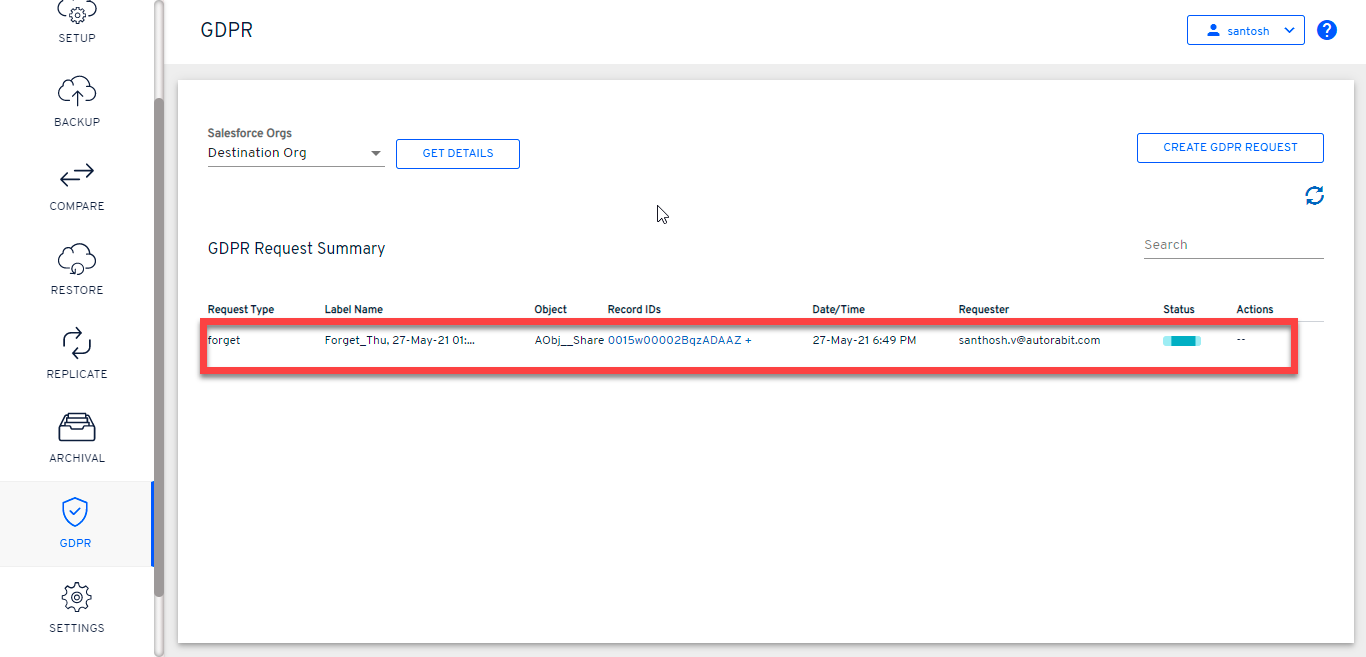
11. You'll be redirected to the GDPR summary page where the status of your request can be seen.
### More Actions on GDPR Request Summary page
For each GDPR request, you can view the following under the **Actions** tab:
1. **Log Info:** View the detailed log report for each GDPR request
2. **Delete GDPR Request:** Delete the raised request if no longer required.
3. **Download GDPR Result**: Download the GDPR result in your local machine for your reference. The downloaded file is in **CSV** format.
---
# Agent Instructions
This documentation is published with GitBook. GitBook is the documentation platform designed so that both humans and AI agents can read, navigate, and reason over technical content effectively. Learn more at gitbook.com.
## Querying This Documentation
If you need additional information that is not directly available in this page, you can query the documentation dynamically by asking a question.
Perform an HTTP GET request on the current page URL with the `ask` query parameter, and the optional `goal` query parameter:
```
GET https://knowledgebase.autorabit.com/product-guides/vault/vault-features/compliance/gdpr-secure-and-comply/right-to-be-forgotten-request.md?ask=&goal=
```
`ask` is the immediate question: it should be specific, self-contained, and written in natural language.
`goal` is optional and describes the broader end goal you are ultimately trying to accomplish on behalf of the user. GitBook uses it to tailor the answer towards what is most useful for that goal.
The response will contain a direct answer to the question and relevant excerpts and sources from the documentation.
Use this mechanism when the answer is not explicitly present in the current page, you need clarification or additional context, or you want to retrieve related documentation sections.